
Choosing a Podcast Clip Tool for an Agency

If you run an agency, the clip tool that wins for a solo creator usually loses for you, because your problem is not "make a good clip." Your problem is running ten client brands in parallel without mixing up their assets, getting sign-off without a sprawl of email threads, and keeping enough margin on a retainer that the work is worth doing. Buy for workspaces, white-label, approval flow, and cost per clip, in that order. The detection quality is table stakes.
Here is the part most reviews skip. In our own side-by-side testing across the major clippers, the auto-detected moments from a given episode overlap heavily, the tools mostly surface the same hooks, and the real difference is what happens after the clip is found (QuickReel internal benchmark, June 2026). So for an agency, the buying question is rarely "which finds better clips." It is "which one lets one editor service more clients per hour, at a unit cost that protects the retainer." This guide gives you the five-criterion scorecard, a verified June 2026 cost comparison for a five-client stack, and the margin model.
What makes a clip tool an agency tool?
An agency tool has to hold many client brands apart, route work for approval, and bill cleanly per client. Five things separate an agency-grade clip tool from a creator one: isolated client workspaces, white-label or unbranded exports, an approval/review flow, per-seat or per-client billing that maps to how you invoice, and a cost per clip low enough to keep margin on a retainer. Detection quality is assumed.
A creator buys for output. An agency buys for operations around the output. The clip that takes you 40 seconds longer to find costs you nothing; the client whose brand kit you have to re-enter every Monday costs you an hour a week, every week, across every client.
The five-criterion agency scorecard
Score each tool 0–2 on each line. Anything you'd stake a client relationship on should clear 7/10.
- Client isolation (0–2). Can each client live in its own workspace or folder with its own brand kit, fonts, caption preset, and connected social accounts, so nothing cross-contaminates? One shared library where everything piles together scores 0.
- Brand control & white-label (0–2). Can you set per-client brand presets and deliver exports with no tool watermark and, ideally, no tool branding on share/review pages? A removed watermark is the floor; a white-labeled review page is the ceiling.
- Approval routing (0–2). Can a client (or an external reviewer) see drafts and approve without a paid seat or a confusing login? Email-a-link-and-hope scores 0.
- Billing fit (0–2). Does the pricing unit (seats, minutes, or credits) map to how you bill clients, so you can attribute cost per client and re-bill it cleanly?
- Cost per clip at your volume (0–2). At your real monthly minutes, does the unit economics leave margin? Cheap-per-month with a hard minute cap can be expensive-per-clip.
This is the lens the rest of the article applies. It is also the part of the buying decision a solo-creator clip tool review will never cover, because a solo creator has one workspace, one brand, and no client to bill.

Which clip tool should an agency choose?
If you need real per-client isolation, external-reviewer approval, and white-labeled delivery, Descript Business ($50/seat/mo) is the most complete on paper, it is the only tool here with white-labeled publish pages and per-team brand controls (Descript pricing, June 2026). If you want the lowest cost per clip across many clients with a built-in scheduler, QuickReel (Ultimate $89/mo, 10 seats, 1,000 credits) and Vizard Business (shared workspace, external client viewers) are the value picks. Opus Clip is the safe, name-recognized default but its seats cap at six until you hit custom Business pricing.
Pick by your real constraint. Below, each tool, fairly, on the agency criteria.
Side-by-side: the agency lines that matter (June 2026)
| Tool / plan | Client isolation + white-label | Agency-relevant price |
|---|---|---|
| QuickReel Ultimate | Team workspace, 10 seats, brand templates, scheduler to ~30 platforms; no white-label review pages | $89/mo (1,000 credits) (pricing) |
| Descript Business | White-labeled publish pages, Brand Studio, custom page branding; per-seat | $50/seat/mo, up to 5 seats (pricing) |
| Opus Clip Pro / Business | Team workspace, 2 seats (up to 6 via packs); Business = unlimited seats, custom price; no white-label | $29/mo Pro; Business custom (eesel breakdown) |
| Vizard Business | Shared workspace, brand kit, add external client viewers to projects | Paid tier (price not public on page) (pricing) |
| Submagic Business+API | Brand assets/logos, custom templates; no white-label | $69/member/mo (pricing) |
| Munch Elite / Ultimate | Repurposing-focused, minutes-based not seat-based; multi-brand + custom agency tier | ~$116–$220/mo (Elite/Ultimate), full pricing gated until sign-up (Munch) |
All prices verified against the vendors' own pricing pages in June 2026; SaaS pricing moves, so re-check before you sign a client contract on it. Most of these vendors discount annual billing, confirm the current annual rate on each page rather than assuming a fixed cut.
QuickReel, best cost per clip with scheduling built in
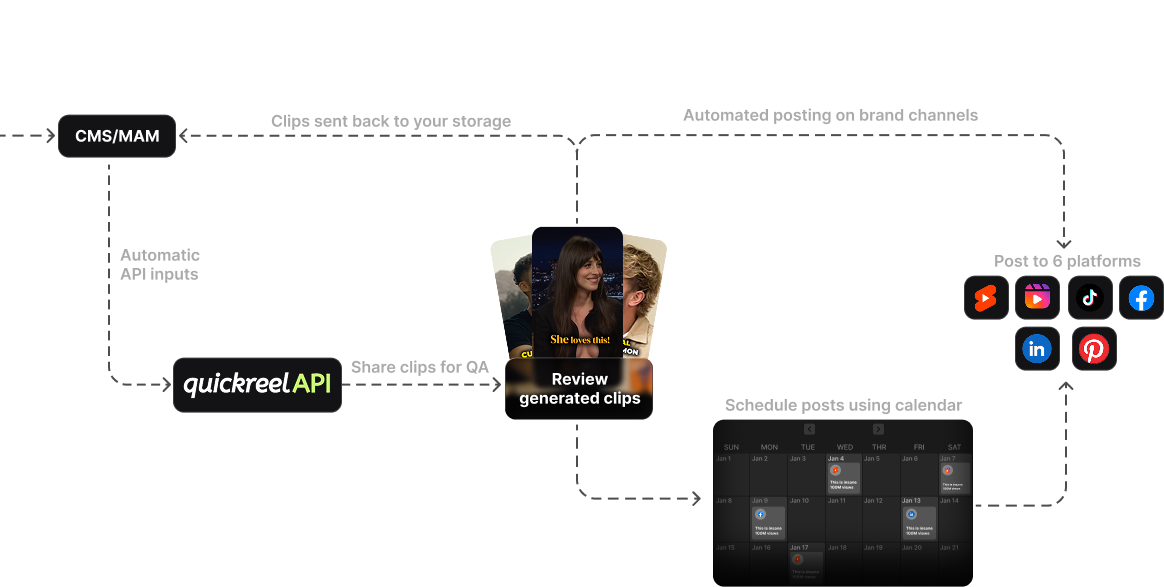
What it does well for agencies: the Ultimate plan gives you 10 seats and 1,000 monthly credits for $89/mo, plus a scheduler that posts to roughly 30 social destinations, brand templates, and 20+ languages (QuickReel pricing). For a shop pushing clips for several clients across many platforms, the built-in scheduler removes a whole second tool (and its bill) from the stack. Credits are pooled, so a busy client and a quiet one balance out.
Where it falls short: there is no white-labeled client review page, you can deliver unbranded exports, but the share/approval surface is not yours. If your clients need to log into a portal that says your agency name, Descript Business does that and QuickReel does not. Larger agencies should use the "Team or Enterprise" contact path rather than stacking Ultimate plans.
Descript Business, the white-label and approval pick
What it does well: Descript is the only tool in this set with white-labeled publish pages, plus a Brand Studio for team-wide layout defaults and custom drive/page branding (Descript pricing). For an agency whose differentiator is a polished, on-brand client experience, that matters. It is also a full editor, so heavy fix-ups don't need a second app.
Where it falls short: it bills per seat ($50/seat/mo on Business, up to five), so a five-person team is $250/mo before you add a single client's volume, the most expensive base in this table. It is also an editor first and an auto-clipper second; the pure "URL in, batch of clips out" speed is not its core. For agencies that live in the editor, that's a feature; for clip-factory shops, it's overhead.
Opus Clip, the recognized default with a seat ceiling
What it does well: Opus Clip is the name your clients have heard of, it was last valued at $215M (March 2025) with 10M+ users and 170M+ clips generated (Sacra). "We run your clips through Opus" needs no explanation on a sales call. Detection is strong and the Pro plan ($29/mo, 300 minutes) includes a team workspace.
Where it falls short for agencies: the team workspace starts at two seats and caps at six (two packs of 300 minutes / 2 seats each); beyond that you're into custom Business pricing with no published number (eesel). There is no white-label option surfaced even on Business. For a small studio it's fine; for a growing agency the 6-seat wall arrives fast, and the minutes cap can spike your cost per clip on heavy-volume months.
Vizard and Submagic, the value-and-volume options
Vizard's Business tier is built with agencies in mind: a shared workspace, brand kit, and the ability to add external viewers, clients or contractors, to specific projects without giving them a full seat (Vizard pricing). That external-reviewer feature is exactly the approval-routing line on the scorecard. The catch: Vizard hides its paid prices behind a placeholder on the pricing page, so you have to start a plan to see real numbers, annoying when you're modeling cost per client.
Submagic's Business + API plan ($69/member/mo) gives brand assets, custom templates, and API access, and it's caption-led, which is useful if captions are your clients' main ask (Submagic pricing). Note it bills per member, not flat, so a small team adds up. It has no white-label and is video-count/minute capped per tier, so model your volume carefully.
The margin math agencies actually need to run
Here is the buying decision a solo-creator review never makes: does the tool leave margin on the retainer? Run it as cost per clip, then as a percentage of the retainer. A $50/seat tool and a $9-base tool can land at wildly different unit costs once you divide by clips actually shipped.
Worked example. Say you charge a client $1,500/mo for 20 finished, posted clips. Your costs: the clip tool's share, an editor's review time (in our experience no auto-clipper ships fully client-ready, most clips still need a human to trim, re-caption, or reframe before delivery; QuickReel editorial baseline), and overhead. If your editor spends 8 minutes reviewing and fixing each clip at a $40/hr loaded rate, that's $5.33/clip in labor, $107 for the 20-clip batch, and it dwarfs the software line.
That is the real lesson: at agency volume, the tool's monthly price is the small number; review labor is the big one. So the right tool isn't the cheapest sticker, it's the one that ships clips needing the least fixing and the fewest clicks to deliver. Detection parity means you optimize the workflow, not the per-month fee.

When to choose each
A short decision rule, by your binding constraint:
- You need white-labeled, on-brand client review pages → Descript Business. It is the only one here that does it; pay the per-seat premium for the client experience.
- You're optimizing cost per clip across many clients and want scheduling included → QuickReel Ultimate or Vizard Business. Pooled credits and a built-in scheduler cut the stack.
- Clients specifically asked for "Opus" or you value name recognition on calls → Opus Clip, knowing you'll hit the 6-seat wall and renegotiate at Business.
- Captions are the whole job → Submagic, with a careful read of its minute caps.
- You only repurpose long video and don't need seats → Munch, on a minutes basis.
Whatever you pick, two things hold across all of them. Detection sits roughly at parity in our testing, so workflow is the differentiator. And every tool still hands you clips a human has to finish before a client sees them, so build that review labor into your retainer pricing, it's the cost that actually decides your margin. For the team-collaboration angle specifically, our breakdown of multi-seat clip tools goes deeper on shared libraries and permissions.
FAQ
Do any podcast clip tools offer true white-label for agencies? Among the mainstream clip tools, Descript is the clearest case: its Business plan includes white-labeled publish pages and custom page branding (Descript pricing, June 2026). Most others, QuickReel, Opus Clip, Submagic, let you remove watermarks and deliver unbranded exports, but the review/share surface still carries the tool's branding. Verify on the current pricing page before promising a client a fully branded portal.
How should an agency bill clients for clip-tool costs? Match your pricing unit to the tool's. Per-seat tools (Descript) attribute cleanly to a team; credit- or minute-based tools (QuickReel, Opus Clip, Vizard) pool usage, so allocate by each client's monthly clip count and re-bill as a line item or fold it into the retainer. Either way, model cost per finished clip, not cost per month, so a high-volume client doesn't quietly erode margin.
Is the cheapest clip tool the best choice for an agency? No. The monthly software fee is the smallest line in agency clip economics; review labor is far larger, because every AI clip still needs a human pass before it's client-ready. The best tool is the one that ships clips needing the least fixing and the fewest clicks to deliver, which lowers labor cost per clip, that moves margin more than a $20/mo price difference.
Can clients approve clips without paying for a seat? On some tools, yes. Vizard's Business plan lets you add external viewers (clients or contractors) to specific projects without a full seat (Vizard pricing). Others route approval through a shared link or workspace invite. If clean client sign-off is core to your workflow, score this feature explicitly, it's the difference between a tidy approval loop and a tangle of email threads.
How many clients can one editor handle with an AI clip tool? It depends on volume per client and how much review each clip needs, but the constraint is review minutes, not the tool. At 8 minutes of review per clip and 20 clips per client per month, one editor working about 30 billable hours weekly can realistically service several clients. Tools that cut review time per clip, better auto-reframe, cleaner captions, raise that ceiling more than a cheaper plan does. See our solo vs team setup comparison for the single-operator version of this math.
Related reading: free vs paid clip tools, the best AI podcast clip generators tested, picking a clip tool for in-house brand teams, and the best Opus Clip alternatives.