
Native Upload vs Link-in-Bio for Podcast Discovery


Upload your clips native, as video the platform hosts itself, and put the listen link in your bio, not the post. Almost every short-form feed shows native video to more people and quietly suppresses posts that send users off-platform, so a link in the caption costs you reach that a one-tap bio link does not.
That is the default for nearly every platform. But it is a tradeoff, not a law, and the right call changes by app. TikTok punishes external links hard. YouTube is built to keep you on YouTube. LinkedIn demotes link-in-post but tolerates a link in the first comment. The platform that crushes outbound links the most is the one where you most need a bio funnel.
This guide gives you the reach-vs-conversion logic behind native uploads, a per-platform table of how aggressively each app suppresses links, and a measurable clip-view-to-episode-play funnel so you can decide native-vs-link by destination instead of by habit.
Should you upload podcast clips native or post a link?
Upload native every time, and route listeners to the episode through your bio link rather than the caption. Every major platform optimizes its feed to keep users in-app, so a post that links out competes against that goal and gets throttled. The clip's job is reach; the bio link's job is the listen.
The mistake most podcasters make is treating one post as both the ad and the checkout. They cut a great clip, then bury "full episode in the link below" in a caption that the algorithm reads as "this user wants to leave." The clip would have reached three times as many people without that signal, and the people who actually want the episode will find a bio link anyway, it is the most-checked spot on any profile.
Think of it as a two-step path. Step one: the native clip earns the maximum possible reach and the watch-time the platform rewards. Step two: the small minority who want more tap your profile and hit a clean link to listen. Conflating the two costs you the reach without meaningfully helping the conversion.
The clip-view-to-episode-play funnel
Discovery from a clip is a funnel, and every off-platform tap is a leak. A clip can rack up 50,000 views and send 40 people to the episode, that is normal, not a failure, because the steps between "saw the clip" and "pressed play on the show" each shed most of the audience. Knowing the shape of that funnel tells you where native-vs-link actually matters.
Here is the path a new listener walks, and where they fall out:
The two steepest drops are steps four and five, the moment someone leaves the app. That is exactly why native upload matters so much: posting a link in the caption tries to collapse steps three through five into one tap, and the algorithm responds by shrinking step one. You trade a huge top-of-funnel for a marginally shorter path that most people would not have completed anyway.
The practical reading: optimize step one and step two relentlessly (native video, a strong first three seconds, captions), keep step four frictionless (one clean bio link, not a wall of buttons), and accept that step five is small. A clip that triples its reach by going native and loses a tap of convenience still sends more people to the episode in absolute terms.
Which platforms suppress external links the most?
Rank them by how hard each app fights outbound links. TikTok and Instagram are the harshest, links in captions or comments do little and cut reach. LinkedIn demotes post-body links but tolerates one in the first comment. YouTube wants you on YouTube but keeps your description link clickable. The rank tells you where native is mandatory versus merely smart.
The behavior is platform-specific and changes over time, so treat this as the current creator-reported norm, not a permanent rule. The pattern is consistent enough to plan around:
| Platform | External-link suppression | What to do instead |
|---|---|---|
| TikTok | Very high, captions aren't tappable for most; links seen as leaving | Native clip, link in bio only |
| Instagram (Reels) | High, no caption links; bio + Stories link sticker | Native clip, bio link + Stories sticker |
| Medium, post-body links demoted | Native clip, link in first comment | |
| YouTube (Shorts) | Medium, favors staying on YouTube | Native clip, link the full episode (ideally on YouTube) |
| Facebook (Reels) | Medium-high, outbound links throttled | Native clip, link in bio/page |
| X (Twitter) | Lower, links work but native video out-reaches them | Native clip, link in a reply |
Two of these deserve a note. On YouTube, "native" and "the destination" can be the same place, a Short that links to the full episode hosted on YouTube keeps the viewer in-app, which the platform rewards and which removes step four entirely. That makes YouTube Shorts the single best discovery surface for a video podcast, and it is not close: YouTube passed 1 billion monthly podcast viewers in January 2025 (Variety). On TikTok and Instagram Reels, by contrast, the link in your bio is the only practical route, so it has to point somewhere clean.
Why this matters: where new listeners come from
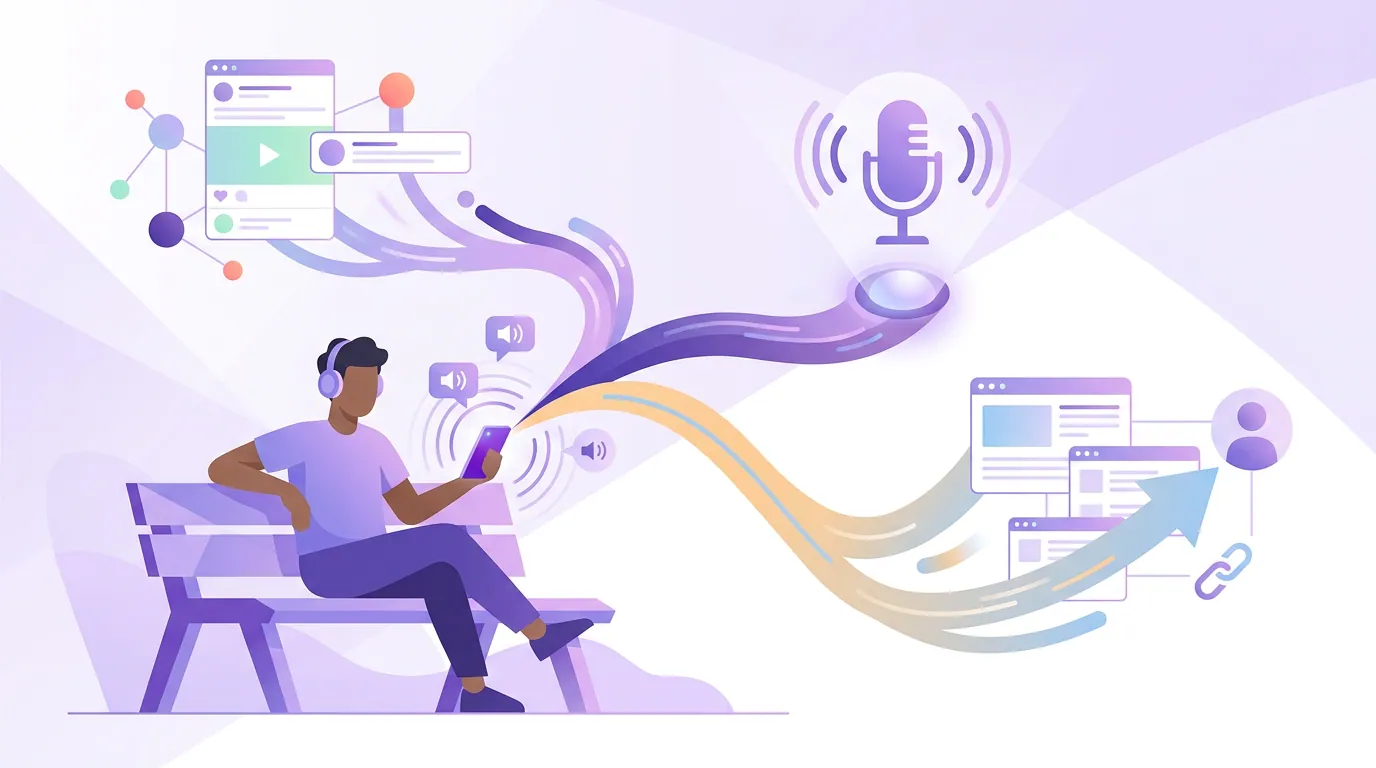
Clips are not a vanity exercise, they are now a primary discovery channel, which is what makes the native-vs-link decision worth getting right. 57% of listeners rely on social media for podcast recommendations, the first time that surpassed friends and family (InsideRadio). The reach you protect by going native is the top of the only funnel most new listeners ever enter.
Short-form clips are estimated to drive 20–40% of new-audience acquisition for video shows and can raise reach two-to-five times (Podcast Studio Glasgow; single-studio figure, directional). That estimate comes from one production studio's experience, so read it as a ballpark, but the direction matches every platform's own incentive to surface native video. Suppress your own reach with a caption link and you shrink the channel that brings most of your new listeners.
How to build the bio funnel that catches the taps
Once your clips go native, the bio link becomes the whole conversion mechanism, so it has to be frictionless. The rule: one link, one obvious next action, pointed at where the listen actually happens. A reader who taps your profile after a clip is at their most motivated for about three seconds, a cluttered link page or a multi-step path loses them.
A few specifics that move the needle:
- Point the link at a listen, not a homepage. Send people to a "listen here" page (a Linktree-style hub or a smart podcast link that opens their app of choice), not your website's front door. Every extra click is a leak at the bottom of the funnel.
- Match the bio link to the clip's destination. If this week's clips are from episode 42, the top button should be episode 42. Rotating it to match what you're posting beats a generic "latest episode" link.
- Use each platform's secondary link slot. Instagram's Stories link sticker, LinkedIn's first comment, an X reply, a pinned comment on a Short, these don't carry the suppression penalty a caption link does, so they add a second route without costing reach.
- Keep the call to action in the clip's captions, not its destination. A burned-in "full episode → bio" on the clip itself tells motivated viewers where to go without putting a link in the post body where the algorithm penalizes it.
This is where the funnel pays off. You spent the native upload protecting step one's reach; the bio funnel is how you stop leaking at steps four and five. The two work together, a huge native reach with a broken bio link wastes the views, and a perfect bio link on a throttled, link-in-caption post has almost no one to catch.
Common mistakes with native vs link-in-bio
- Putting the listen link in the caption. It signals "I want users to leave," and the platform shrinks your reach in response. Keep the post native and the link in the bio or the platform's tolerated secondary slot.
- A bio link that goes to a homepage. The motivated viewer wanted the episode, not a tour of your site. Point the link straight at a listen page and you save the bottom of the funnel.
- Treating every platform the same. A caption link does real damage on TikTok and Instagram but only mild damage on X. Match your aggression to the platform's, the table above ranks them.
- Ignoring YouTube's home-field advantage. For a video show, a Short linking to the full episode on YouTube keeps the viewer in-app and removes the off-platform tap entirely. Don't route YouTube viewers off YouTube if the episode lives there too.
- Posting links and clips as one event. The clip and the link compete for the algorithm's read of your intent. Separate jobs: the native clip earns reach, the bio link earns the listen. Don't make one post try to do both.
Tools for clipping and distributing native
The work that breaks a native-distribution habit is volume. One ~20-minute episode yields 20–30 short pieces (industry norm), and each one needs reframing, captions, and a separate native upload to every platform, which is where the routine quietly dies and people fall back to lazy caption links.
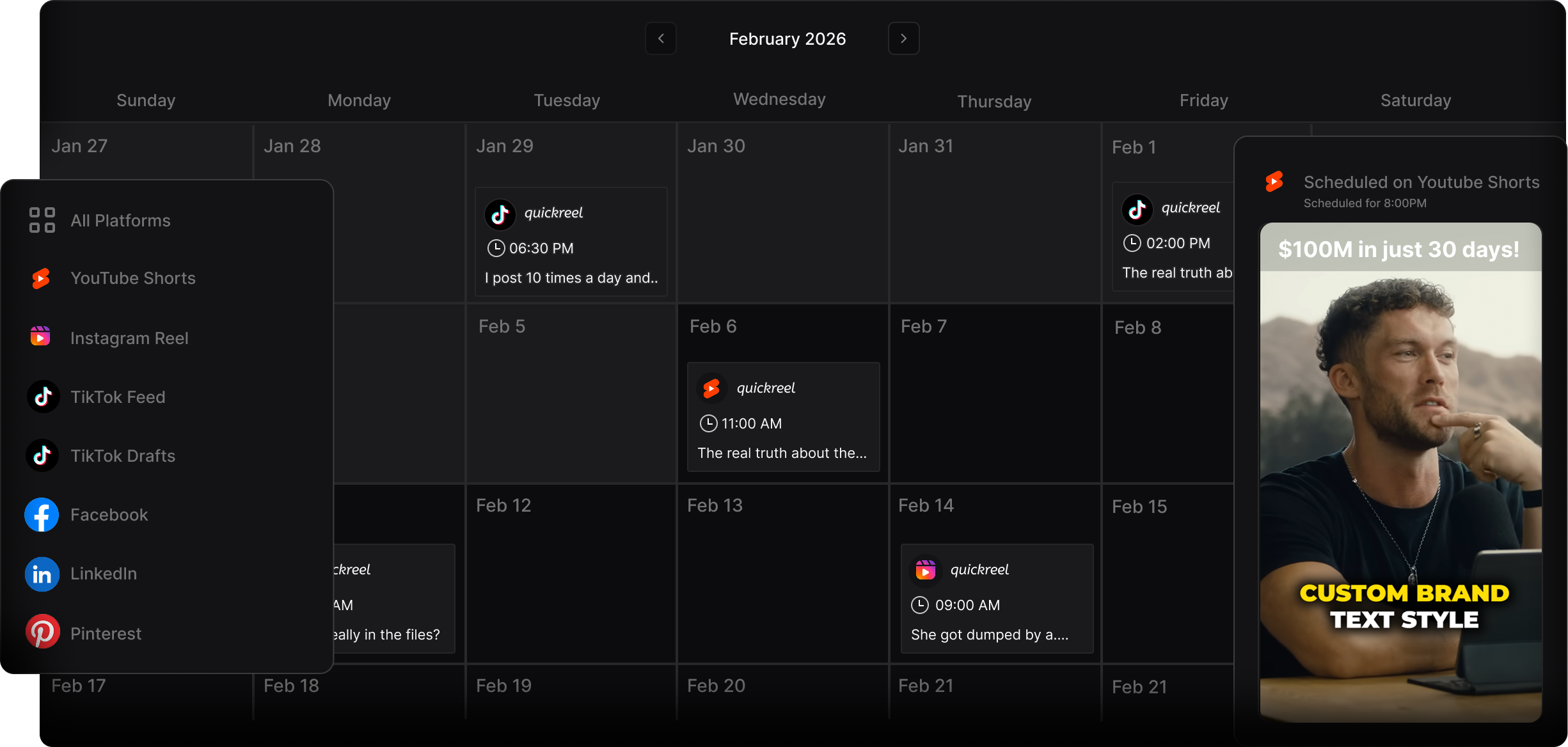
An AI clipper handles the production side, finding moments, auto-captioning, reframing vertical, and exporting per-platform, so your effort goes into the distribution calls instead of the timeline. QuickReel fits this: it auto-captions, reframes with speaker tracking, exports vertical and square formats, supports 20+ languages and 12+ caption styles, and can schedule native uploads across platforms from one place (current pricing runs from a $9 Starter tier upward), which keeps every post native rather than a cross-link. The honest caveat that applies to every AI clipper, not just ours: plan to review roughly 20–40% of what it suggests, and the distribution judgment, which clip goes native where, what the bio link points at, stays human. Tools like Opus Clip and Vizard handle the clipping well too; across all of them, the differentiator is how few clicks sit between a YouTube URL and a finished, native, captioned post. When you're deciding which moments are worth the native push, how to pick the best AI-suggested clips walks through scoring candidates, and how AI clip detection works explains what the tool is finding in the first place.