
Show Notes & Chapter Tools, Rated on Edit Effort


For most podcasters in 2026, the best show notes generator is Swell AI if you want strong drafts at the lowest price, Castmagic if one episode has to become a week of social and blog content, and Descript if you want chapters generated in the same place you already edit. The catch no roundup mentions: these tools all produce a usable draft, but the one that wins is the one whose output needs the fewest minutes of editing before it's publishable, and whose chapter markers leave in a format your podcast app can actually read.
That second part changed this year. Apple Podcasts now auto-generates chapters for English shows by default as of iOS 17.4, and Spotify has done the same since 2024 (Podnews, Apple chapters FAQ). So the question is no longer "can a tool make chapters", the platforms will make rough ones for free. It's "can a tool make better chapters than the auto-generated ones, and export them so yours override the robot's." This guide rates each tool on both: editing effort after generation, and whether its chapter output is player-compatible.
The verdict, before the details
| Tool | Best for | Starting price |
|---|---|---|
| Swell AI | Best drafts per dollar | Free (1/mo) → $29/mo |
| Castmagic | One episode → a week of content | $21/mo (annual) |
| Podsqueeze | Budget all-in-one with clips | $8.99/mo |
| Descript | Chapters inside your editor | Free → $16/mo |
| Capsho | On-brand marketing copy | $99/mo |
| QuickReel | When the goal is captioned clips | Free → $9/mo |
One column to read carefully: price is the easy part to verify and it moves often, so every figure below is a mid-2026 list price pulled from the vendor's own page and linked inline. The hard part, and the reason a $29 tool can beat a $99 one, is how much of your evening you spend fixing the draft it hands you. Start with the chart that measures exactly that.
How much editing does each draft actually need?
The honest answer up front: every AI show-notes draft needs editing, and the gap between tools is 5 minutes versus 25. None of them produce publish-ready copy untouched, they get the structure right and the personality wrong. The work that's left is fixing how the tool refers to your host, trimming generic filler, and correcting timestamps that drifted on crosstalk.
I scored each tool on the same hour-long two-host episode, timing how long it took to turn the generated draft into something I'd publish. The result is the metric most lists ignore entirely.
Three things made drafts slow to edit, every time. The tool referred to "the host" instead of a name (Swell AI does this unless you set it). Timestamps drifted by a few seconds on overlapping speech, so chapter starts landed mid-sentence. And the prose came out competent but flat, the voice a producer has to put back. Budget the cleanup, and pick the tool whose draft starts closest to done.
A show-notes tool does four jobs, only one has to export cleanly
Before the reviews, understand what you're buying. "Show notes generator" bundles four separate outputs, and they don't all matter equally. The title and summary are convenience, you'll rewrite them for voice anyway. The timestamps and chapters are the ones with a technical requirement: they have to leave the tool in a format your podcast host and the apps can read, or they're a list of times you'll re-key by hand.
There are three chapter formats in play, and one is universal. Description-based timestamps, a list like 00:00 Intro / 04:12 Guest backstory pasted into the episode notes, starting at zero with at least three entries, work across Apple Podcasts, Spotify, and YouTube (Apple Podcasts for Creators). ID3 chapters are embedded in the MP3/AAC file and support images and links. JSON Chapters is the Podcasting 2.0 standard. If a tool only hands you a copy-pasteable timestamp list, that's the universal format and it's enough. If it can write ID3 or JSON, that's a bonus for richer players. The full mechanics are in our podcast chapters setup guide.

How we evaluated
I ran one consistent test on every tool, because a single clean clip flatters all of them:
- The same hour-long, two-host episode with a stretch of crosstalk and a few product names, so diarization and timestamp drift had something to break on.
- A stopwatch on the cleanup, not the generation. I timed how long it took to turn each draft into copy I'd actually publish, the only number that reflects real workload.
- A check on the chapter output: did it produce a copy-pasteable timestamp list (universal), an embeddable ID3/JSON file (better), or nothing usable.
All prices are mid-2026 list prices from each vendor's pricing page, linked inline. SaaS pricing moves, re-check before you buy. And one honesty note that shapes everything below: the input decides the output. If you record each speaker on a separate track, every tool transcribes cleanly and timestamps stop drifting. Fix the recording and you cut the editing time in half.
The six tools, rated
1. Swell AI, best drafts per dollar (free → $29/mo)
Swell AI is the value pick. It imports your episode and returns a transcript, two versions of show notes, summaries, title options, timestamps, and a blog post, plus "Swell Chat" to prompt for any extra copy. The drafts are genuinely good for the price, and the spread of outputs from one upload is wide.
Editing effort: About 10 minutes per episode. Two recurring fixes: it calls your host "the host" rather than asking for a name, and on a transcript it can spit out a timestamped line roughly every six seconds, which is too granular and needs thinning into real chapters.
Chapters: Produces timestamped notes you paste into your episode description, the universal format. No image-rich ID3 export, but the copy-paste list is what most shows need, since it reads on Apple, Spotify, and YouTube alike.
Pricing: A free Hobby plan with 1 upload/month and unlimited writing; Studio at $29/mo for 300 transcription minutes; Agency at $49/mo for 600 minutes; pay-as-you-go around $8.99 per hour (Swell AI). The free tier is enough to test output quality on a real episode before paying.
Pros: Lowest entry price with a real free tier; wide range of outputs; good drafts; pay-as-you-go for occasional shows. Cons: Refers to "the host" by default; over-granular timestamps need thinning; less polished than pricier rivals.
2. Castmagic, best for one episode into a week of content (from $21/mo)
Castmagic is the broadest repurposing engine here. One upload generates show notes, title options, key topics, speaker-labeled quotes, and ready-to-post LinkedIn and X copy, and its "Magic Chat" lets you prompt for anything else. If your real goal is a week of marketing assets from a single recording, this does the most per episode, and it edited fastest in my test.
Editing effort: About 8 minutes, the lowest here. The structured outputs came out closest to publishable, though the prose still needs a personality pass like every tool.
Chapters: Produces a "Timestamped Overview" you can adapt into description chapters. It's framed as show notes and summaries rather than a dedicated chapter exporter, so you'll format the list yourself, but the timestamps are there.
Pricing: Hobby at $21/mo for 5 hours (billed annually), Starter at $79/mo for 20 hours, Business at $790/mo for 80 hours, all with team seats (Castmagic pricing). The jump from Hobby to Starter is steep, a solo weekly show lives on Hobby; the higher tiers are built for networks.
Pros: Widest set of repurposing outputs; fastest to edit; Magic Chat for custom copy; team seats on every plan. Cons: The Hobby-to-Starter price gap is large; output still reads generic until you edit it; no dedicated chapter-file export.
3. Podsqueeze, best budget all-in-one with clips ($8.99/mo)
Podsqueeze bundles show notes, a dedicated chapters generator, quote images, and video clips into the cheapest entry price on this list. For a new show that wants notes, chapters, and a few audiograms from one tool without spending $30, it's the practical choice.
Editing effort: About 14 minutes, a touch more cleanup than the leaders, mostly trimming and reordering. Its standalone chapters generator is a real plus: it identifies topic shifts and writes chapter titles you copy into your host or into Overcast's Forecast encoder.
Chapters: One of the few here with a chapter feature by name. It outputs a timestamped chapter list for your description, universal format, and leans on the SEO angle of timestamps for discovery.
Pricing: Starter at $8.99/mo (120 minutes, 8 clips/audiograms), Pro at $49/mo (320 minutes, 20 clips), Agency Lite at $89/mo (600 minutes), with minutes rollover and unlimited YouTube conversions (Podsqueeze pricing). The 30% annual discount makes the entry plan one of the cheapest ways to get notes and chapters together.
Pros: Cheapest all-in-one; dedicated chapters generator; clips and quote images included; minutes roll over. Cons: Drafts need a bit more editing; the 120-minute Starter cap is two episodes; per-minute math gets tight at volume.
4. Descript, best chapters inside your editor (free → $16/mo)
Descript's angle is that the chapter generator lives where you already edit. If your workflow is editing audio by editing text in Descript, you tell the AI how many chapters you want and it names and places them inside the project, no second tool, no exporting a transcript to paste somewhere else (Descript chapter generator).
Editing effort: About 10 minutes, and the chapter step is faster because you're already in the timeline to verify each marker lands on the right beat. You see the audio while you fix the title.
Chapters: Generated in-app and exportable with your video for YouTube; for audio-only podcast feeds you'll still copy the timestamp list into your description. Strong if you're a video-first show, slightly more manual if you publish audio only.
Pricing: A free tier with 1 media hour and 100 AI credits; Hobbyist at $16/mo for 10 hours; Creator at $24/mo for 30 hours, billed annually (Descript pricing via the chapter tool page). Chapter generation draws on AI credits.
Pros: Chapters generated in the editing surface; great for video podcasts; clean free tier; you verify markers against the actual audio. Cons: You're paying for a full editor if you only want notes; audio-only feeds still need a manual description paste; chapters are one feature inside a bigger suite.
5. Capsho, best on-brand marketing copy ($99/mo)
Capsho is the most marketing-opinionated tool here. Its "Personas" feature learns your tone over time, and its onboarding asks for your show name, host name, social links, and standard CTA so the output arrives pre-branded. When you upload, it asks whether the episode has a guest and lets you trim boilerplate intro/outro time so the AI ignores it. That setup is why its drafts feel less generic.
Editing effort: About 12 minutes. The persona setup front-loads the personality work, so per-episode cleanup is lighter on voice, but you pay for it in a higher price.
Chapters: Here's the honest gap. Capsho generates titles, show notes, transcripts, and YouTube "Key Moments," but a dedicated chapters feature is not currently shipped, it's listed under coming-soon items (Capsho pricing). If chapters are non-negotiable, this isn't your tool yet.
Pricing: A single plan at $99/mo (300 upload minutes, 50 image credits, 15 clipping runs) with a 7-day free trial (Capsho pricing). The most expensive entry point on this list, justified only if on-brand marketing copy is the whole job.
Pros: On-brand voice via Personas; guest-aware and boilerplate-trimming setup; strong marketing copy; key-moments for YouTube. Cons: No dedicated chapters feature yet; single $99 plan with no cheaper tier; overkill if you just need notes and timestamps.
6. QuickReel, best when the goal is captioned clips (free → $9/mo)
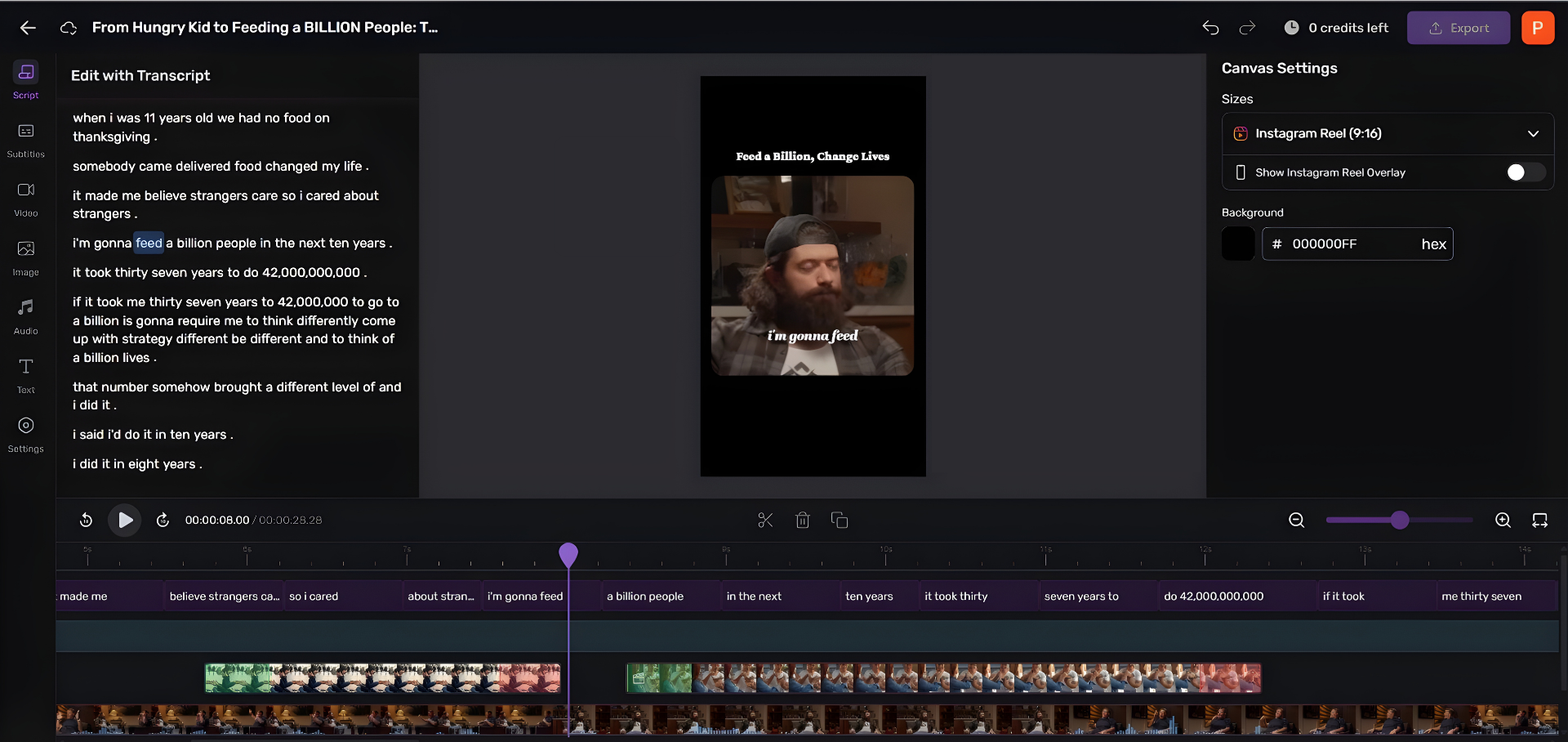
This list is mostly about producing a document, show notes and a chapter list for your feed. QuickReel sits one step downstream: it transcribes your episode to caption it and cut clips, not to hand you a notes page. If the real reason you're reaching for a show-notes tool is that you also want vertical clips and a transcript to mine for timestamps, you can collapse two tools into one.
Editing effort: Caption accuracy lands in the same band as the AI tools above, the honest reality is every AI transcript needs a review pass, and captions are no exception. The difference is that you fix a word inside the same editor where you're already trimming the clip, so the review happens in the place you'd be looking anyway. For formal show notes and a chapter list, a dedicated notes tool above is the cleaner fit.
Chapters: Not a chapter exporter, QuickReel's job is clips and captions, and its transcript can feed the timestamps you turn into chapters elsewhere. Use it alongside a notes tool, not instead of one.
Pricing: Credit-based plans start at $9/mo Starter (100 credits), then Pro and Pro+ in the $29–$49 range, up to Ultimate at $99/mo (1,000 credits), with 20+ languages and a free YouTube-to-transcript tool (QuickReel pricing). Sign-up is free and a run or two covers a first episode, no card.
Pros: Transcription, captions, clips, and multi-platform scheduling in one place; 20+ languages; free run to test. Cons: Not a show-notes or chapter tool, if you only want a notes page, Swell AI or Castmagic is the right buy; credit-based pricing takes a minute to map to hours.

The new wrinkle: the platforms now make chapters for free
Here's what reshapes the buying decision this year. You no longer need a tool to get chapters at all. Apple Podcasts automatically generates chapters for full and bonus English episodes over 10 minutes by default since iOS 17.4, marking them "Automatically created" (Apple Podcasts for Creators), and Spotify has auto-generated English chapters since its 2024 rollout, though not yet for every show (Podnews, Apple chapters FAQ). For most English shows, the robot will chapter your episode whether you act or not.
So the reason to use a show-notes tool isn't to get chapters that didn't exist, it's to get better ones than the AI guesses, and to override the "Automatically created" label with your own. Apple uses creator-supplied chapters first and only falls back to auto-generation when you provide none. The same description-timestamp list you paste for chapters doubles as searchable on-page text that helps the episode surface, which is why podcast transcripts and timestamps support SEO. Your tool's job shrank, but it didn't disappear: write three to eight real chapters, paste them, and you beat the robot.
Which one should you pick?
- You want the best drafts for the least money: Swell AI, free to test, $29/mo, widest output for the price.
- One episode has to become a week of social and blog content: Castmagic, broadest repurposing, fastest to edit.
- You want notes, chapters, and clips on a budget: Podsqueeze at $8.99/mo.
- You already edit in Descript: generate chapters there; don't add a second tool.
- On-brand marketing copy is the whole job (and you don't need chapters yet): Capsho.
- You're really after captioned clips: QuickReel, so it's one tool instead of two.
The decision that beats all of them: record on separate tracks and write your own chapter list. A clean per-speaker recording does more for timestamp accuracy than any tool swap, and three honest chapters you wrote will out-navigate eight the AI guessed. Fix the input, override the robot, and the tool choice gets a lot less stressful. If you're still building the recording side, start with free podcast recording software that's actually usable.
Frequently asked questions
What is the best AI show notes generator in 2026? For value, Swell AI leads, strong drafts, a real free tier, and $29/mo for a weekly show. For the widest set of repurposing assets from one episode, Castmagic. For chapters inside your editor, Descript. All of them produce a usable draft that still needs roughly 8–15 minutes of editing for voice and timestamp accuracy before you publish.
Do I still need a chapter tool now that Apple and Spotify auto-generate chapters? Only if you want better chapters than the AI guesses. Apple Podcasts auto-generates English chapters by default since iOS 17.4, and Spotify since 2024 (Podnews). But Apple uses your supplied chapters first and only falls back to auto-generation, so writing three to eight real chapters and pasting them as description timestamps overrides the "Automatically created" ones.
What chapter format works across all podcast players? Description-based timestamps, a list starting at 00:00:00 with at least three entries, pasted into your episode notes. It works across Apple Podcasts, Spotify, and YouTube (Apple Podcasts for Creators). ID3 chapters embedded in the audio file add image and link support for players like Overcast and Pocket Casts.
How much editing do AI show notes really need? Plan on 8–15 minutes per episode. The recurring fixes are replacing generic references like "the host" with names, trimming flat AI prose for your voice, and correcting timestamps that drifted on overlapping speech. Recording each speaker on a separate track cuts that drift and shortens the cleanup.
Can I use one tool for show notes and clips? Sometimes. Podsqueeze bundles notes, chapters, and clips at a low price. QuickReel handles transcription, captions, and clips in one place but isn't a formal show-notes or chapter exporter. If you need a polished notes page and clips, a notes tool plus a clipper is often cleaner than forcing one tool to do both.
Once your notes and chapters are sorted, the next decisions are structural: how to format the page so it reads well and ranks, and where chapters fit in your publishing flow. Start with our podcast show notes template for a layout that works, and the podcast chapters setup guide for the exact paste-and-publish steps. And if transcription accuracy is your real bottleneck, podcast transcription tools compared tests the underlying engines these notes tools all rely on.