
How to Submit Your Podcast to Apple Podcasts


To get your podcast on Apple Podcasts, you submit your RSS feed URL once inside Apple Podcasts Connect, not your audio files. Sign in with an Apple ID that has a payment method on file, paste the feed URL, validate, fill in the contact and rights sections, then publish. Apple processes the technical check in roughly 30 minutes and full review usually lands within 24 hours to a few days.
The submission itself is short. What trips people up is the feed behind it, an artwork file that's the wrong size, a missing tag, a server that blocks the request Apple needs to make. This walkthrough covers the exact Connect steps, the metadata fields that cause rejection, the real timelines, and how to repair a feed that won't validate.
One thing to settle first: you do not upload episodes to Apple. Apple reads them from the RSS feed your podcast host generates. So before you can submit anything, you need a host. If you don't have one yet, start with how to start a podcast for free and choosing a podcast host, the host is what creates the feed Apple ingests.
What you need before you submit
You need four things ready before opening Connect: an Apple ID with a payment method, an RSS feed URL from your host, at least one published episode in that feed, and a square cover image that meets Apple's specs. Miss any one and the submission either won't start or won't pass.
The payment-method requirement surprises people. You are not paying to list, distribution is free. But if your Apple ID has no card on file, you cannot sign in to Apple Podcasts Connect at all, per Buzzsprout's submission guide. Add a payment method to the Apple ID first, then come back.
You also need a minimum of one episode live in the feed. That can be a trailer, a bonus, or a full episode, Apple needs something to validate. A feed with zero
The Apple Podcasts Connect steps
Here's the full sequence. It takes about ten minutes if your feed is clean.
- Go to Apple Podcasts Connect and sign in with your Apple ID. If the page rejects your login, the cause is almost always a missing payment method, not a wrong password.
- Click the "+" (or "New Show") in the top-left and choose Add a show with an RSS feed.
- Paste your RSS feed URL and select Validate. Apple now runs the technical check, it reads your title, description, categories, language, copyright, explicit setting, artwork, and episode list.
- Review what Apple pulled in. This is your last chance to catch a typo in the title or a wrong category before it's public. If something's off, fix it at the source (in your host's settings), not in Connect, Connect only mirrors the feed.
- Complete Content Rights and the Show Contact form. Content Rights asks whether the material is original or licensed. The contact form is private; it's how Apple reaches you if there's a problem.
- Submit for review, then wait. You'll get a confirmation email when the show goes live.
That's the whole flow. The difficulty lives entirely in step 3, validation, and in the artwork Apple checks there.
The metadata fields that trigger rejection
Most failed submissions die on one of four things: artwork, server access, category formatting, or a missing required tag. None of them are mysterious once you know what Apple actually enforces.
Artwork is the single most common reason a podcast isn't accepted, per Buzzsprout. Apple's Show Cover spec requires a square (1:1) JPEG or PNG, between 1,400 × 1,400 and 3,000 × 3,000 pixels, in the RGB color space. Two specific failures account for most rejections:
- CMYK color space. If a designer built the art for print, it's likely CMYK, which causes upload errors. Convert to RGB before exporting (in Photoshop: Image → Mode → RGB Color). Canva and Figma export RGB by default; Photoshop and Illustrator keep whatever the document was set to.
- Transparency. A PNG with a transparent background won't render correctly on Apple. Flatten the art onto a solid background first.
Design at 3,000 × 3,000 even though 1,400 is the minimum, the same high-res file works everywhere, and a soft 1,400px image looks blurry on a modern high-density phone or a TV screen. The full breakdown lives in podcast cover art requirements.
The next three are feed-level, set by your host but worth verifying:
- Server access. Apple's feed requirements state your server must allow HTTP HEAD requests and byte-range requests so artwork displays and audio streams. Reputable hosts handle this. A self-hosted feed behind a misconfigured server, or a password-protected feed, will fail.
- Category formatting is case-sensitive. Apple lists
Kids & Family, notKids & family. A host's category picker normally gets this right; a hand-written feed often doesn't. - Required tags and a stable GUID. Each episode needs a unique
One clarification on validation people get wrong: passing validation is not content approval. Validation is the technical check. Apple still reviews against its content guidelines afterward, so a clean validation doesn't guarantee a green light, though for a normal show, it almost always means you're through.
How long Apple Podcasts review really takes
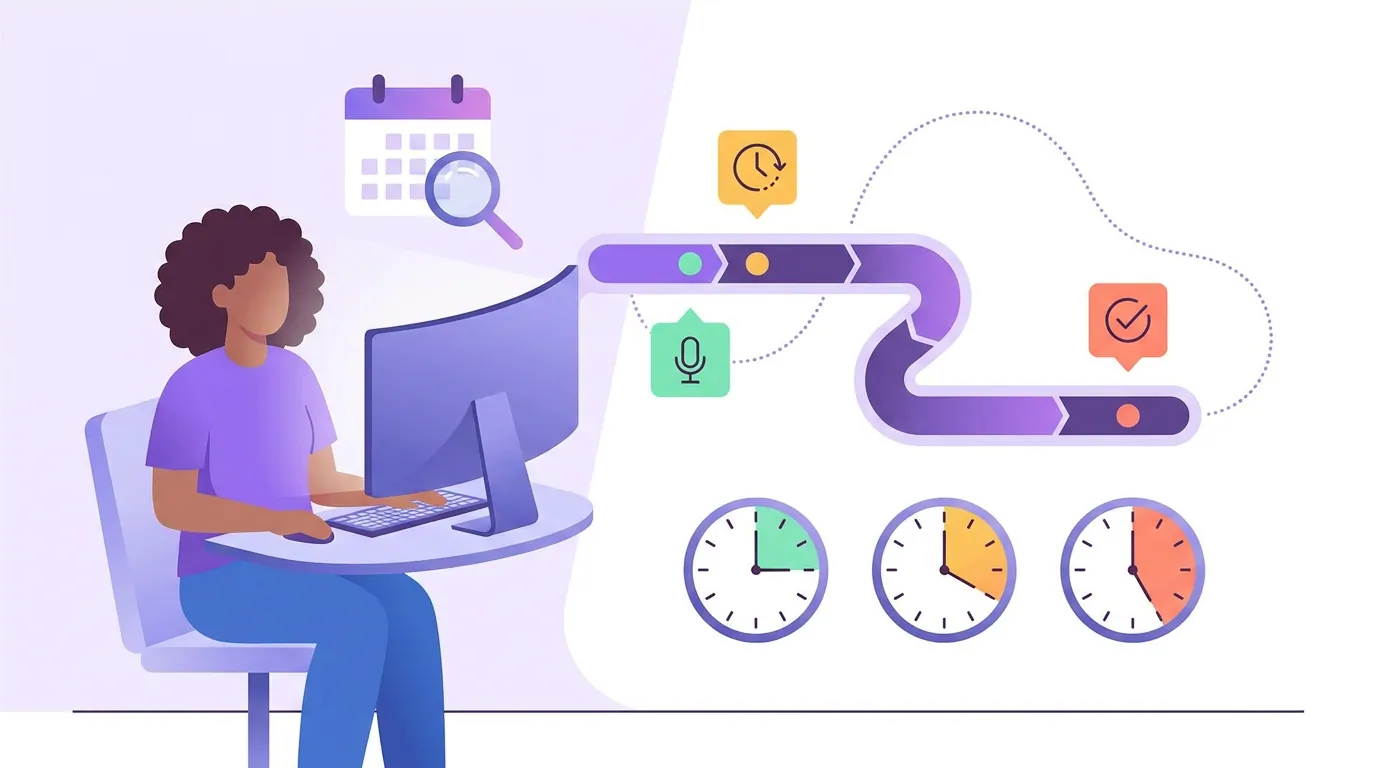
Plan for the technical validation to finish in about 30 minutes and the full review to land within 24 hours to a few days. Apple itself processes show details in roughly half an hour, occasionally a few hours; if it passes 24 hours with no movement, that's your cue to contact Apple Podcast Support, per Buzzsprout.
Independent hosts report a wider band for full approval, typically 24 hours to two weeks, with most shows live in a day or two. Castos tells its users a new show can take up to five days, and to contact Apple directly only after that. The variance is real and depends partly on Apple's submission volume, so treat any single number as a midpoint, not a promise.
After approval, you never resubmit. Apple re-checks your feed every 24 hours and pulls in new episodes automatically.
How to fix a feed that won't validate
When validation fails, Apple returns a specific error, read it literally and fix at the source. Most failures fall into a short list of causes you can clear in minutes.
- "Artwork not found" or a size error. Re-export at 1,400–3,000px square, RGB, flattened, then re-host the image. Apple may be caching an old image URL, changing the filename forces a fresh pull.
- "Cannot reach feed" / connection error. Your server isn't answering HEAD or byte-range requests, or the feed is gated. Confirm the URL loads in a private browser window with no login.
- Missing required element. Usually no episode in the feed, a missing enclosure, or a missing language/category tag. Publish one episode and confirm your host has language and a category set.
- Duplicate or shifting GUIDs. If you migrated hosts, make sure GUIDs carried over. A new GUID on an old episode reads as a brand-new (duplicate) episode.
Apple recommends validating your feed inside Connect before submitting, and points to third-party tools like Cast Feed Validator and Podbase for deeper diagnostics when an error is vague, per its validation support page. If a show is rejected outright, you fix the cited issues and resubmit, there's no penalty for a second attempt.
Common mistakes that slow you down
Five recurring errors, each with the fix:
- No payment method on the Apple ID. Add a card before you start, or you can't sign in. Listing is still free.
- Submitting before an episode is live. Publish at least a trailer first; an empty feed fails validation.
- CMYK or transparent artwork. Export RGB, flattened, square, this clears the most common rejection in one move.
- Editing in Connect instead of at the host. Connect mirrors the feed. Fix titles, categories, and descriptions in your host's dashboard; the feed updates and Apple re-reads it.
- Treating the $19.99 Apple Podcasters Program as a listing fee. It isn't. Distribution is free; the $19.99/year (US) Apple Podcasters Program is only for selling paid subscriptions, per Apple's feature availability page. Skip it unless you're charging listeners.
FAQ
Is it free to submit a podcast to Apple Podcasts? Yes. Listing and distribution on Apple Podcasts are free. You only pay if you join the Apple Podcasters Program to sell paid subscriptions, which costs $19.99 per year in the US (varies by region), per Apple's feature availability page. You still need a payment method on your Apple ID to sign in to Connect, but you are not charged to list.
Do I need to upload my episodes to Apple Podcasts? No. Apple reads episodes from your RSS feed, which your podcast host generates and updates. You submit the feed URL once. After approval, Apple checks the feed every 24 hours and adds new episodes automatically, you never re-upload or resubmit.
Why does my podcast pass validation but isn't live yet? Validation is a technical check, not content approval. Apple still reviews your show against its content guidelines after the feed validates, which is why full approval can take 24 hours to a few days even after a clean validation. For a standard show, passing validation almost always means you'll be approved shortly.
How do I fix "artwork could not be found" on Apple Podcasts? Re-export your cover as a square JPEG or PNG between 1,400 and 3,000 pixels, in RGB (not CMYK), flattened onto a solid background. Re-host the file, ideally with a new filename to bypass any cached version, then re-validate. Artwork is the most common submission failure.
How long until my podcast appears in Apple Podcasts search? Once approved and live, a show is usually searchable within hours. If you search and don't find it, give it a day and confirm the listing is actually approved in Connect rather than still pending review.
Once you're live, the work shifts to discovery
Submission is a one-time gate. Getting found afterward is the ongoing job, and Apple's directory rewards consistency more than a perfect first day. Map out your first weeks with the step-by-step launch plan, and if budget is shaping your choices, what it really costs to start a podcast keeps the numbers honest.
Listing alone won't bring listeners. Most new shows are discovered through social video, not directory browsing, short clips from each episode are what put a new podcast in front of people who've never opened Apple Podcasts.