
How to Start a Podcast for Free (No Budget)

You can start a podcast for $0 using software you mostly already own. Record on Audacity (any computer) or GarageBand (Mac), edit in the same app, host free and unlimited on RSS.com, Spotify for Creators, or RedCircle, and they push your show to Apple Podcasts and Spotify automatically. The whole stack is free. The catch is time and reach, not money, and below I mark the exact line where paying starts to pay off.
The other thing worth saying up front: free is real, but a clean room and a decent mic technique matter more than any dollar you could spend. The gap between a $150 and a $1,500 setup is smaller than the gap between bad mic technique in a noisy room and good technique in a treated one. You can fix the room for nothing. Keep that in mind as you read.
Why "free" is enough to launch (and what actually kills shows)
Money is rarely why a podcast dies. About 47% of podcasts don't get past three episodes, the "podfade" wall (Podnews). And of the millions of shows ever registered, only about 16% are still active (published in the last 90 days), per The Podcast Host's industry stats, roughly five in six have gone quiet. The thread running through both numbers is publishing consistency, not budget. A free stack removes the only excuse that's easy to remove, cost, so you can find out fast whether you'll actually keep showing up.
So start free on purpose. Prove to yourself you'll publish six to ten episodes before you spend a cent. If you fade, you've lost nothing. If you stick, you'll know exactly which paid upgrade is worth it, because you'll have felt the friction yourself. That sequencing, free first, spend second, is the whole strategy. For the full version of this, see our step-by-step plan to launch your first podcast.
The $0 stack, step by step
Step 1, Record for free
Pick the recorder that matches your machine and your format.
- Solo or co-host in the same room: Use Audacity (Windows, Mac, Linux). It's open-source with no recording limits, no watermarks, and no feature paywalls (Riverside, tool roundup). The interface looks dated, but it records, cuts, and exports a finished episode for nothing.
- On a Mac: GarageBand is already installed and friendlier than Audacity, with real multitrack editing. It's Apple-only and has no remote-recording feature, but for solo or in-room recording it's an excellent free first editor (Riverside).
- Remote guests: This is the one weak spot in a pure-free stack. Riverside's free tier records each person locally so a guest's audio doesn't depend on their Wi-Fi, but you get only 2 hours of recording, one-time (not monthly), capped at 720p, with a watermark on video exports (Riverside.fm pricing, 2026). Treat those two hours as a credit for your most important interview, and record routine episodes in Audacity.
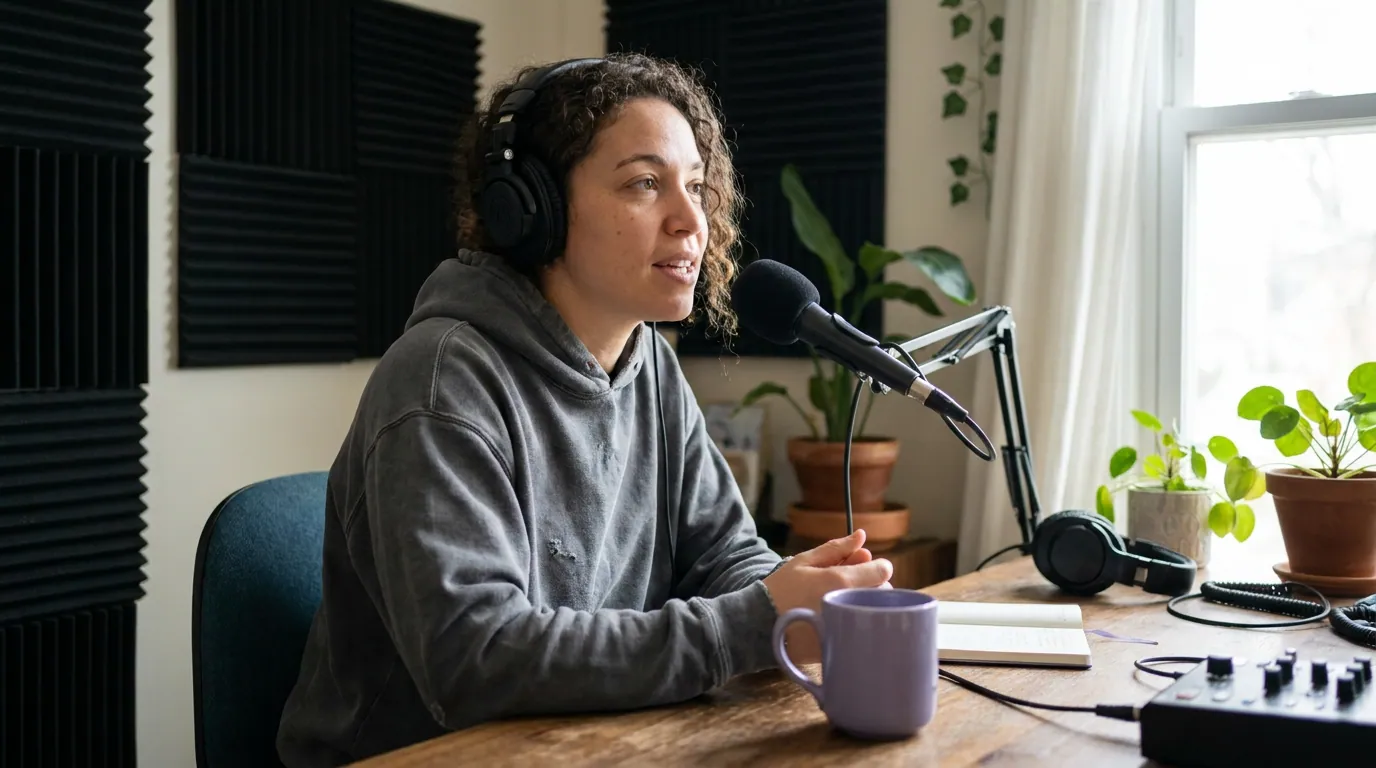
The room beats the mic. Record in your smallest carpeted room, away from windows, with soft things around you (a closet full of clothes is a genuinely good booth). A phone's voice-memo app or a $20 earbud mic in a quiet room will out-perform a $200 mic in an echoey kitchen. When you're ready to buy one thing, start with our pick for the best podcast mic under $100.
Step 2, Edit for free
Edit in the same app you recorded in, Audacity or GarageBand both cut, fade, and export at no cost. Keep your first edits ruthless and simple:
- Trim the first 1.5 seconds of dead air and the throat-clearing at the start.
- Cut the worst three tangents. Don't polish; remove.
- Normalize loudness to around −16 LUFS (the widely used mono podcast target; −19 LUFS for stereo). Audacity's Loudness Normalization effect sets this in one pass, so your show sits at a similar volume to others in the app.
- Export as MP3, 128 kbps mono (or 192 kbps stereo for music). That's the right balance of quality and file size for spoken word.
Resist the urge to learn five plugins. A clean cut and even volume is 90% of what listeners notice.
Step 3, Host for free (read this part carefully)
Hosting is where "free" quietly turns into a trap, so this is the step to get right. A podcast host stores your audio file and generates the RSS feed that Apple and Spotify read. Most "free" hosts cap your storage and start deleting or blocking episodes within a few months. Only a handful are genuinely unlimited.
Per RSS.com's hosting comparison (2026), only three platforms offer truly unlimited free hosting with no storage caps or deletion policies: RSS.com's Free Local & Niche plan, Spotify for Creators, and RedCircle. Everything else has a catch.
Here's the honest read on each:
- RSS.com Free Local & Niche (launched Dec 23, 2025) gives you unlimited episodes, unlimited storage, a free auto-updating podcast website, episode scheduling, transcripts, and one-click distribution to the major listening apps, no credit card (RSS.com launch post). The catch: it's pitched explicitly at local and niche shows, and the heavier extras (deeper monetization, advanced analytics) sit behind paid tiers.
- Spotify for Creators (formerly Anchor) is unlimited audio and video hosting with no storage or download caps, its biggest strength. The trade-offs are real: Spotify-first analytics, ecosystem lock-in, and distribution to Apple and other directories that's clunkier than a neutral host (obsbot free-host roundup, 2026).
- RedCircle is unlimited free hosting with donation tools built in.
- Avoid for the long haul: Spreaker and Podbean. Both cap free storage at roughly five hours total (lifetime, not monthly), and Podbean limits your RSS feed to 20 episodes. Fine for testing, but you'll outgrow them in two to three months of weekly publishing (obsbot).
My default recommendation for a $0 launch: RSS.com if you want a neutral host that distributes everywhere cleanly, Spotify for Creators if you're video-first and accept the lock-in.
Step 4, Distribute for free (it's already done)
You don't submit to each app separately. When you publish on a free host, it generates one RSS feed and pushes it to the directories for you, Apple Podcasts, Spotify, Amazon Music, and usually YouTube, from a single click in the host's dashboard. You submit your feed once; new episodes appear everywhere automatically after that. This is included in every free host above. Before you record a single thing, settle your show name and category, both feed into discovery and are a pain to change later. Our guide to choosing a podcast topic and niche covers how to pick one that's findable.
Where "free" starts to cost you, the spend line
Free gets you launched and through your first dozen episodes. Past that, "free" stops meaning $0 and starts meaning your time and your reach. Here's exactly where each step crosses that line and what the cheapest fix is.
| Free starts costing you when… | The symptom | First paid fix (and rough cost) |
|---|---|---|
| You record remote guests weekly | Riverside's 2-hour free credit runs out; you're stuck with laggy call audio | Riverside Standard ~$19/mo, removes watermark + adds hours (Riverside pricing) |
| Your free host is storage-capped | Spreaker/Podbean make you delete old episodes to publish new ones | Move to RSS.com / Spotify free (still $0), or a paid host from ~$12/mo |
| You want polished AI transcripts at scale | Manual cleanup eats hours per episode | A paid host or transcription tool tier, typically ~$10–15/mo |
| Clip editing by hand burns you out | 30–60 minutes per clip, one platform at a time | An AI clip tool with a free tier (see CTA below) |
| You need a custom domain or deeper analytics | Free analytics are shallow; lock-in limits you | Paid host tier, typically $12–25/mo |
The pattern: spend money to buy back time, not to buy quality you can't otherwise reach. A free recording in a quiet room already sounds professional. What you eventually pay for is remote-guest convenience, transcripts, a custom domain, and not editing clips by hand. For a full breakdown of where the money goes once you do upgrade, see how much it really costs to start a podcast.
Common mistakes when starting free
Most free-launch problems aren't about the tools. They're about skipping the unglamorous parts.
- Recording in a hard, echoey room. No software fixes reverb well. Move to a soft, small space first. Free.
- Choosing a storage-capped free host. You'll hit the wall mid-launch and have to migrate, which can break your feed. Pick an unlimited host from day one (obsbot).
- Over-editing. Beginners spend three hours polishing what listeners won't notice. Trim, level, export, publish.
- Locking in before you've tested. Spotify for Creators is free and great, but its lock-in matters more later. If you're unsure, a neutral host keeps your options open.
- Planning nothing. A 10-minute outline beats a 60-minute ramble. Sketch the arc before you hit record, our note on planning a podcast before you record keeps episodes tight.
- Waiting for "real" gear. The mic is the last thing to buy, not the first. Launch on what you have.
FAQ
Can you really start a podcast with no money at all?
Yes. Recording (Audacity or GarageBand), editing (the same apps), hosting (RSS.com, Spotify for Creators, or RedCircle), and distribution to Apple and Spotify are all genuinely free, with no credit card required (RSS.com). You only spend money later, to save time on remote guests, transcripts, or clip editing.
What's the best free podcast hosting that won't delete my episodes?
RSS.com's Free Local & Niche plan, Spotify for Creators, and RedCircle are the three truly unlimited free hosts with no storage caps or deletion policies (RSS.com comparison, 2026). Avoid Spreaker and Podbean for a long-running show, their free tiers cap storage at about five hours total and will force you to delete old episodes.
Do I need a microphone to start a podcast for free?
No. A modern phone's voice-memo app or basic earbud mic in a quiet, soft-walled room sounds better than an expensive mic in an echoey one. Buy a dedicated mic only once you've proven you'll keep publishing. When you do, start under $100.
How do I get my free podcast on Apple Podcasts and Spotify?
Your free host does it. Publishing on RSS.com, Spotify for Creators, or RedCircle generates one RSS feed and submits it to the major directories from the dashboard. You do it once; future episodes appear automatically. No separate uploads to each app.
When should I start paying for podcast tools?
When free starts costing you time or reach: weekly remote guests (Riverside's 2-hour free credit runs out), a storage-capped host forcing deletions, needing transcripts for SEO, or editing clips by hand for hours. Spend to buy back time, not to buy quality your quiet room already gives you.