
Where to Look on a Video Podcast: Camera vs. Host

Look at the host while you're having the conversation, and glance to the lens only for the lines you want aimed straight at the audience. That split is the whole answer: a podcast is a conversation, so most of the time your eyes belong on the person you're talking to, exactly as they would in a coffee shop. The camera is for the two or three moments per episode when you're addressing the viewer directly, your one big point, a direct piece of advice, a "here's the thing" line.
The reason people get stuck is they treat it as a binary, camera or screen, all episode. It isn't. Where you look is a per-moment decision, and once you have the rule plus the right webcam position, it stops being something you think about and becomes something you do.
Why where you look matters more on video than you think
Eye direction is the first thing a viewer reads, before a single word lands, and on a filmed podcast it gets amplified twice: once by the tight head-and-shoulders crop most shows use, and again when that crop is cut into a vertical clip and posted to a feed. New listeners increasingly find shows by watching, not listening, 53% of new US weekly listeners now say they prefer to watch a podcast, up from 30% in April 2022 (Backlinko). The clip is the audition, and your eyes are the first thing the casting goes on.
Two specific failures cost guests the most. The first is the glance-down, eyes constantly dropping below the lens because the webcam sits low or the host's window is at the bottom of the screen. On camera that reads as shifty or unsure even when you're neither. The second is the opposite overcorrection: a fixed, unblinking stare into the lens for forty straight minutes, which reads as a hostage video. Both are fixable. One is a decision; the other is a hardware position.
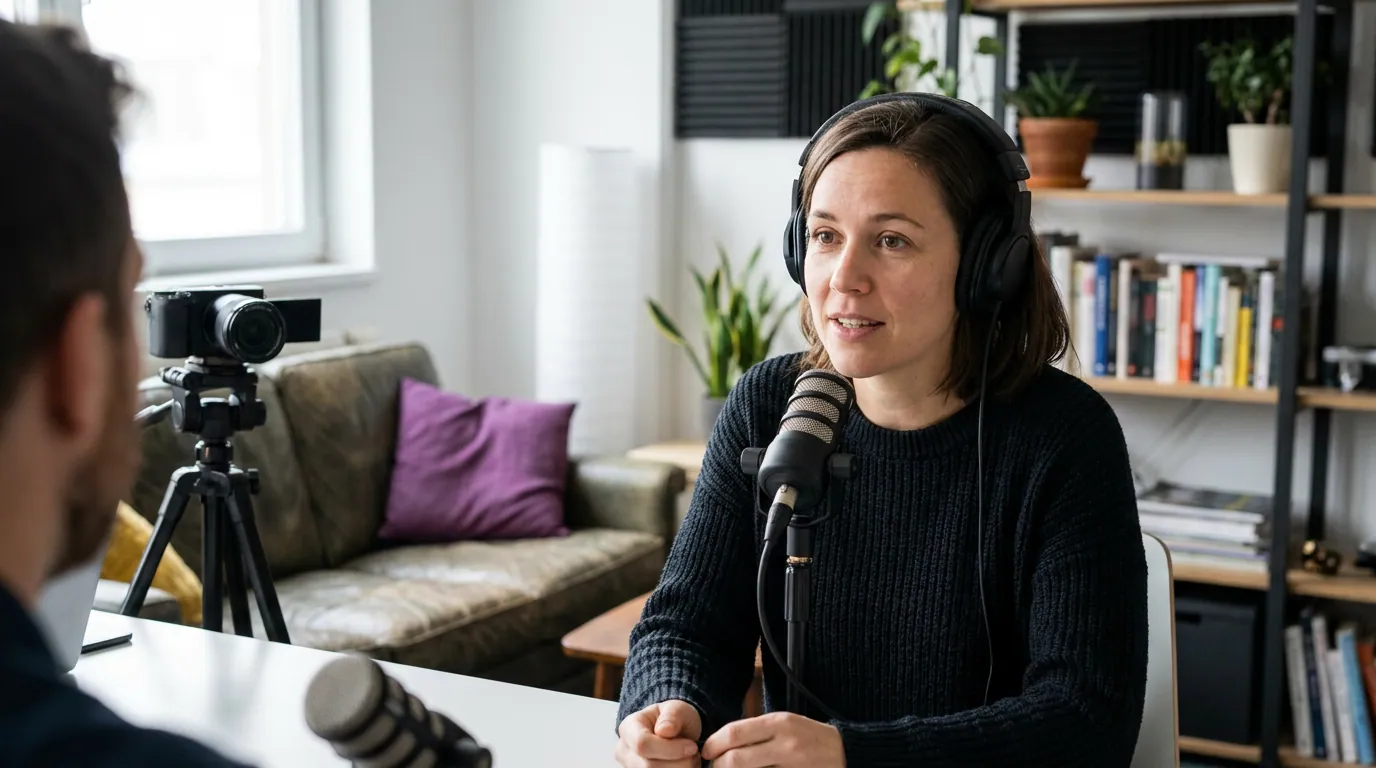
The look-decision: a framework for camera vs. host
Here is the rule in one line: listening, look at the host; speaking a conversational point, look at the host; delivering a direct-to-audience line on a show that posts clips, glance to the lens for a beat, then come back. The default is the host. The lens is the exception you reach for deliberately, not the place your eyes live.
The trick is recognizing which kind of sentence you're saying as you say it. Most of an interview is genuine back-and-forth, you're reacting, building on the host's question, telling a story to them. All of that is conversation, and conversation means eyes on the other person. But a few times per episode you shift register into something closer to a statement to the room: the headline takeaway, the one number you want remembered, the line you'd put on a poster. Those are direct-to-audience. That's when the lens earns a look.
If the show is audio-first or doesn't post clips, you can drop the lens entirely and just talk to the host the whole time. The direct-to-lens move only pays off when there's a viewer on the other end of an edit. Ask the host before you record whether they cut shorts; the answer changes how often you reach for the camera.
How to actually hit the lens on your big line
Knowing when to look at the camera is half of it. The other half is doing it without it looking forced or losing your place. Three things make the lens-look land.
- Reach for it on the noun, not the whole sentence. Don't deliver an entire paragraph to the camera. Make the conversational setup to the host, then on the key phrase, the number, the name, the punchline, shift your eyes to the lens for a beat or two, land it, and return. A two-second look on the right word reads as "I'm telling you this." A two-minute stare reads as a sales video.
- Let it be a glance, not a lock. Your eyes naturally move when you talk. Fighting that to hold the lens dead-still is what produces the rigid, panicked look. Soften it: think of the lens as a third person in the room you occasionally turn to, not a target you have to pin.
- Come back. Always come back. The return to the host is what makes the lens-look feel intentional instead of accidental. If you say your line to the camera and then keep staring at it while the host responds, you've stranded yourself out there. Land the line, then re-engage the conversation.
A useful self-check: if you watch back ten minutes of your own footage and you genuinely cannot tell whether you were looking at the host or the camera at any given moment, you're doing it right. Good eye direction is invisible. It's only the over-corrections, the constant down-glance, the unbroken stare, that announce themselves.

Fix the glance-down at the source: webcam placement
Most "I look shifty on camera" problems aren't eye-contact problems. They're geometry problems. If your webcam sits at the bottom of your laptop screen and the host's video window is also near the bottom, then looking at the host means looking down and away from the lens, and there's no amount of willpower that fixes a bad angle. Move the hardware and the problem disappears.
The goal is simple: put the lens as close as possible to the face you're talking to, both at eye level. When the host's window and your camera are in roughly the same spot near the top of your screen, looking at the host and looking at the lens become nearly the same direction. You get natural conversational eye contact that also reads as near-camera to the viewer, without performing anything.
Three moves get you there before any call:
- Raise the camera to eye level. Stack books or a box under a laptop, or clip an external webcam to the top of your monitor. The lens should sit at or just above your eyes so it isn't shooting up your nose, a low angle is unflattering and it pulls your gaze downward.
- Drag the host's window up next to the lens. This is the move nobody does and it changes everything. Move the participant's video to the very top of your screen, directly under the webcam. Now "looking at the host" and "looking near the lens" are the same glance.
- Hide or shrink your own self-view. Watching your own thumbnail is the second-biggest cause of wandering eyes. Most recording tools let you hide self-view; do it, or shrink it to a corner and resolve not to look at it.
Common mistakes guests make with eye contact
- Treating it as camera-only. Staring into the lens the entire time to "engage the audience" backfires; it removes the conversation the format is built on. The audience is watching a chat, not a monologue. Default to the host.
- The constant down-glance. Almost always a webcam-height or window-position problem, not a confidence one. Fix the geometry first, then see if you still have an issue. Usually you don't.
- Reading notes mid-answer. Glancing at a notepad off to the side breaks eye contact in the most visible way. Keep notes to a few words on a sticky note right under the lens, and only check them between questions, not mid-sentence. If filler words also creep in when you lose your place, tightening how you handle pauses helps here too.
- Forcing the lens-look on every sentence. This is the over-corrector's trap. The power of the direct-to-camera moment comes from its rarity. Spend it on two or three lines an episode, not fifty.
- Ignoring the clip entirely on a show that posts shorts. The other extreme. If the host cuts vertical clips, never looking at the lens means your sharpest soundbites all read as side-glances in the post. Know the show's format and adjust.
Tools and what to check before you hit record
You don't need gear for any of this, a $0 fix (raise the laptop, drag the host window up, hide self-view) solves the geometry for most guests. An external webcam clipped to the top of your monitor at eye level is the only upgrade worth making, and only if your built-in camera sits awkwardly low.
On the software side, the thing to confirm is whether the host records a clean, separate video track of you (most remote-recording platforms do). That's what gets clipped later. If you nail the look-decision and the host posts clips, those clips become your own promo, which is the entire reason a guest should care about eye contact in the first place. Getting the framing and gaze right is the visual half of showing up confident on camera; your speaking pace is the other half.
Frequently asked questions
Should I look at the camera or the host on a video podcast? Look at the host for the conversation, questions, stories, back-and-forth, because that's what the format is. Glance to the lens only for direct-to-audience lines: your key point, a number you want remembered, a piece of advice aimed at the viewer. Land the line on the lens for a beat, then return to the host.
Why do I always look like I'm staring down on video calls? Your webcam is probably too low, or the host's video window is at the bottom of your screen, so looking at them means looking down. Raise the camera to eye level, drag the host's window up directly beneath the lens, and hide your own self-view. The down-glance usually disappears once the geometry is fixed.
How often should I look directly at the camera during a podcast? Rarely and deliberately, roughly two to three times per episode, on your strongest direct-to-audience lines. The default is the host. The lens-look works because it's the exception; if you do it constantly it loses its meaning and reads as a stiff sales pitch rather than a conversation.
Does it matter where I look if it's an audio-only podcast? Less, but a video track may still exist for clips even on shows that brand themselves as audio. Ask the host whether they record video and post clips. If they do, treat it like a video episode. If they truly don't, look wherever keeps you relaxed and talking naturally.
What if there are multiple hosts or guests on screen? Look at whoever is speaking, or whoever you're answering, the same way you'd shift attention in a group conversation. Don't try to track all the windows at once. For your own direct-to-audience lines, the lens rule still applies, glance to the camera on the key phrase, then return to the person you're talking with.
Related guesting guides
- How to look confident on camera as a first-time podcast guest, the broader on-camera nerves fix, of which eye contact is one piece.
- How to stop saying um and like in interviews, what to do with your mouth while your eyes behave.
- How to fix talking too fast or too slow on a podcast, pacing, the other half of a clean clip.
- Podcast guest etiquette: the unwritten rules, the wider code for showing up well.
- Host etiquette: making guests comfortable on mic, what a good host does so you can just talk.