
Batch-Clip a Whole Episode With AI in One Pass

To batch-clip a whole episode in one pass, upload the full video once, let the AI generate every candidate clip in a single run, then triage the batch with a fast keep/fix/kill rule and push the keepers straight into your posting queue. The trick is not the generation, that is minutes. It is having a triage rule ready so the batch does not turn into an afternoon of second-guessing.
Done right, one upload produces a week or two of posts from a single 30-to-60-minute episode. Below is the exact four-stage workflow, plus an honest time budget for each stage, so you walk in knowing the real cost of an episode, not the "clips in seconds" claim on the homepage.
Why batch the whole episode instead of clipping moment by moment
Clipping one moment at a time is how most people quietly quit. You open the editor, hunt for a good bit, trim it, caption it, export, switch platforms, repeat, and after three clips you are done for the day. Batching collapses all of that into one sitting per episode, which is the cadence that actually survives.
The payoff is volume from work you already did. A 45-minute episode realistically repurposes into ~20 pieces of content, roughly 5–7 video clips plus quote cards, carousels, and text posts (Podmuse). This page is about the video-clip part of that pile, where the candidate count is higher and the triage matters most. And clips are not garnish: by one studio's client data, they drive 20–40% of new audience and can lift reach 2–5× for video shows (Podcast Studio Glasgow). Treat both as directional ranges from single-source data, not platform-audited guarantees. The direction is what matters: the episode is the asset, and most of its reach lives in the clips you have not cut yet.

The single-pass workflow, stage by stage
Four stages, in order. The whole point is to touch the episode once. You do not re-upload, you do not re-export per platform, and you do not clip-then-come-back. Generate everything, then make every decision in one sitting.
Stage 1, Upload the full episode once
Drop the whole video in, not a pre-trimmed segment. Use the highest-quality source you have, the original recording or the full YouTube upload, not a re-compressed download. If you can, upload with separate speaker tracks or clean audio; the entire batch inherits the transcript quality from this one file, and a muddy upload poisons every clip downstream. This is also the moment to set your defaults for the whole batch: aspect ratio, caption style, and brand template, so you are not making those choices 25 times in stage 3.
Stage 2, Generate the full batch in one run
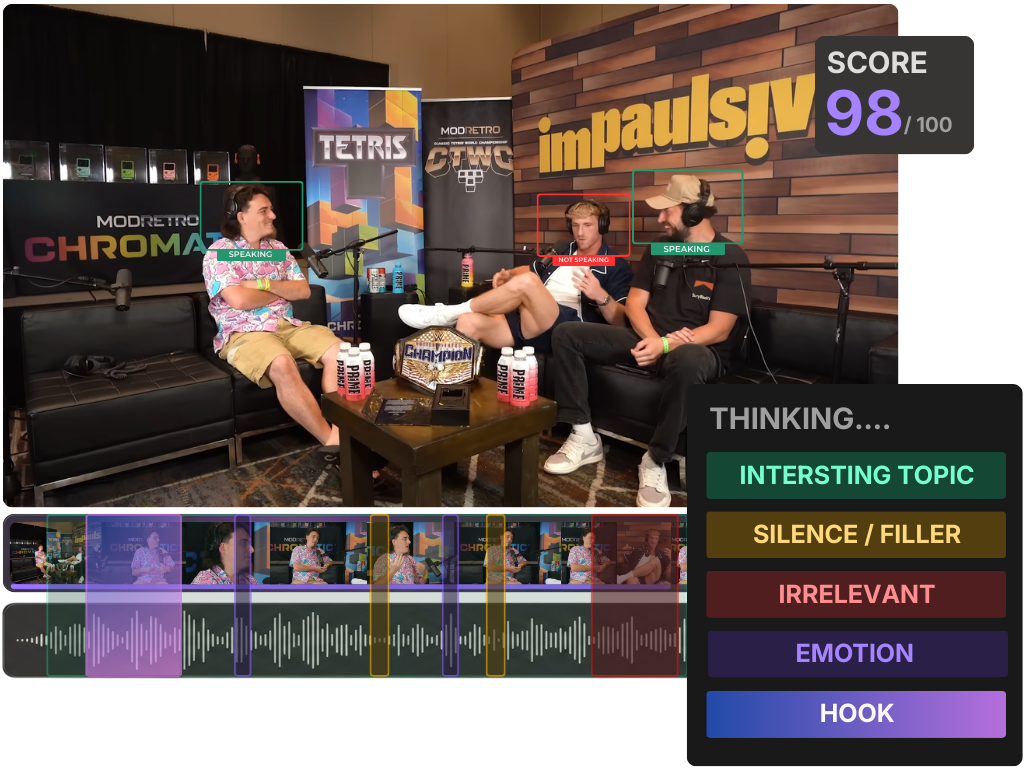
Run detection across the entire episode, not just the first ten minutes. A good clipper segments the transcript into candidate windows and scores each on a handful of signals, topic shifts, question-answer pairs, sentiment spikes, speaker energy, and pauses. If you want to know why a given moment got picked, how AI clip detection actually works breaks down each signal. For a 45-minute interview, expect the tool to surface somewhere between 15 and 30 candidates. Let it finish the whole pass before you look at anything; judging clips while generation is still running is how you lose track of what you have already seen.
Stage 3, Triage the batch with a keep / fix / kill rule
This is the stage everyone underestimates, and it is where the single-pass discipline pays off. Go through the batch once, top to bottom, and put every clip into one of three buckets in a single decision:
- Keep, self-contained, clear when muted, lands within a few seconds. Goes straight to the queue.
- Fix, good moment, wrong edges. Trim the lead-in, move the end, swap the caption. One quick pass, then queue.
- Kill, needs context the clip can't carry, or the payoff never arrives. Delete it and move on. Do not negotiate with a dead clip.
The rule that keeps triage fast: judge each clip muted, on the first watch. A widely cited figure puts roughly 85% of social video views with the sound off (Digiday, publisher-reported, directional, individual studies range ~69–85%). If a clip does not make sense as silent captioned text, it does not make sense to a scrolling stranger. For the deeper rubric, how to pick the best AI-suggested clips is the full keep/kill checklist, and the human review step every AI clip needs covers what to verify before anything posts. Aim to spend no more than 60–90 seconds per clip here. Anything longer is a kill in disguise.
Stage 4, Queue and schedule the keepers
Do not export clips to your desktop and re-upload them platform by platform. That is the loop batching is supposed to kill. Push your keepers into a scheduling queue and spread them across the week. A spacing rule that works: lead with your two strongest clips, then drip the rest every day or two so one episode covers 7–14 days. If your tool schedules to multiple platforms at once, set Shorts, Reels, and TikTok from the same queue in one move rather than reposting by hand.
The honest time budget for one episode
Here is the part the marketing skips. "Generate clips in seconds" is technically true and practically misleading, generation is the fast part. The table below is a realistic budget for a 45-minute interview that yields ~20 candidates and ~8–10 keepers, based on the typical batch pass.
| Stage | Realistic time | What eats it |
|---|---|---|
| Upload + set defaults | ~3 min | File transfer, picking caption style once |
| Generation (waiting) | ~5 min | Transcribe, segment, score, rank |
| Triage (keep/fix/kill) | ~25 min | The only human-judgment block |
| Queue + schedule | ~7 min | Spacing posts, multi-platform push |
Source: QuickReel batch-pass observation, generalized, directional. Your numbers move with episode length, candidate count, and how brutal you are at the kill step.
The lesson in that table: cutting your per-episode time is almost entirely about triaging faster and killing harder, not about a faster generator. Every tool's generation is "fast enough." The hour you save is in stage 3.

Common mistakes when batch-clipping a whole episode
Treating the batch as a to-do list instead of a shortlist. The AI's job is to narrow the episode to candidates; yours is to cut that list down. Posting all 20 candidates dilutes your feed with weak clips. A tight 8 beats a mushy 20.
Re-exporting and re-uploading per platform. This single habit doubles your time and breaks the single pass. Schedule from one queue. If your tool can't, that loop is the real cost you're paying.
Setting caption and brand style per clip. Decide it once in stage 1. Changing the look 20 times is invisible work that adds up to half your session.
Letting the virality score do your triage. The score sorts by signal strength, not by whether a clip works for your audience. Use it to order the list, then judge each clip yourself, what an AI virality score really tells you explains exactly what that number can and can't promise.
Posting the model's exact cut points. Detection finds the region, not the frame. Most clips improve if you trim the first 1–2 seconds and end the instant the payoff lands. For narrative genres, the ending carries everything, where to end a true crime clip for max suspense shows how much the exit point matters.
FAQ
How long does it really take to clip one episode? For a 45-minute interview, budget about 40 minutes start to finish: a few minutes to upload, around five minutes of generation you spend waiting, roughly 25 minutes triaging, and under ten to queue. The "clips in seconds" claim only covers generation, the human triage is where most of the time lives.
How many clips should I keep from one episode? Usually 8–12 keepers from 20–30 candidates is a healthy ratio. Keeping more than that means your kill step is too soft, and a feed of weak clips trains the algorithm and your audience to scroll past you. Quality of the batch beats quantity of the batch.
Can I batch-process my whole back catalogue at once? Yes, run each episode as its own single pass and stagger the output into your queue so you are not posting 200 clips in a week. The workflow is identical per episode; the only change is you are filling a longer calendar from a deeper library.
Does batching lower clip quality versus clipping by hand? No, as long as you keep the triage step honest. The AI surfaces the same moments a careful editor would scan for; the keep/fix/kill pass is your hand-editing, just compressed into one sitting. Skipping triage is what lowers quality, not batching itself.
What episode length batches best? Interview and conversational episodes of 30–60 minutes are the sweet spot, long enough to yield 15–30 candidates, short enough to triage in one sitting. Very long episodes (90+ minutes) still work, but split the triage into two passes so decision fatigue doesn't make your back half sloppy.