
Shorts vs Long Videos on the Same Channel


Run both on one channel. The fear that posting Shorts demotes your long episodes is mostly wrong: YouTube recommends Shorts and long videos through largely separate systems, so a flood of Shorts rarely pushes your episodes out of anyone's long-form feed. Split into a second channel only when the data shows a specific failure, Shorts viewers who never click into anything longer. Until then, one channel is simpler and compounds faster.
That is the whole argument, and most podcasters get it backwards. They either avoid Shorts to "protect" the channel, or they panic and spin up a clips channel before they have a single subscriber to lose. Both moves cost you growth. Below is the mechanism behind the dilution fear, the one real way Shorts can hurt you, and a decision rule plus a 90-day test so you stop guessing and read the traffic instead.
Do Shorts hurt your long-form channel?
Not in the way you're afraid of. The dilution fear assumes one shared recommendation pool where every Short you post elbows an episode out of someone's feed. That's not how YouTube is built. Shorts surface mainly in the vertical Shorts feed; long videos surface on the home page, in search, and in suggested videos beside other long content. The systems overlap at the edges but run on different surfaces.
So the worst-case "Shorts buried my episodes" outcome is rare, because your episodes were never competing against your own Shorts for the same slot. A viewer swiping the Shorts feed and a viewer browsing the home page are being served by different machinery. This matters because it removes the main reason people give for keeping clips off their channel.
There is also a strong reason to keep them together. Clips are how new people find a video show in the first place. Short clips drive an estimated 20–40% of new audience for video podcasts and can lift reach 2–5× (Podcast Studio Glasgow), and 57% of listeners now rely on social media for podcast recommendations, the first time that source passed friends and family (InsideRadio). Cutting Shorts off the channel that hosts your episodes throws away the cheapest discovery you have.
The one real way Shorts can hurt you
Shorts can hurt your channel through subscriber quality, not through demoting your videos. When someone subscribes off a Short, YouTube has learned they like your 30-second self. If they never watch a long episode, your subscriber count climbs while your average view duration and your long-form click rate stay flat, and YouTube's long-form system reads that flatness as "this audience doesn't want the episodes."
That's the actual risk, and it's worth naming precisely because the fix is different. It isn't "post fewer Shorts." It's "make Shorts that recruit the right viewer and point them at the episode." A Short that ends on a cliff the full episode resolves, with the episode pinned in the comment and linked on the channel, converts. A context-free laugh that lives entirely in 20 seconds collects subscribers who will never watch you for an hour. Both are "Shorts." Only one builds a podcast.
So the question is never Shorts versus long. It's whether your Shorts are wired to feed your long content. If they are, more Shorts is more growth. If they aren't, more Shorts is a vanity-subscriber treadmill, and that, not dilution, is when you consider splitting. For the conversion mechanics, the deeper guide is turning Shorts viewers into long-episode watchers.

Same channel vs separate clips channel: the decision rule
Default to one channel. Move clips to a separate channel only when all three of these are true at once: you publish enough Shorts that they dominate your uploads feed, your Shorts pull a meaningfully different audience than your episodes, and your "Shorts viewer → long video" conversion has stalled despite clips that clearly point at the episode. One or two of those is normal and not a reason to split. All three together means your two formats are serving two audiences, and a separate home lets each one breathe.
Here's the rule stated plainly, so you can apply it without re-reading the paragraph:
| Situation | Keep one channel when | Split to a clips channel when |
|---|---|---|
| Audience overlap | Shorts viewers and episode viewers are mostly the same people | The two audiences barely overlap and want different things |
| Conversion | Shorts feed measurable long-video watches | Conversion has flatlined despite clips engineered to convert |
| Volume + brand | A handful of Shorts a week, same show identity | Daily clip volume, or clips need a different name/voice than the show |
Most podcasters reading this should keep one channel for a long time. The split is an optimization for shows that have already won at clips and outgrown the single-feed setup, not a starting configuration. Spinning up a second channel early just doubles your upload obligation and starts a brand-new channel from zero recommendations, which is the slowest position on the platform.
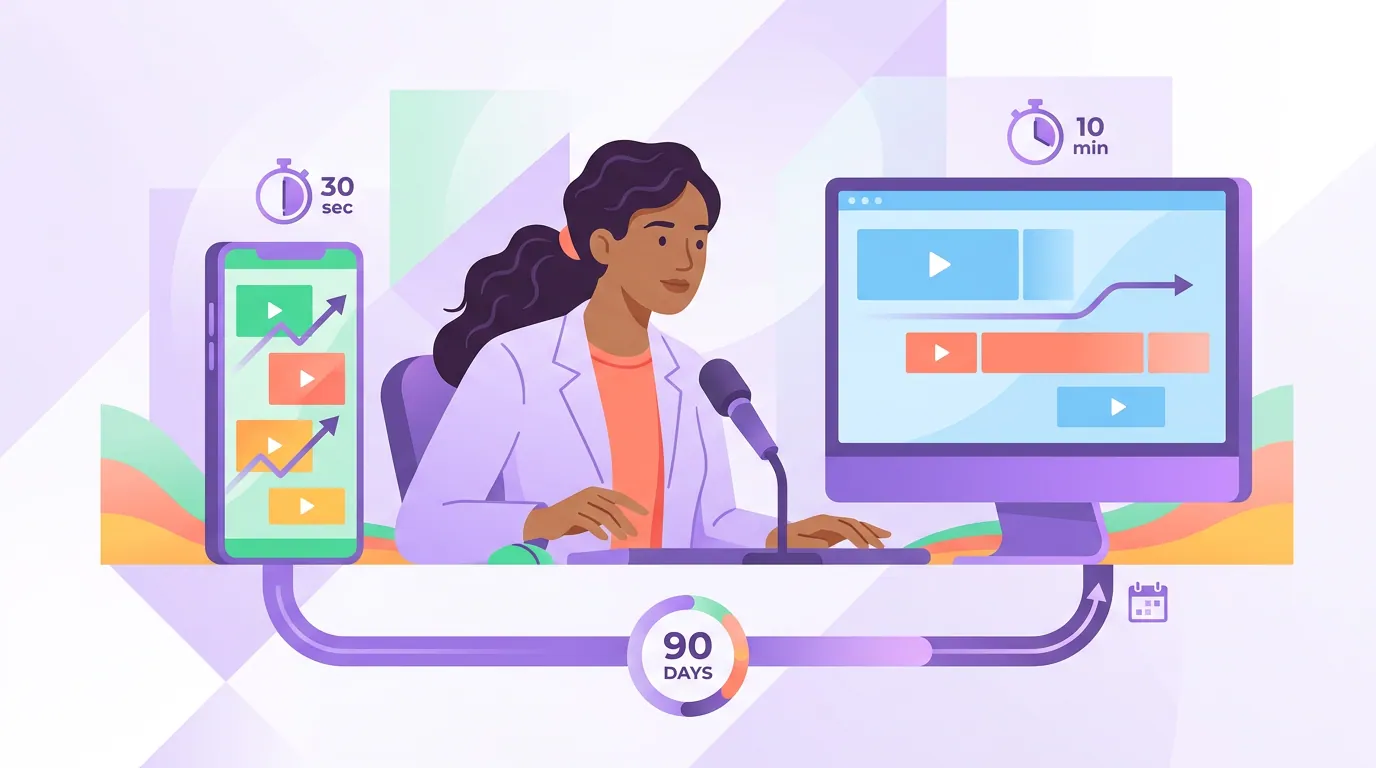
The 90-day test that settles it
Pick the answer with data, not nerves. For one quarter, post three to five clips a week on your single channel alongside your normal episode cadence, then read three numbers in YouTube Studio. The traffic-source report shows whether Shorts feed views to your long videos. The audience tab shows whether new subscribers came from Shorts. And your average view duration on episodes tells you if the new audience actually watches. Ninety days is enough signal; ninety days is also short enough that you haven't sunk a year into the wrong setup.
- Set the baseline. Before you scale clips, screenshot your last 28 days: subscribers, episode average view duration, and the share of long-video views coming from "Browse" and "Suggested." You can't see a change you didn't record.
- Post clips that point home. Three to five Shorts a week, each ending on a question or cliff the episode answers, with that episode pinned in the top comment and added to the channel page. A clip that resolves itself has nothing to convert. For the build, see the Shorts strategy made for podcast channels.
- Watch the conversion signal weekly. In Studio's traffic-source view, check whether any long-video views are attributed to Shorts viewers, and whether episode average view duration holds or rises. Flat-to-rising means it's working.
- Read it at day 90. Conversion present and episode retention holding → keep one channel and raise clip volume. Subscribers climbing but episode retention falling and zero Shorts-to-long traffic → your clips aren't built to convert; fix step 2 before you ever consider a split.
This same loop is the backbone of the clips-to-channel funnel for YouTube podcasts, Shorts are the top of it, your episodes are the middle, and your email list is the part the algorithm can't take back.
Common mistakes
- Avoiding Shorts to "protect" the channel. You're protecting nothing and skipping your cheapest discovery. With 57% of listeners finding shows through social (InsideRadio) and clips driving 20–40% of new video-podcast audience (Podcast Studio Glasgow), no clips means no inflow.
- Splitting to a clips channel on day one. You start a second channel from zero recommendations and double your upload load before you have a single Shorts-acquired subscriber to lose. The split is an outgrown-it move, not a launch move.
- Counting subscribers instead of conversion. A Shorts subscriber who never watches an episode is a flat line in your real metrics. Track Shorts-to-long views, not the headline subscriber number.
- Posting self-contained clips. A clip that delivers the whole payoff in 20 seconds gives the viewer no reason to click the episode. Cut on the hook, resolve in the long form.
- Quitting at 3 months. The average channel takes about 22 months to reach 1,000 subscribers (BerryViral), and roughly 90% of channels never get there at all (CreatiCalc, drawing on Social Blade's channel distribution). A 90-day test tells you if the system works; it does not tell you you've failed.
Worth saying out loud: that 90% figure traces back to Social Blade's channel distribution, surfaced through creator-analytics aggregators rather than YouTube itself, and it counts every channel ever created, including dead and test accounts, so treat it as directional rather than precise. The direction is what matters, slow is normal, and YouTube has crossed a billion monthly podcast viewers (Variety, Jan 2025), so the audience is there to grow into. If 1,000 subscribers is your near-term target, the first 1,000 YouTube subscribers playbook for podcasters pairs directly with this one.
FAQ
Will posting a lot of Shorts lower my long videos in the algorithm? Almost never directly. Shorts and long videos surface through largely separate recommendation systems, so your Shorts don't compete with your episodes for the same feed slot. The real risk is subscriber quality, Shorts that don't convert leave you with viewers who never watch episodes, which flattens your long-form signals over time.
Should I make a separate channel just for clips? Only when Shorts dominate your uploads, pull a clearly different audience, and have stopped converting to long views despite clips built to convert, all three at once. For almost every podcaster, one channel is the right call for a long time. A second channel starts from zero recommendations and doubles your workload.
How many Shorts should I post per week on a podcast channel? Three to five is the workable range alongside your episode cadence. It's enough volume to learn what converts without burning out or flooding your own uploads feed. Scale up only after the traffic-source data shows those Shorts are feeding views to your long episodes.
How long before I know if the mix is working? Run a 90-day test and read three numbers: Shorts-to-long traffic, where new subscribers came from, and episode average view duration. Flat-to-rising episode retention with any Shorts-driven long views means keep going. Stalled conversion with falling retention means fix the clips before touching the channel structure.