
Tracking Where Listeners Come From With UTM Links


To track where your listeners come from, add UTM parameters to every link you post and route those links through one smart-link landing page that logs the source before sending the listener to Apple, Spotify, or YouTube. The UTM tags tell you which post drove the click; the smart-link page captures that click before the listener disappears into an app your host stats cannot see. Pick a naming convention once and never deviate from it.
That last rule is what separates useful data from a mess. UTMs are trivial to add and trivial to ruin: tag one post instagram, the next IG, the next Instagram, and your dashboard treats them as three different sources. This is the from-scratch setup, the link structure, the smart-link page that makes podcast attribution possible at all, and a fixed naming convention so six months of posts stay comparable.
Why download stats can't tell you the source
Your host counts downloads, but it cannot reliably tell you which post or platform sent each one. A download is a request for an audio file, often made by an app in the background hours after someone tapped a link. By the time the file is pulled, the trail back to the Instagram caption or the YouTube Short is gone. Podcast attribution is hard for a structural reason, not a tooling gap.
This matters more every year because discovery has moved off the listening apps entirely. 57% of listeners now rely on social media for podcast recommendations, the first time it has passed friends and family (InsideRadio, 2025). If most of your new listeners arrive from a post and your dashboard can only show "downloads went up," you are flying blind on the one channel that actually grows the show.
The honest limit: a smart-link page tracks the click, not the confirmed play. Someone can click and never finish subscribing. So clicks are a strong directional signal of which content travels, not a perfect play count. Pair the click data with your download and consumption dashboards and you get both halves, what drove interest, and whether it turned into listening.

The attribution path, end to end
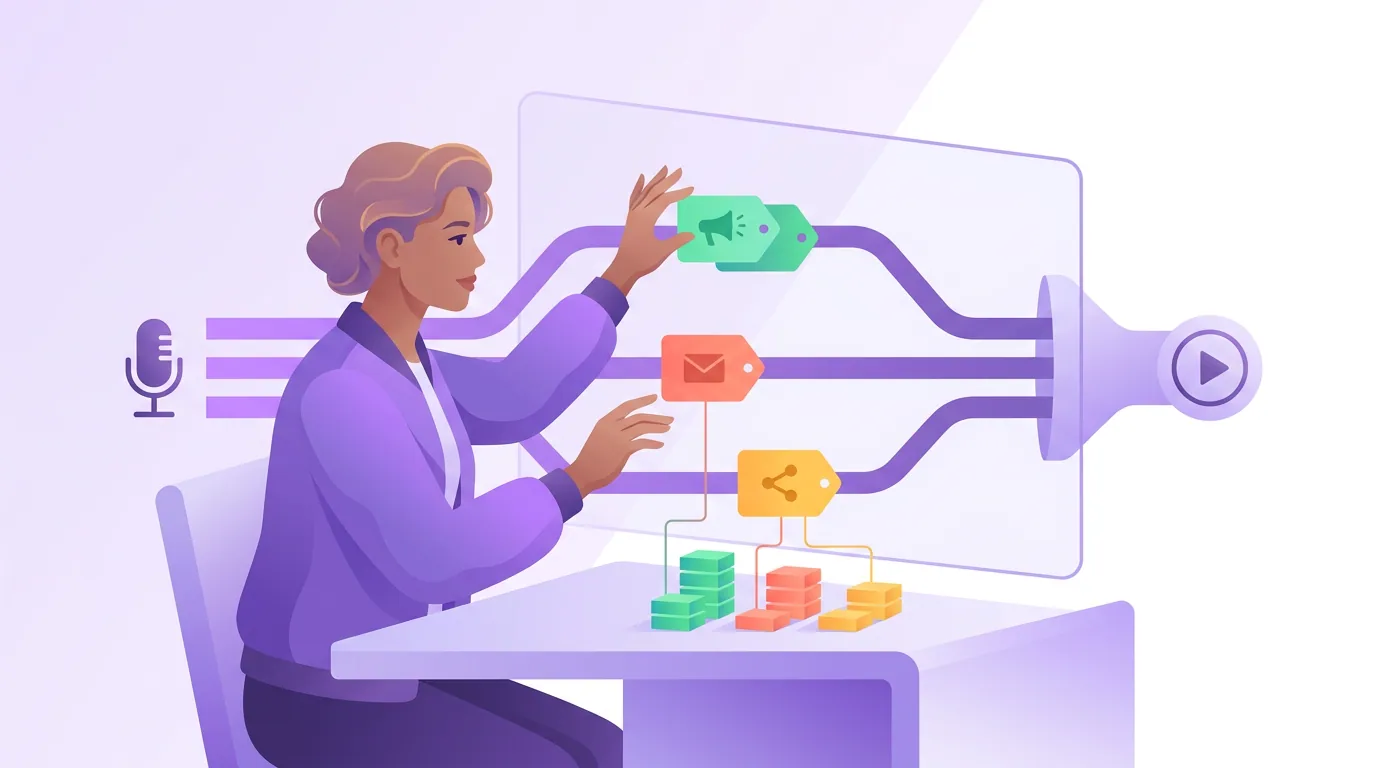
The setup has three moving parts and they sit in one line. Get the picture and the build is mechanical.
The post carries a UTM-tagged link in the caption, the bio, or pinned to a clip. The smart-link page, a single "listen here" landing page (Linkfire, Pod.link, a Linktree-style page, or a simple page you control), reads the UTM tags, logs the click, then shows the listener buttons for every app so they pick their own. The app is where the play happens, off your radar but at least reached by a listener you can now attribute. The smart-link page is the piece most podcasters skip, and it is the piece that makes the whole thing work.
Tools like Pod.link build that page automatically from your RSS feed, so the app buttons stay current as you add distribution platforms, one less thing to maintain by hand.
Anatomy of a podcast UTM link
A UTM link is your normal smart-link URL with five optional parameters tacked on after a ?. Each parameter answers one question. You will use three on every link and the other two when they help.
A finished link looks like this:
`` https://yourshow.link/ep42?utm_source=instagram&utm_medium=clip&utm_campaign=ep42&utm_content=hook-a ``
Read it back and it says: this click came from an Instagram clip, for episode 42, specifically the "hook-a" version. When two hundred of these land in your dashboard, you can finally answer which platform, which format, and which hook actually moved people.
The naming convention (the part that decides if this works)
Here is the rule that separates clean data from garbage, and the part every other guide hand-waves. UTM values are case-sensitive and free-text, the tool does no validation, so you must enforce your own. Adopt this convention before your first tagged link and never break it:
- Always lowercase.
instagram, neverInstagramorIG. The dashboard readsinstagramandInstagramas two separate sources, splitting your data in half. - Hyphens, never spaces or underscores.
guest-jane-doe, notguest jane doeorguest_jane_doe. Spaces become ugly%20codes; pick one separator and keep it. - A fixed vocabulary per parameter. Write down the allowed values once.
utm_sourceis only everyoutube,instagram,tiktok,x,linkedin,facebook,newsletter.utm_mediumis only everclip,audiogram,bio,story,post,email. If a value is not on the list, it does not get used. - Episode number in
utm_campaign, every time.ep42,ep43. A consistent pattern lets you compare episode to episode at a glance and filter your whole dashboard to one episode's push. - Reserve
utm_contentfor A/B tests only. Use it to label two versions of the same post,hook-aversushook-b, so you can see which thumbnail or opening line earned more clicks. If you are not testing, leave it off.
Keep the allowed-values list in a pinned note or a spreadsheet tab. Build links from a small template instead of typing them by hand, Google's free Campaign URL Builder or a saved spreadsheet formula stops typos at the source. One inconsistent tag does not just lose one post's data; it quietly pollutes every comparison you run afterward.
A worked example: tagging one episode's launch week
Say episode 42 drops and you post it five ways across the week. Tag each link from the same convention and your dashboard sorts itself:
| Post | utm_source / utm_medium | What you learn |
|---|---|---|
| YouTube Short of the best moment | youtube / clip | Does the Short drive clicks to subscribe? |
| Instagram Reel, hook A | instagram / clip (utm_content=hook-a) | Reel performance, and which hook |
| Instagram Reel, hook B | instagram / clip (utm_content=hook-b) | The A/B comparison |
| Link in bio / smart-link | instagram / bio | Steady baseline traffic |
| Newsletter mention | newsletter / email | Whether your list actually clicks |
At week's end you open the smart-link dashboard, group by source and campaign, and read the result plainly: maybe the YouTube clip drove triple the clicks of everything else, and hook-b beat hook-a two to one. That is the difference between guessing and knowing, and it directly informs which clips and moments are worth cutting next week. Clips are doing the heavy lifting here: they drive an estimated 20–40% of new audience for video shows and can raise reach 2–5× (Podcast Studio Glasgow). UTMs are how you find out which clips, specifically.
How often should you check your UTM data?
Once a week is enough for most shows. Open the smart-link dashboard at the end of each episode's launch week, group by source and campaign, and read which post and platform drove the clicks. Checking daily tells you noise; a weekly review gives each post time to accumulate clicks and shows a clear winner to repeat.
Common mistakes (and the fix)
- Inconsistent casing or names.
IG,Instagram, andinstagrambecome three sources and your data fractures. Fix: lowercase only, a fixed vocabulary, links built from a template, never typed freehand. - Tagging links that go straight to one app. A raw Apple Podcasts URL strips your UTMs and forces every listener into one app. Fix: point UTM links at your own smart-link page, which logs the source then lets the listener pick their app.
- Skipping the smart-link page entirely. Without it the click and its source vanish the instant the app opens. Fix: stand up a Pod.link, Linkfire, or self-hosted "listen" page before you post, it is the load-bearing piece.
- Reading clicks as confirmed plays. A click is interest, not a subscription. Fix: treat UTM clicks as the directional signal and confirm the lift against your host download and consumption data.
- Forgetting to tag the bio and pinned links. The link in your bio often outlives any single post. Fix: tag it too (
utm_medium=bio) and refresh it each episode so steady baseline traffic is attributed, not lumped into "direct."
Tools: what to use, honestly
You do not need a paid stack to start. A free smart-link page like Pod.link or a simple Linktree-style page covers the routing, Google's free Campaign URL Builder builds clean links, and your link tool's built-in click analytics shows source and campaign. Paid options (Linkfire, a self-hosted page with full analytics) add deeper segmentation and retargeting that matter once you are running real ad spend, on day one they solve a problem you do not have yet. Start free; add tools when a question demands one.
QuickReel sits outside the attribution stack on purpose: it is not a link tracker. It turns episodes into captioned clips, and your UTM data is how you learn which of those clips earned the click, so next week you cut more like the winners. Wire UTMs to the same workflow that produces your episode chapters and timestamps and your platform submissions, and the whole publishing routine becomes one measured, repeatable pass. The clips do the work; the tags tell you which ones.
FAQ
What is a UTM link for a podcast? A UTM link is your normal "listen" URL with up to five tracking parameters added after a question mark, source, medium, campaign, content, and term. They tell your link dashboard which post and platform drove each click. For podcasts, you point them at a smart-link landing page so the source is captured before the listener opens their app.
Why can't my host stats show me where listeners come from? A download is a file request, often made by an app in the background long after the click, so the trail back to the original post is gone. Host stats see totals and rough geography, not post-level source. A UTM-tagged link routed through a smart-link page captures the click and its source while the listener is still in transit.
Do I need a smart-link page, or can I tag Apple and Spotify links directly? You need the smart-link page. A direct Apple or Spotify URL drops your UTM parameters and forces everyone into one app. A smart-link page (Pod.link, Linkfire, or a self-hosted page) reads the tags, logs the source, then lets each listener choose their own app.
What's the most important UTM rule? Consistency. UTM values are case-sensitive and unvalidated, so Instagram, IG, and instagram register as three different sources and split your data. Lock a lowercase, hyphenated vocabulary for each parameter before your first link, and build links from a template rather than typing them by hand.
Are UTM clicks the same as plays? No, and saying so honestly matters. A UTM click means someone tapped your link, strong interest, not a confirmed subscription or finished episode. Use clicks to learn which posts and platforms travel, then confirm the actual lift against your download and consumption dashboards.