
How Many Clips Per Week Actually Grow a Podcast

Start at three clips a week. It's enough to feed the algorithm and learn what works, without burning out a solo host or letting quality slip. Then move the number off three only when one signal moves: average watch-time. If watch-time holds as you add posts, raise the count; if it sags, you're posting filler, cut back and fix the clips. The right cadence isn't a fixed number, it's three plus a rule.
"Post more" is the advice everyone gives and almost no one can act on, because it never says more than what, or how you'd know it worked. This page gives you a starting number tied to where your show actually is, solo or team, short episodes or long, and a decision tree that tells you exactly when to push the count up and when to pull it down. The signal is your watch-time, not your gut.
How many podcast clips should you post per week?
Three a week is the right starting cadence for most shows: enough volume to gather signal on what your audience finishes, few enough that a solo host can keep each one sharp. Below three you rarely learn anything, the data is too thin. Above seven, quality almost always slips unless you have a team. Begin at three; let watch-time decide the rest.
Three is a floor for learning, not a ceiling for growth. The reason it works as a default is that short-form is a feedback game: every clip is a test of a hook, a topic, and a length, and you need a handful of data points a week before the pattern is readable. One clip a week takes two months to teach you anything. Five a day teaches you nothing either, because you can't tell which variable moved the result. Three is the smallest number that produces a legible weekly signal.
Why cadence matters more than it used to
Consistency is the single strongest predictor of whether a show keeps growing, and clips are the cheapest way to stay visible between episodes. They also do real recruiting work: for video shows, one production house's client data puts clips at 20–40% of new audience with a 2–5× reach lift (Podcast Studio Glasgow), treat that as directional from a single source, not a platform-wide audit. Either way, the clip feed is where new people meet your show before they ever press play on an episode.
The catch is that the feed is far more crowded. As more shows repurpose episodes into Shorts, Reels, and TikToks, the same kinds of cuts get reposted across every platform at once, and short-form is now a primary way new listeners find shows in the first place. More supply chasing the same discovery channel means the bar for each post is higher, which is exactly why "just post more" is dangerous advice. Volume without quality trains the algorithm to show your clips to fewer people. The goal is the most clips you can post while every one still clears your own bar, and that number is personal.
The cadence decision tree
Set your starting number from the chart above, then run this loop every two weeks. The whole tree turns on one number: average view duration (or average percentage viewed), the watch-time metric every platform reports. It tells you whether the clips you added are still being watched or just being scrolled past.
Here is the loop in words, with the exact thresholds:
- Hold at your starting number for two weeks. One week is noise. Two weeks gives you six clips at a cadence of three, which is enough to read.
- Check average watch-time, not views. Pull the average view duration (or percent viewed) across the last two weeks of clips. Views measure reach; watch-time measures whether the clips are actually good. Cadence decisions ride on the second one. The distinction between a clip that travels and a clip that converts is the whole subject of clips that convert versus clips that get vanity views.
- If watch-time held or rose, raise by one or two. Steady watch-time at a higher volume means the audience wants more of you and you have quality headroom. Add a clip, hold two weeks, check again.
- If watch-time dropped, lower by one or two and fix the clips. A falling average is the tell that you started posting filler to hit a number. Cut back to the count where quality was holding, and spend the freed time on better hooks before you push volume again.
- If you simply can't keep up, hold and batch, never drop quality to hit a count. The number is a dial you turn when the data says so, not a quota you chase past your capacity.

How your show's stage changes the number
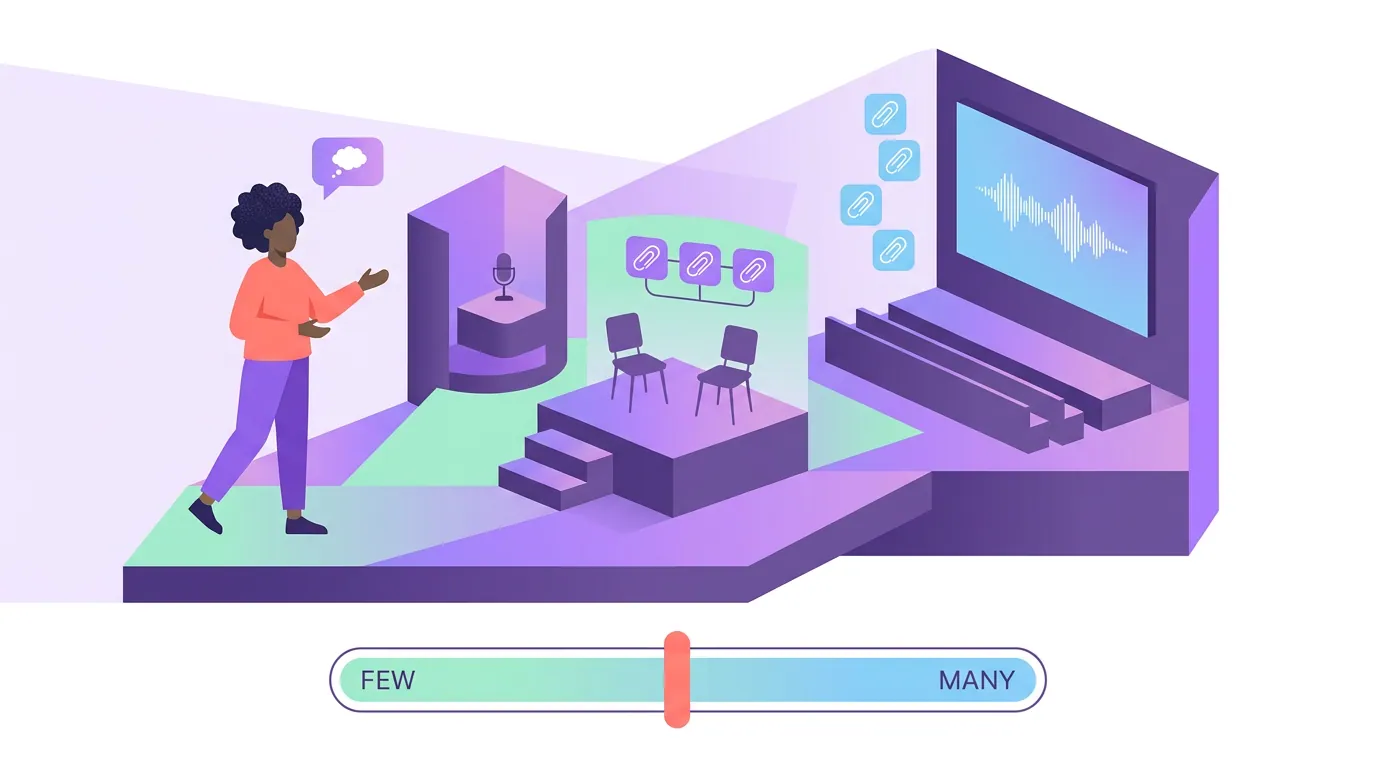
The starting number isn't one-size, because three things change how many quality clips you can actually produce and how much your audience will absorb.
Solo versus team is the biggest lever. A solo host is the editor, the reviewer, and the poster, so three is realistic and seven is a recipe for slipping quality. A two-person show can split the load and run five to seven. Once a VA or editor is in the loop, seven-plus becomes sustainable, the constraint shifts from hours to source material. If you have help, write down the standard so the clips stay consistent; the workflow side of that is covered in batching a whole episode at once.
Episode length sets your raw supply. A 90-minute interview holds more clip-worthy moments than a 25-minute solo monologue, but a longer episode also takes longer to mine and review, so it doesn't automatically mean more output. Long-form shows usually land at four to five a week, plenty of material, but a real review cost per clip. The job is finding the handful of self-contained 30–90 second segments worth posting (castmagic); a long episode hands you more raw candidates, but raw candidates are not postable clips. The gap is your selection bar.
Whether watch-time is holding is the only thing that moves the number after week two. Stage sets where you start; the signal sets where you go. Don't raise the count because a competitor posts daily, and don't lower it because one clip flopped. Move on the two-week average.
Common mistakes with clip cadence
- Chasing a number instead of a signal. Posting five a week because a podcast guru said so, while your watch-time quietly falls, is how you train the algorithm to bury you. The count serves the metric, never the other way around.
- Reading views as the success metric. A clip can rack up views and teach you nothing, because reach is partly luck and partly the algorithm's mood. Watch-time and saves tell you whether the content was good. A/B testing clips without a big audience shows how to read signal when your numbers are still small.
- Posting one a week and calling it a strategy. Below three, you can't separate a good clip from a good day. You'll spend months guessing. Three is the minimum for a readable weekly result.
- Spreading a week's clips across random times. Cadence and timing are separate dials, and getting one right doesn't fix the other. The best time to post podcast clips by platform covers the timing layer once your count is set.
- Treating every clip as a one-off. A recurring format the audience recognizes compounds far faster than scattered standalone posts at the same volume. Building a recurring clip series people follow for is often a bigger lever than adding a fourth weekly post.

Where AI clipping changes the math
The reason three a week was once unrealistic for a solo host is that hand-editing each clip took 30–60 minutes. AI clipping collapses the production cost: you get a batch of candidate clips from one upload, and your job becomes selection and a quick review rather than building each one from scratch. That shifts the bottleneck from your editing hours to your taste, which is the right place for it to be, because taste is what keeps quality up as volume rises.
It doesn't remove the human pass. Every AI clipper still needs roughly 20–40% human review, re-trimming the start, checking the captions, killing the suggestions that don't land. Understanding how AI clip detection actually works helps you spot which suggestions to trust, and picking the best AI-suggested clips is the selection skill that protects your watch-time as you scale the count. Social video is also overwhelmingly watched on mute, with as much as 85% of Facebook video played without sound (Digiday, 2016, publisher-reported and directional, not a platform audit), so captions are part of the quality bar, not an extra.