
Best Clip Tools for True Crime and Story Podcasts (2026)

For a true crime or story podcast, the best clip tool is the one that pulls a self-contained scene, a hook, a turn, and a payoff, rather than the loudest 30 seconds. On that test the shortlist is QuickReel, Opus Clip, Choppity, Vizard, Klap, and a story-first specialist like LiveLink, but they split sharply on whether the AI understands a narrative or just hunts for volume. QuickReel and Choppity give story shows the most control over where a clip starts and ends, you adjust the boundaries and pick the exact segment before export; Opus Clip is the fastest at scale but leans on virality scoring that can clip mid-reveal.
A clip roundup written for a hot-take business show is the wrong roundup for a serialized murder case, and almost every "best clip tool" list is the former. Your show lives on tension that builds: the detail withheld until the second act, the line that recontextualizes everything before it. A tool that grabs the moment your host's voice gets loud will hand you a clip that spoils the reveal or makes no sense without the prior ten minutes. So this page scores something the generic lists skip, whether each tool finds a moment that stands on its own as a story, and how much rework it takes to fix the ones that don't. The clipping engines barely differ on raw detection; most modern tools surface a similar set of loud, high-energy moments from the same episode. The real gap is whether the start and end land on a complete beat, and how fast you can drag them there when they don't.
What a true crime or story podcast actually needs from a clip tool
Four things, in priority order, and the order is different from what a clips-by-volume show would pick.
- Self-contained story beats, not spikes. A clip has to carry its own setup and resolution. A laugh or a gasp without the line that earned it is a dead clip. The tool's first job is finding moments that mean something alone.
- Precise in-and-out control. Story clips live or die on the exact start and end frame, one sentence too early kills the cold open, one too late spoils the turn. You need to drag the boundaries to the word, fast.
- Spoiler-safe trimming. For a serialized case, the clip should tease without giving away the ending. That's an editorial call no AI makes for you, so the tool must make it trivial to re-cut.
- Clean, readable captions for dense narration. Story audio is wall-to-wall talking with names, dates, and places. Captions that lag, mis-spell a name, or block the speaker break the spell. Whichever tool you pick, budget a review pass for the proper nouns, no clipper gets every surname right.
The information-gain element of this page is the scorecard two sections down, and the rule it's built on: a story clip needs a beginning and an end, not just a peak.
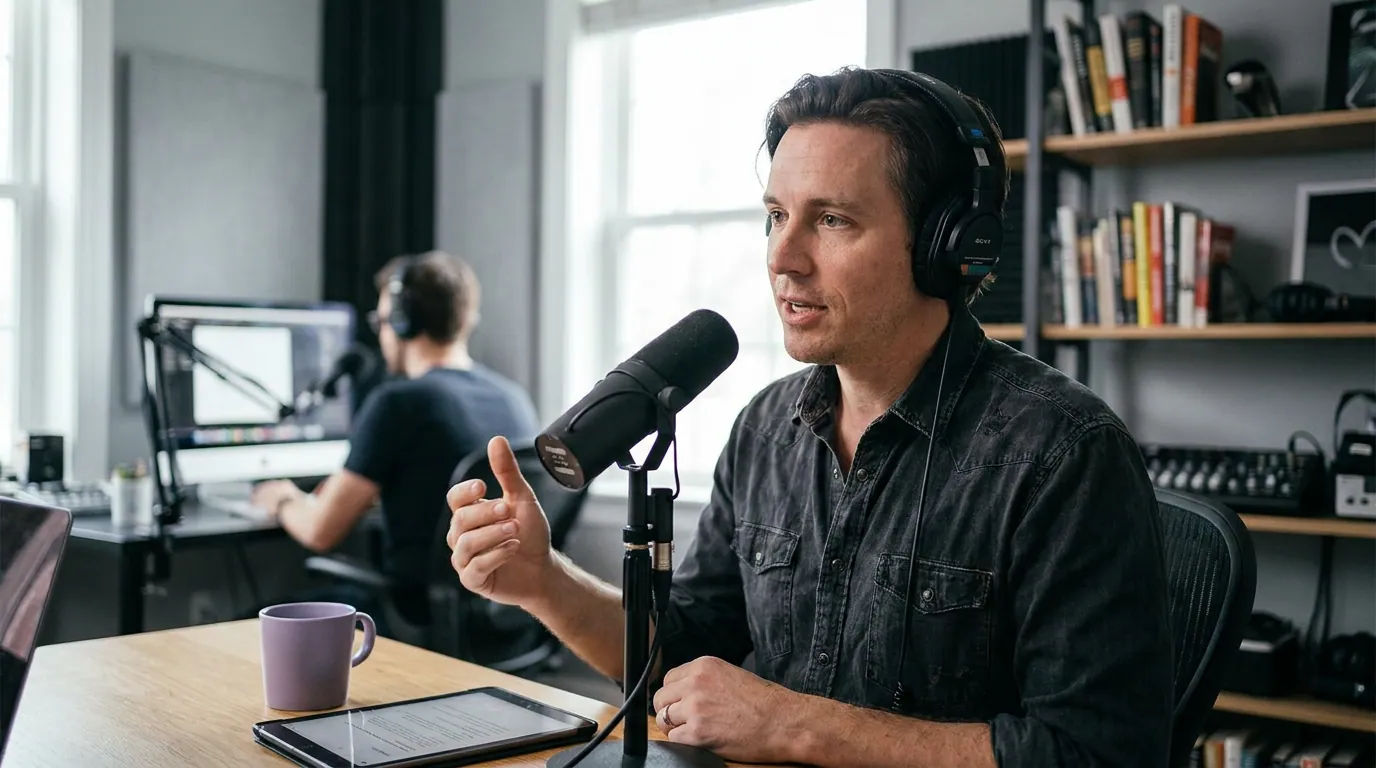
The moment-quality scorecard
Here is the bundle a story show should weigh, scored on the things that decide whether a clip works as a standalone scene. Prices verified on each vendor's own pages in June 2026; SaaS specs and prices move, so re-check before you buy. The "story-moment fit" and "editing control" columns are our hands-on read against vendor documentation, not a lab benchmark, treat them as informed judgment, and test the picks against your own episode.
| Tool | Cheapest paid plan | Story-moment fit · editing control |
|---|---|---|
| QuickReel | $9/mo Starter | Surfaces hook moments fast; in-editor boundary and segment control to re-cut the in/out and protect the reveal |
| Opus Clip | $15 Starter / $29 Pro | Strong, virality-scored picks; can clip mid-reveal, Trim & Extend fixes it manually |
| Choppity | ~$20/mo (annual) | Pitched at "complete thoughts over loud fragments"; editor-led control |
| Vizard | ~$14.50/mo (annual) | Transcript-led, good for talk; picks lean generic, re-trim by transcript |
| Klap | ~$14/mo (annual) | Clean output, virality-scored; slower, narrower editing |
| LiveLink | varies | Positions explicitly around narrative peaks and standalone segments |
Two things stand out for a narrative workflow. The cheapest route to re-cutting control is QuickReel ($9 Starter, with clip-editing controls on every paid tier), and the tools that market themselves on story-moment quality, Choppity and LiveLink, describe their selection as "complete thoughts" and "narrative peaks" rather than virality, which is the right framing for a serialized show (Choppity; LiveLink). Marketing framing is not a guarantee, though, verify on your own audio.
Why story shows need a different kind of clip
A true crime episode is an engine of withheld information, and a clip is only useful if it withholds the right thing while still working alone. That's the opposite of how most AI clippers are built. Opus Clip's selection, per its own product page, is driven by a virality score that judges "the hook, trend relevance, and more", it names the hook but never the payoff, the setup, or the complete thought (opus.pro). For a hot-take show that's fine; the loud moment is the content. For a serialized case, a hook with no resolution is a clip that confuses a scroller who has never heard your show.
Short-form clips have become a discovery channel in their own right, often out-traveling the full episode they came from. When the clip is the product, it has to satisfy on its own, not act as a teaser that needs the full episode to land. For a story podcast, "satisfies on its own" and "doesn't spoil the case" are in tension, and resolving that tension is editorial work no tool does for you. The tool's job is to get the moment close; yours is to protect the turn.
The six tools, with the honest cons
1. QuickReel, cheapest route to full re-cutting control
QuickReel turns a long recording into captioned vertical clips and surfaces hook-worthy moments via its "Director" model, which flags hooks, punchlines, and high-retention segments (quickreel.io). For a story show the relevant strength is control: inside the editor you can adjust a clip's duration and pick the exact segment, so when the AI clips one sentence past the reveal you re-cut the boundary rather than re-running the whole job. It also ships a silence and filler-word remover that tightens slow narration, brand templates so every clip in a series carries the same look, and an auto-reframe that tracks the speaker for 9:16. Pricing starts at $9/mo Starter (100 credits, 1 social connection), with Pro at $29/mo (250 credits, 6 connections; currently promoted at $17.40/mo) and a 10-seat Ultimate at $259/mo (currently promoted at $89/mo) (quickreel.io/pricing).
The cons, stated plainly. QuickReel's AI selection is hook-led like the rest of the field, so it won't reliably pick a spoiler-safe boundary on its own, the re-cut is on you, the tool just makes it faster than re-generating. Its credit model meters source minutes, so a back-catalog binge can burn through a low tier quickly. And the cheapest paid tier is $9/mo with no permanently free plan, so you commit a card to ship without a watermark.

2. Opus Clip, fastest at scale, virality-led picks
Opus Clip is the category's biggest name, a $215M valuation in March 2025, 10M+ users, 170M+ clips (Sacra). It's the strongest pick if you're clipping a deep back catalog and want volume fast; its AI surfaces a large batch of scored candidates in minutes. For story shows, the candidates are good raw material, and its Trim & Extend feature lets you reshape any clip's boundaries to keep a beat complete (opus.pro).
The cons. Its selection is driven by a virality score, "the hook, trend relevance, and more", which means it optimizes for the loud opening, not the full arc, and will sometimes hand you a clip that cuts off before the payoff (opus.pro). Watermark-free export sits on the $29/mo Pro plan; the Free tier exports with a watermark and the $15 Starter plan is the step in between (opus.pro/pricing). For a fuller cost picture see our QuickReel vs Opus Clip comparison, the wider list of Opus Clip alternatives for 2026, and the honest Opus Clip alternative for heavy clippers.
3. Choppity, pitched squarely at "complete thoughts"
Choppity positions itself against virality-only scoring more directly than anyone here. Its own comparison claims its AI "actually understands podcast conversations, not just surface-level engagement metrics," surfacing "complete thoughts (insights, exchanges, punchlines) rather than loud fragments," and says it "outperforms Opus Clip in AI accuracy for conversational moments" (Choppity). That framing, complete beats over loud ones, is exactly the priority a story show should weight, and the editor gives you room to refine the boundaries.
The cons. Those accuracy claims are the vendor's own, on a page selling its product, so treat them as a strong signal to test rather than a settled benchmark, clip the same episode in two tools and judge for yourself. Pricing starts around $20/mo with a watermarked, preview-only free tier, and the annual discount is quoted inconsistently across its own pages (cited as both ~30% and ~50%), so confirm the live rate before buying (Choppity).
4. Vizard, fast and cheap for talk-heavy narration
Vizard is consistently praised for speed and is one of the cheaper paid routes, with the Creator plan around $14.50/mo on annual billing (about $29/mo monthly) and watermark-free output (vizard.ai/pricing). Its clipping is transcript-led, which suits a story show that's mostly narration and dialogue, you can re-trim a clip by selecting transcript text, which is a natural fit for protecting a sentence-level reveal.
The cons. The transcript-led approach means its picks lean generic; reviewers note the AI surfaces serviceable but not inspired moments, so the story judgment falls to you. It's weaker on purely visual beats, which matters less for an audio-driven case retelling but limits you if you cut to evidence photos or field footage. And like every tool here, it scores clips for engagement, not for narrative completeness, so expect to re-cut the boundaries.
5. Klap, clean output, slower and narrower
Klap converts long videos and podcasts into ready-to-post Shorts, Reels, and TikToks in 50+ languages with virality scores, and it's favored when "looks like us" matters (klap.app/pricing). For a serialized show that wants a consistent, polished visual signature across a season, the output quality is a genuine plus. Pricing runs roughly $14/mo Basic up to $39/mo Pro on annual billing (about $28 and $78 billed monthly).
The cons. Klap is slower than the field and its editing control is narrower, so re-cutting a clip to a spoiler-safe boundary takes more friction than in a full timeline editor, the wrong trade for a show that re-cuts often. Its selection is virality-scored like Opus Clip's, with the same risk of clipping a peak rather than a beat. And many creators end up downloading and posting manually for finer control, which adds a hop.
6. LiveLink, explicitly built around narrative peaks
LiveLink is the clearest case of a tool marketing itself on story structure: it's described as recognizing "narrative peaks," identifying quotable moments, and extracting "segments that function as standalone content rather than random samples requiring context" (LiveLink). For a story podcast, that's the exact promise you want to hear, and worth a test alongside Choppity.
The cons. As with Choppity, the "narrative peaks" language is positioning, not an independent benchmark, so the only honest read is to clip a real episode and compare the boundaries it picks against your own. It's a smaller, less-established name than the mainstream picks, which means a narrower track record, fewer integrations, and pricing you should confirm directly before committing.
How we evaluated
We scored only on what a narrative show needs, not on general clip quality (covered in our tested roundup of AI podcast clip generators). Three criteria: story-moment fit, meaning whether the tool's selection is built around complete beats or raw virality; whether the resulting clips read as self-contained scenes; and editing control, meaning how precisely and quickly you can re-cut the in-point and out-point to protect a reveal. Prices were checked on each vendor's own pricing page in June 2026 and linked inline, because third-party listicles go stale fastest.
Two caveats we won't bury. First, the story-fit and self-contained columns are editorial judgment informed by vendor documentation and hands-on clipping, not a controlled lab benchmark, where a claim is a vendor's own, we've said so, and the only real test is clipping your own episode in two tools side by side. Second, the reviewer consensus across the 2026 roundups is blunt: even the strongest story-aware tools aren't a replacement for editorial judgment on pacing and payoff (Choppity). In our own clipping, a meaningful share of suggested boundaries still need a hand-trim on a serialized show, treat that re-cut as the default, not the exception. The AI is an accelerant; for a show whose whole value is the withheld detail, the editor is not optional.
Who should pick what
- Story show on a tight budget that re-cuts every clip: QuickReel ($9 Starter, clip-editing on every paid tier), the cheapest way to fix the boundary the AI gets wrong.
- You want the tool's selection itself built around complete thoughts: Choppity or LiveLink, both market explicitly on narrative beats over virality; test them against the same episode.
- Clipping a deep back catalog at volume, fast: Opus Clip, accept the virality-led picks and reshape with Trim & Extend; budget for the $29 Pro plan to export without a watermark.
- Talk-heavy narration on a low budget: Vizard, with transcript-led re-trimming, around $14.50/mo annual.
- A polished, consistent season look where speed is secondary: Klap, accepting the slower turnaround and narrower editing.
Before you commit to any of these, clip one real episode in two of them and compare where the boundaries land, that side-by-side tells you more than any feature list, including this one.
FAQ
Which clip tool picks the best story moments for a true crime podcast? No tool reliably picks a spoiler-safe story beat on its own. The ones that market closest to it are Choppity and LiveLink, which describe their selection as "complete thoughts" and "narrative peaks" rather than virality (Choppity; LiveLink). Treat those as claims to test, and pick the tool that lets you re-cut the boundary fastest.
Why do AI clippers spoil my reveals? Most clippers, including Opus Clip, select moments by a virality score that optimizes for the hook and the loud peak, not the full arc, so they can cut off before the payoff or clip straight through your withheld detail (opus.pro). The fix is editorial: re-cut the out-point so the clip teases without resolving the case.
What's the cheapest tool that lets me re-cut clips precisely? QuickReel is the cheapest entry at $9/mo Starter, with clip-editing controls, duration and segment selection, on every paid tier, so you can re-cut a boundary without upgrading (quickreel.io/pricing). Vizard, at about $14.50/mo annual, offers transcript-led re-trimming, which is well suited to sentence-level story edits (vizard.ai/pricing).
Will auto-captions get the names right in a true crime clip? Not reliably. Story audio is dense with names, places, and dates, and no AI clipper transcribes every proper noun correctly. Budget a quick human pass on every clip to fix the names, a wrong name in a true-crime clip is a credibility hit. Pair your tool with solid auto-captioning.
Is there a free way to test before paying? Yes. Most tools here, Opus Clip, Vizard, Klap, Choppity, have a free or preview tier with watermarked exports, enough to clip a real episode and judge whether the moments stand alone. Clip the same episode in two tools, compare the boundaries each picks, then pay. Our best free podcast clip tools covers the no-watermark options.