
Annual vs Monthly Billing for Clip Tools

Pay annually when you already know you'll clip every month for a year, the discount runs 20–50% off and your credits last roughly twelve months instead of sixty days. Pay monthly while you're still deciding which tool fits your workflow, or when your output is seasonal. Two risks gate the yearly lock-in: most tools auto-renew with no reminder, and several delete your projects within days of cancellation.
Below: what each discount is worth in June 2026, what the longer credit window buys you, and the two clauses that have stung creators who locked in too early.
How big is the annual discount on clip tools?
It ranges from about 20% to 50%, and the priciest tools sit at the high end. Opus Clip cuts 50% off the per-minute cost for annual billing, applied to its $29/month Pro plan, that works out to roughly $14.50/month, though Opus Clip doesn't publish an annual dollar figure on its pricing page (eesel AI, June 2026; Opus Clip pricing). Vizard's pricing page advertises 50% off for yearly billing, which lands its $29/month Creator plan at $14.50/month billed annually, framed as "five months free" (Vizard pricing). Klap advertises a 50% off yearly toggle, so its $28/month Basic tier drops to about $14/month billed annually (Klap pricing). Promotional banners change, so confirm what's live before you compare.
The pattern is consistent: most tools dangle a 50% yearly cut to pull you onto a twelve-month contract, framed as "five months free." The size of the discount tells you nothing about the tool's quality.
One honest note on QuickReel's own numbers: at the time of writing, QuickReel shows promotional discounts on monthly billing, Pro at $29 marked down to $17.40, Starter at $9, Ultimate at $89 (QuickReel pricing). An annual toggle exists; verify the current annual rate on the page, because promotional pricing of any kind is time-sensitive and the number you see may differ from the day you read this.
The second thing annual buys you: a longer credit window
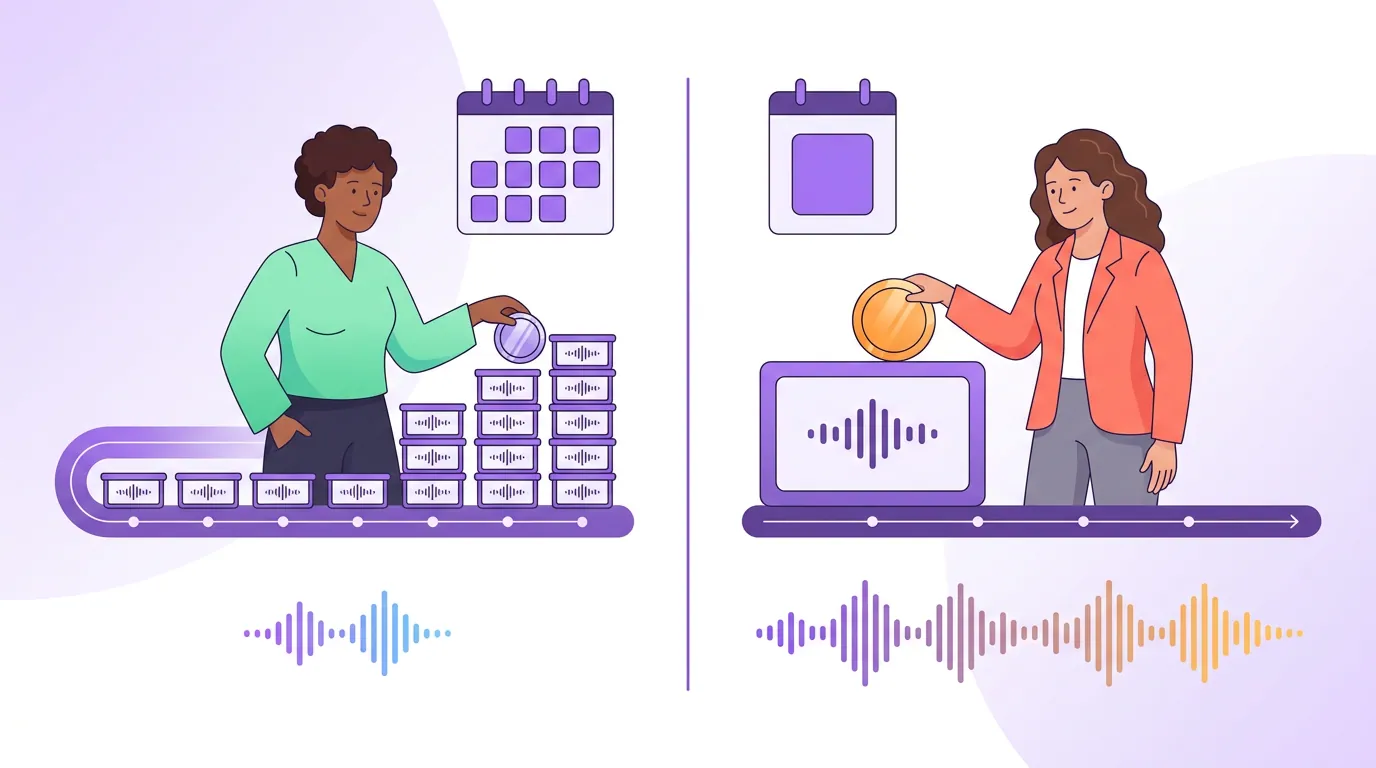
Most clip tools meter usage in credits, roughly one credit per minute of source video you upload, not per clip you get out (we break this down in how clip tool credits actually work). Annual plans usually grant the whole year's credits upfront and give them a far longer shelf life.
Opus Clip is the clearest example: monthly-plan credits expire 60 days after purchase, but annual credits stay valid for about twelve months (eesel AI, June 2026). That changes the math for anyone with an uneven schedule. If you batch-clip three months of episodes in a single week, then go quiet during a launch or a holiday, a 60-day window punishes you for the gap. A year-long window does not.
The caveat: not every tool publishes its expiry terms, and they differ. Treat the Opus Clip numbers as a worked example of how the upfront-credit model behaves, not a universal rule. Klap, for instance, advertises the 20% annual discount but doesn't post a comparable monthly-vs-annual expiry table, so check its current terms before assuming the windows match.
The two risks that should gate the yearly lock-in
This is where most "annual saves you money" posts stop. The discount is only the upside. Two clauses determine whether the lock-in is safe for you specifically.
1. Auto-renewal with no reminder. Multiple Opus Clip reviews flag that the tool doesn't send a renewal warning before it bills you (eesel AI, June 2026), one cited user said plainly, "I was billed today. I did not receive a reminder that my subscription is renewing." On an annual plan, that's a full year's charge landing without warning. If you stop clipping mid-contract and forget the date, you re-up for another twelve months by default. This is not unique to one tool; assume any annual SaaS plan auto-renews silently unless its terms say otherwise.
2. Projects deleted on cancellation. The sharper risk is your work. Opus Clip's most-cited gotcha is that projects become inaccessible about three days after a subscription ends, even if you still have unused credits (eesel AI, June 2026). Cancel, miss the download window, and the clips and project files you built are gone. The practical defense is boring and effective: export and download every finished clip before you cancel anything, and never let cancellation coincide with a busy week.
Annual vs monthly: the side-by-side
| Factor | Monthly | Annual |
|---|---|---|
| Price per month | Full rate (e.g. ~$28–$29 entry plans) | 20–50% lower (~$14–$17.40 on the same plans) |
| Credit shelf life | Often ~60 days, use-it-or-lose-it | Often ~12 months, granted upfront |
| Commitment | Cancel any month | Locked for a year; silent auto-renew |
| Risk if you stop | Low, stop paying, walk away | Higher, projects can vanish on cancellation |
| Best for | Trialing tools, seasonal output, unsure fit | Steady year-round clipping, settled tool |
Prices and terms verified June 2026 against the Opus Clip, Vizard, Klap and QuickReel pricing pages; SaaS pricing changes often, so re-check before you buy. For a fuller breakdown of what each plan costs head to head, see our side-by-side AI clip tool pricing comparison.
The commitment-decision rule
Run your situation through four questions. If you answer yes to the first three and have a plan for the fourth, annual is the right call. Otherwise, stay monthly.
- Have you already used this exact tool on your own footage for at least a month? If you haven't tested it on the content you actually make, talking-head, multi-guest, non-English, you're committing to a guess. AI clippers vary by content type; podcast and talking-head footage tends to perform best, so prove it on yours first.
- Will you clip in at least 8 of the next 12 months? Annual only beats monthly if you'd otherwise pay for most of the year anyway. Four active months a year is cheaper paid monthly, even at full rate.
- Does the year-long credit window match how you batch? If you front-load production and go quiet for stretches, the longer expiry is worth real money. If your output is steady and small, a 60-day window rarely bites and the discount is the only reason to lock in.
- Have you set a renewal reminder and a download-before-cancel habit? Put the renewal date in your calendar the day you subscribe. Decide now that you'll export every finished clip before any cancellation. These two habits neutralize the two real risks.
A practical money note: before you weigh annual against monthly, work out what you actually pay per finished clip. A cheap annual plan with a tight credit window can cost more per usable clip than a pricier monthly one. Our cost-per-clip calculator method and the breakdown of the real cost to clip one podcast episode give you the formula.
FAQ
Is annual billing always cheaper for clip tools? Only if you'd use the tool most of the year anyway. The per-month rate drops 20–50%, but you pay twelve months upfront. If you clip in four months out of twelve, paying monthly at full rate is still cheaper, and you keep the freedom to switch tools.
Do unused credits carry over on monthly plans? Usually not for long. Several tools expire monthly credits after about 60 days (Opus Clip is the clearest published example, per eesel AI, June 2026). Annual plans typically grant credits upfront with a roughly year-long expiry. Confirm each tool's own terms, since they vary and aren't always published.
What happens to my clips if I cancel? On some tools, your projects become inaccessible within days. Opus Clip's projects become unreachable about three days after a subscription ends, even with credits left (eesel AI, June 2026). Always download every finished clip before you cancel anything, regardless of tool.
Will my annual plan auto-renew without warning? Assume yes unless the terms say otherwise. Reviewers report Opus Clip bills annual renewals with no reminder email (eesel AI, June 2026). Put the renewal date in your calendar the day you subscribe.
Should I go annual to save money if I'm new to clipping? No. Test the tool monthly, or on a free plan, on your actual content first. AI clippers still need roughly 20–40% human review and they vary by content type, so prove the fit before you lock in a year. If you want the shortlist to test, start with our best AI podcast clip generators and best Opus Clip alternatives roundups.