
AI Podcast Editing Tools, Sorted by the Job They Do

There is no single best AI podcast editor, there is a best tool for each job. Descript owns text-based editing and filler-word removal in one pass. Auphonic quietly handles leveling and loudness better than anything with a fancier interface. Adobe Podcast Enhance fixes bad-room audio for free. And QuickReel or Opus Clip turn the finished episode into clips. Buy by the bottleneck, not the feature list. Here is which tool does which job, and how much of each you still finish by hand.
The verdict, up front
Most podcasters waste money on AI editing by buying one all-in-one suite and using a quarter of it. The smarter move: name your single worst bottleneck, then hand that one job to the tool that does it best.
- Audio sounds like a bathroom? Adobe Podcast Enhance (free) or Auphonic.
- Editing takes all weekend? Descript's text-based editor.
- Levels jump between you and your guest? Auphonic's Adaptive Leveler.
- "Um" and "uh" everywhere? Descript, Cleanvoice, or Riverside.
- No time to make social clips? QuickReel or Opus Clip.
One caveat sits under all of it: every AI editing job still needs a human pass. Leveling needs the least, you can almost trust it blind. Clip selection needs the most, because the model picks moments by keyword and energy, not by whether the joke lands. The table below is sorted by exactly that.
The comparison table
Three numbers matter for each tool: its starting price, the one job it does best, and how much you still finish by hand. Prices below were checked on each vendor's own pricing page in June 2026, SaaS prices move, so re-verify before you pay.
| Tool | Best job + entry price | Human pass still needed |
|---|---|---|
| Adobe Podcast Enhance | Bad-room audio cleanup, free | ~10% (V2 can sound robotic) |
| Auphonic | Leveling + loudness, from $11/mo annual ($13 monthly) | ~5% (closest to set-and-forget) |
| Descript | Text-based editing + fillers, $24/mo (Creator, annual) | ~20% |
| Cleanvoice | Filler/mouth-sound removal, from $11/mo | ~15% |
| Riverside | Record + edit + Magic Clips, free, Pro ~$24/mo | ~25% (clips keep the silences) |
| Opus Clip | AI clip selection, free, Pro $29/mo | ~35–40% |
| QuickReel | Clips + captions + scheduling, free, paid from $9/mo | ~20–40% |
The "human pass" column is the part most roundups skip. It is an editorial estimate built on what each tool's own makers and reviewers report, Riverside's Magic Clips review notes the tool leaves the pauses in, and the industry rule of thumb is that AI carries the bulk of an edit while a human still finishes it: Podcast Studio Glasgow frames it as AI doing 70–80% and the human the rest, and production shops budgeting a review pass put it at the higher end for clips. Treat the percentages as directional, not lab-measured.
Per-tool, by the job it does best
Adobe Podcast Enhance, the free fix for a bad room
If your audio sounds boxy, echoey, or thin, run it through Adobe Podcast Enhance before anything else. It is genuinely free for files up to 30 minutes, with a 1-hour daily cap and no Adobe subscription required (Adobe Podcast plans page). The same model is built into Premiere Pro as Enhance Speech.
Pro: It rescues recordings you'd otherwise re-record, a noisy laptop mic can come out sounding close to a treated room. The Premium plan ($9.99/mo) adds video files, 4-hour daily limits, and a strength slider, which matters because the strength control is the difference between "cleaned up" and "processed."
Con: The V2 update drew mixed reviews for producing robotic-sounding audio when pushed hard. Use the strength slider, and always A/B the output against the original, sometimes the raw take is warmer. This is the ~10% human pass.
A better long-term fix is technique: the gap between a $150 and a $1,500 mic is smaller than the gap between bad mic technique in a noisy room and good technique in a treated one. If you're still choosing gear, start with our podcast mics by budget tier, a clean recording needs far less AI rescue.
Auphonic, the leveling job you can almost trust blind
Auphonic is the least-hyped tool here and the one that needs the least human review. Its Adaptive Leveler corrects loudness differences between speakers and within a file, and it normalizes to broadcast targets (−16 LUFS for podcasts, EBU R128 for radio) in one pass. Pricing is freemium; the cheapest paid tier (9 hours/month) is $11/mo on annual billing or $13 monthly, and the free tier covers two hours of processing each month.
Pro: Set a loudness target once and Auphonic hits it on every episode, with a true-peak limiter so nothing clips. For the specific job of making a two-person interview sit at an even, platform-compliant level, nothing here beats it, call it the ~5% pass.
Con: It is a finishing tool, not an editor. No timeline, no text-based editing, and the desktop batch app is no longer maintained (it won't run on macOS Ventura or later, use the web service). If you want one tool to do everything, this isn't it. If you want the leveling job done right and forgotten, it is.
Descript, the editing-speed job
Descript edits audio and video by editing a transcript: delete a sentence of text, and the matching audio disappears. Its filler-word removal sweeps every "um" and "uh" in one click, and Studio Sound handles cleanup. The Creator plan most podcasters land on is $24/mo on annual billing ($35 monthly); a free tier gives 1 hour of transcription and limited AI (Descript pricing page).
Pro: For long interviews, text-based editing is the single biggest time-saver in this list, you read instead of scrub. The free filler-word sweep alone can turn an hour of cleanup into ten minutes.
Con: Descript restructured its metering in September 2025 into media minutes plus separate AI credits, and reviewers consistently flag usage caps that push you to upgrade mid-project. The ~20% human pass is real: bulk filler removal occasionally kills a word that carried meaning or rhythm, so preview before you export. If you want the gentlest on-ramp to this style, see podcast editing software for beginners.
Cleanvoice, the specialist for filler words and mouth noise
Cleanvoice does one job: it strips filler words, stutters, mouth sounds (lip smacks, saliva clicks), and dead air across 20+ languages. Pricing is credit-based from about $11/mo for 10 hours, with a free 30-minute trial and pay-as-you-go credits valid for two years.
Pro: It targets mouth sounds that Descript and Riverside often miss, and it adds room tone where it cuts so the result doesn't sound chopped. For audio-only shows that just need to sound clean, it's a focused, cheap workhorse.
Con: It's cleanup, not creation, no clip generation, no text editor, no recording. And like every filler remover, it can be overzealous, trimming natural breaths or misclassifying technical terms, so the ~15% preview pass stays mandatory.
Riverside, record and edit in one place
Riverside records each guest locally in up to 4K, then edits in the same browser: remove pauses and fillers, clean noise with Magic Audio, switch cameras with Smart Layouts, and generate social clips with Magic Clips. The free plan includes 2 hours of separate-track recording and access to Magic Clips; Pro runs roughly $24/mo on annual billing.
Pro: The all-in-one flow, local recording plus AI editing plus clips without leaving the tab, is the draw, and for remote interviews the recording quality is a real strength. If you're weighing recording platforms, compare it in Riverside vs Zencastr vs SquadCast.
Con: Two honest catches. Magic Clips does not remove silence before clipping, so a 60-second clip can carry 8–12 seconds of dead air between speakers, that's the ~25% pass. And reviewers report sync issues and reliability problems on longer, multi-guest recordings. Great recorder, capable editor, clips that need tightening.
Opus Clip and QuickReel, the clip-selection job
These two don't edit your episode; they turn the finished one into short, captioned, vertical clips. This is the job that needs the most human review, because the model picks moments by keyword relevance, sentiment, and speaker energy, none of which know whether a punchline actually hits.
Opus Clip has a permanent free tier (60 processing minutes/month, watermarked, clips expire after 3 days) and a Pro plan at $29/mo that adds 1080p export, virality scoring, speaker detection, and auto-posting. Credits bill by source length, a 60-minute upload spends 60 credits whether it finds 5 clips or 15.
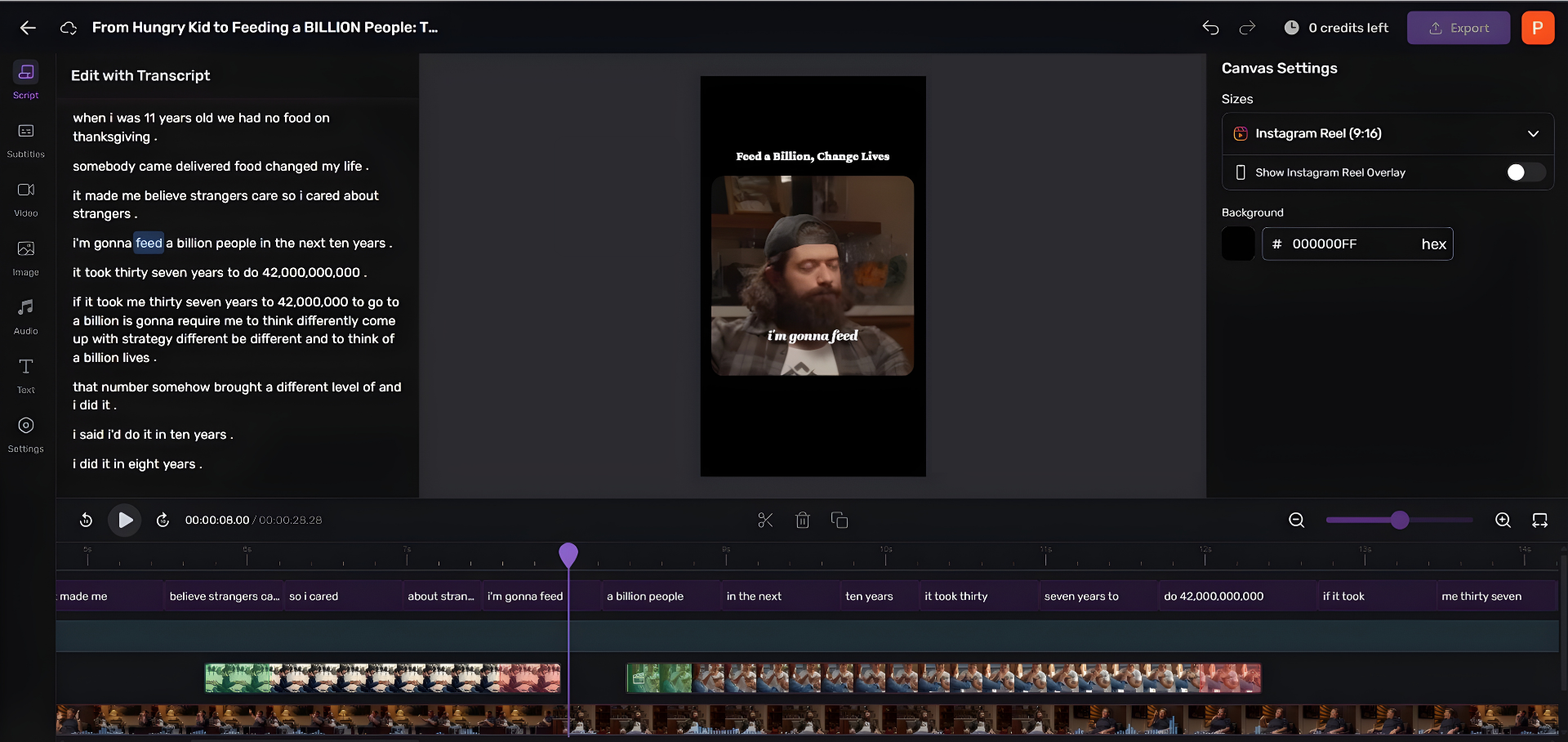
QuickReel does the same selection job and adds captions in 20+ languages, brand templates, and scheduling to many platforms at once. Paid tiers start at $9/mo Starter (100 credits) and $17.40/mo Pro (250 credits), and there's a free plan to test on a real episode without a card.
The fair framing: run the same episode through Opus Clip and QuickReel and they surface a heavily overlapping set of moments, the same loud laugh, the same strong quote, the same hot take. They differ less on what they find than on how few clicks stand between the raw video and a posted clip. That part is workflow, not model quality. And a clip that racks up views without pulling anyone toward the show is a vanity number; views are not subscribers. Expect to reorder, re-trim, and rewrite the AI's picks, that reordering is the 20–40% pass.

How we evaluated
This list ranks tools by the single job each does best, not by feature count, because an all-in-one you use a quarter of is worse value than two focused tools you use fully. Criteria:
- Job fit: does the tool actually own one task, or spread thin across many?
- Human-pass load: how much you re-check after the AI runs (estimated from each maker's own docs, reviewer reports, and the industry consensus that AI does ~70–80% of an edit while a human finishes the rest).
- Honest pricing: entry price and the catch, metering changes, watermarks, expiring clips, usage caps.
Prices and feature claims were checked on each vendor's own site in June 2026. Every percentage in the "human pass" column is an editorial estimate, labeled as such, not a benchmark. Caveat worth stating plainly: AI-cleanup tools improve fast, and the V2/V3 model updates can change both quality and the robotic-artifact tradeoff between the time this is written and read.
Who should pick what
- Solo audio show on a budget: Adobe Enhance (free cleanup) + Cleanvoice (fillers) + Auphonic (leveling). Three focused tools, under ~$22/mo combined, each used fully.
- Interview show that records remotely: Riverside for recording, then Descript or Auphonic for finishing. Compare recorders in Riverside vs Zencastr vs SquadCast.
- Video podcaster who hates editing: Descript for the whole edit, QuickReel for clips. Mac users, check the best podcast software for Mac first.
- Anyone trying to grow on social: start with the clip job. QuickReel or Opus Clip on your last episode, then judge the picks yourself.
- Just starting and broke: free podcast recording software plus free tiers of Enhance and Opus Clip will get you to a published, clipped episode at $0.
FAQ
What is the best AI podcast editing software in 2026? There isn't one best, it depends on the job. Descript wins for editing speed via text-based editing, Auphonic for leveling and loudness, Adobe Podcast Enhance for free audio cleanup, and QuickReel or Opus Clip for turning episodes into clips. Pick by your biggest bottleneck, not by feature count.
Can AI fully edit my podcast without me? No. Every AI editing job still needs a human pass, the least for leveling (~5%) and the most for AI clip selection (~20–40%), where the model picks moments by keyword and energy, not by whether they actually land. Industry shops put AI at 70–80% of an edit and a human at the rest (Podcast Studio Glasgow). Treat AI as an accelerant, not a replacement editor.
Is there a free AI podcast editor? Yes. Adobe Podcast Enhance is free for 30-minute files, Descript and Auphonic have free tiers, and Opus Clip and QuickReel offer free plans for clip generation. You can take an episode from raw recording to published clips at $0, with watermark and usage limits on the free tiers.
Does AI filler-word removal sound natural? Usually, but not always. Tools like Cleanvoice add room tone where they cut so the audio doesn't sound chopped, and Descript removes fillers in one sweep. Both can over-trim, killing breaths or misreading technical terms, so always preview before exporting. Budget the ~15% review.
Which AI tool is best for making podcast clips? QuickReel and Opus Clip are the focused clip tools; Riverside's Magic Clips works if you already record there, though it leaves silences in (Blitzcut, 2026). Run an episode through any two and they surface a largely overlapping set of moments, the difference is workflow and captions, and all of them need you to reorder and re-trim the picks.