
The Booking Email That Stops Guest No-Shows


A guest no-show is almost never a discipline problem. It's an information problem. Send one confirmation email the moment someone says yes, with the exact time and timezone, a calendar invite, the link, your tech requirements, and what the recording will be like, and you remove most of the reasons a guest goes quiet. The chase happens because the booking left gaps. Close the gaps and the chases mostly stop.
Below is the full email, block by block, plus the short reminder sequence that carries the guest from "yes" to "recording" without you sending a single anxious "still on for tomorrow?" message.
Why the confirmation email matters more than the pitch
The pitch gets you the yes. The confirmation email gets you the recording. Those are two different jobs, and most hosts pour effort into the first and improvise the second. A booking dies in the gap between agreement and the calendar, the days where a guest's enthusiasm cools, the date drifts in their memory, and a competing meeting quietly lands on the same slot.
That gap is also where the avoidable disasters hide: the guest who joins on a phone in a parking lot, the one who's never used your recording platform and spends ten minutes fighting the mic, the one who shows up an hour off because nobody named the timezone. None of those are the guest being difficult. They're the email you didn't send.
What every podcast guest confirmation email must contain
A confirmation email has seven jobs. Miss one and you've left a gap a no-show can crawl through. Send it within an hour of the yes, while the guest is still mentally on the show, and keep it scannable, because they'll read it on a phone between meetings.
1. The time, with the timezone spelled out. Never write "2pm" alone. Write "2:00 PM New York time (ET)" and, if you regularly book across regions, add their local equivalent. The single most common avoidable no-show is a guest who shows up an hour late or a day early because two people read the same number differently.
2. A calendar invite. Attach an .ics file or send a calendar invite they can accept in one tap. An email gets buried; a calendar block follows them around and fires its own reminder. This is the cheapest insurance in the whole process.
3. The link, plus how to test it. Give the exact join link and one sentence on testing it: "When you click in, it'll ask for camera and mic access, feel free to open it a few minutes early to check." If you record on a platform the guest hasn't used, that early click is the difference between a clean start and ten minutes of troubleshooting on the clock.
4. Tech requirements, stated as kindness not rules. Ask for headphones (kills echo), a quiet room with the door shut, and a wired connection or strong Wi-Fi. If it's video, ask them to face a window or a lamp, not have the light behind them. Frame it as helping them sound and look good, because that's true. A guest who shows up on a laptop mic in a kitchen is a re-record waiting to happen.
5. Format expectations. Tell them the length ("about 45 minutes, we'll be done by the hour"), whether it's video or audio, the broad topics, and the tone. Guests get nervous when they don't know what they're walking into, and a nervous guest cancels more readily than a relaxed one. A line as simple as "it's a relaxed conversation, not a quiz" lowers the temperature.
6. A small prep ask. Request one bio paragraph, how they'd like to be introduced, and maybe one story they want to make sure they tell. Keep it light, a heavy homework assignment is its own cancellation risk. If you want to go deeper on your side before the call, that's your own pre-interview research job, not theirs.
7. A human sign-off. End with your name and the line "reply to this email if anything changes or you have questions." A guest who can reach a person will tell you about a conflict instead of silently dropping. The faceless automated confirmation is the one people ghost.
The copy-paste confirmation email template
Here's the whole thing as one email. Swap the brackets for your details. It's deliberately short, every block earns its place, nothing is padded.
Subject: You're confirmed, [Show Name], [Date] at [2:00 PM ET] Hi [First name], Thrilled to have you on [Show Name]. Here are the details so everything's in one place. When: [Tuesday, July 14] at [2:00 PM New York / ET], that's [your local equivalent if relevant]. I've attached a calendar invite. Please accept it so it lands in your calendar. Where: We'll record on [Riverside / Zoom / etc.]. Your link: [link]. You can click in a few minutes early to test your camera and mic, no download needed / [download here]. For the best sound: headphones (any will do, they stop echo), a quiet room with the door closed, and a wired connection or strong Wi-Fi if you can. If we're on video, sit facing a window or lamp. What to expect: A relaxed [45-minute] conversation, video [or audio only]. We'll cover [topic A, topic B, topic C]. No script, no gotchas, I'll send a few areas ahead of time, but you don't need to prepare answers. One small thing when you have a minute: a one-line bio and how you'd like to be introduced. If there's a story or point you really want to make sure we get to, tell me and I'll steer us there. Reply to this email if anything changes or you have any questions, I'd much rather know early. Looking forward to it. [Your name]
That's it. Notice what it does not do: it doesn't bury the time in paragraph three, doesn't assume the guest knows your platform, and doesn't read like a form letter. The reply-to-me line at the end is doing quiet, heavy work.
The three-touch reminder sequence
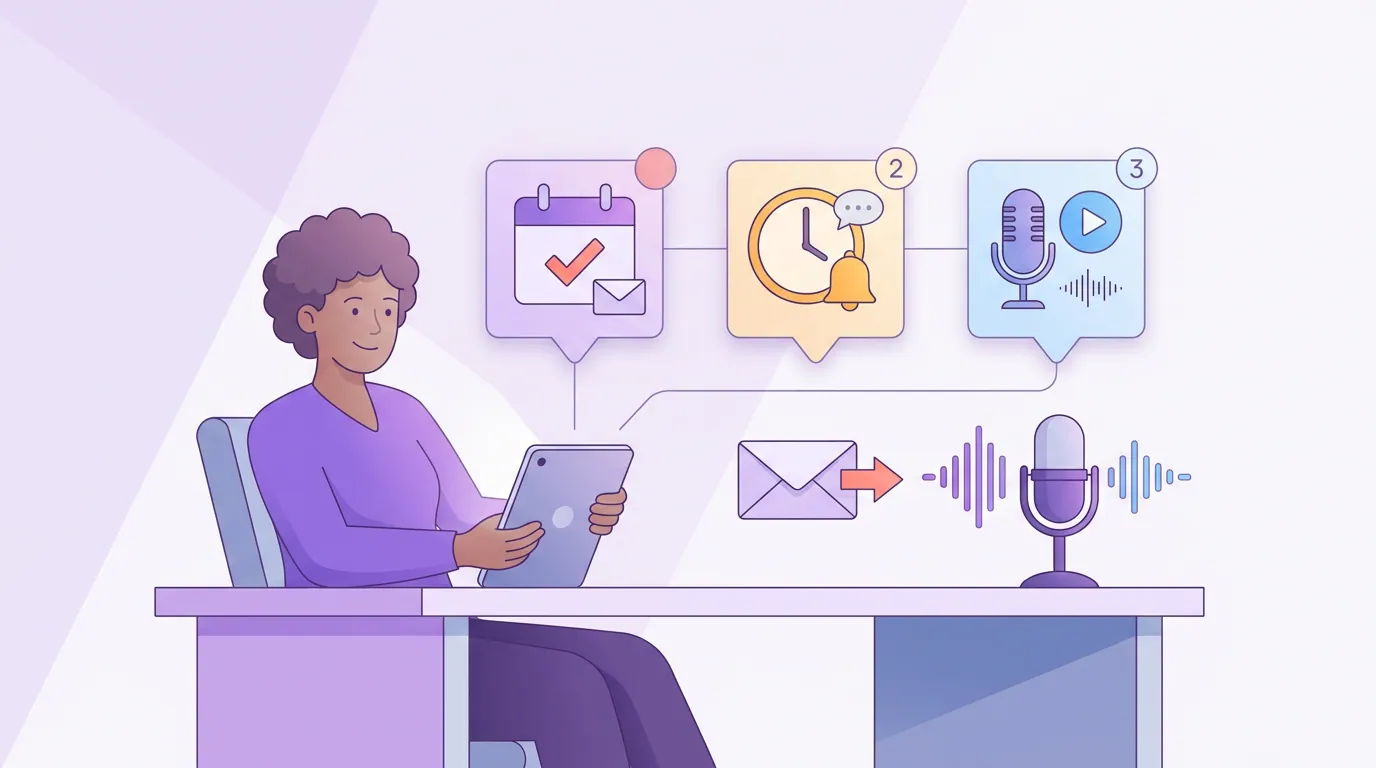
One email isn't enough on its own, but three copies of the same email is nagging. The fix is three touches with three different jobs. Each one assumes the last might not have landed, and each carries the guest one step closer without repeating itself.
Touch 2, about a week out, the prep reminder. Send the topics you want to explore and any links you mentioned. Re-state the date, time, timezone, and link inside this email too, never make them scroll back to the original. This is also where you can mention the kind of moments you love, which gently primes a guest to tell stories rather than recite facts. If you want them sharp, point them at the questions you plan to ask so nothing feels like an ambush.
Touch 3, the day before, a short nudge. Two or three lines. "Looking forward to tomorrow at 2:00 PM ET. Here's the link again: [link]. Bring headphones if you've got them. See you then." That's the entire email. Its only job is to put the recording at the top of their mind and the link one tap away. Most last-minute saves, the guest who replies "oh, I had it for Thursday", come from this touch.
Resist adding a fourth and fifth reminder. Past three, you train the guest to ignore you, and you start to read as anxious. Three touches, three jobs, done.
Common mistakes that turn confirmations into no-shows
- Confirming days later. The yes cools fast. Send the email within the hour, while you're still fresh in their mind. A two-day delay tells the guest this isn't a priority for you, so it won't be for them either.
- Burying the time and the link. If a guest has to hunt for either, friction creeps in at the exact moment you can least afford it. Put both high, bold, and repeat them in every touch.
- Skipping the timezone. "3pm" without a city is a coin flip. Always name the timezone; add their local equivalent when you book across regions.
- No tech ask, then acting surprised. If you never asked for headphones and a quiet room, a kitchen-and-laptop recording is on you, not the guest. The ask belongs in touch one and a soft repeat in touch three.
- An automated, faceless confirmation. A no-reply address tells the guest there's no person to tell about a conflict, so they ghost instead. Sign with a name and invite a reply. The host who is reachable is the host who gets the heads-up.
A clean recording isn't only about no-shows, of course, half of it is how you behave once the guest is on the mic. The off-mic side, making a guest feel comfortable enough to be interesting, starts the moment they join, and so does the kind of attention that makes them open up.
FAQ
How soon should I send the confirmation email after a guest says yes? Within the hour, ideally within minutes. The yes is at peak enthusiasm right after they send it, and that's when a calendar invite is most likely to be accepted on the spot. Waiting a day or two lets the commitment cool and signals the booking isn't a priority for you.
Do I really need a calendar invite if the email has the time? Yes. An email gets buried under fifty others; a calendar block follows the guest around and fires its own reminder on their device. The .ics invite is the single cheapest thing you can do to prevent a wrong-time no-show, and it costs you one click to attach.
What do I do if a guest goes quiet after confirming? Send the day-before nudge as planned, short, friendly, link included. If there's still silence two hours before, send one final "still on for [time]? No worries if something's come up" message. If you hear nothing, treat it as a reschedule, not a personal slight, and offer two new slots. Most ghosts are calendar accidents, not rejections.
Should the reminder emails repeat the join link? Always. Re-state the date, time, timezone, and link in every touch. Never make a guest scroll back to a week-old email to find where to click, that friction lands at the worst possible moment, minutes before recording, and it's exactly when a frustrated guest gives up.
Is this overkill for a small show? No. Smaller shows feel no-shows harder because each guest represents more of the schedule, and a wasted slot is a wasted week. The sequence takes about ten minutes to set up once as templates and then runs nearly on autopilot for every guest after.