
The Best Podcast Software for Solo Hosts (2026)


For a solo host, the best podcast software is Descript, its transcript-based editing turns one messy take into a clean episode faster than any timeline, and that speed is the whole game when you're a team of one. On a budget, Audacity (or GarageBand on a Mac) does the recording for free. If you'd rather not edit at all, Alitu automates cleanup end to end. Skip anything sold on its guest and remote-call features, you'll pay for a workflow you don't use.
Most "best podcast software" lists are built around the interview. They score tools on remote-call quality, separate guest tracks, green rooms, and live audiences. None of that helps you. A solo show is a monologue: one voice, one take, and the bottleneck is editing, not coordinating. So this roundup scores six tools on four things that actually matter when no one else is in the room.
I set up podcast rigs for a living, and the solo hosts I work with waste money the same way every time: they pay for a studio-grade interview platform, then use 10% of it to talk to themselves. Pick for the job you have.
What makes software "good" for a solo podcaster
A solo show inverts the usual priorities. There's no guest to wrangle, no remote audio to sync, no green room. What you have instead is volume of self-produced output and no one to share the work. The tool that wins is the one that gets you from "I just finished talking" to "it's published" with the fewest clicks.
I scored each tool out of 20 on four dimensions, five points each. This is the Solo Score, a rubric built specifically for one-person shows, not a generic feature tally.
Why these four? Because the solo failure mode is burnout, not bad audio. Nearly half of all podcasts never make it past their first three episodes, and the shows that survive are the ones that keep publishing, consistency outlasts production polish Amplifi Mediafailure-rate analysis). A solo host quits when each episode eats a weekend. Software that shrinks the loop is software that keeps you publishing.
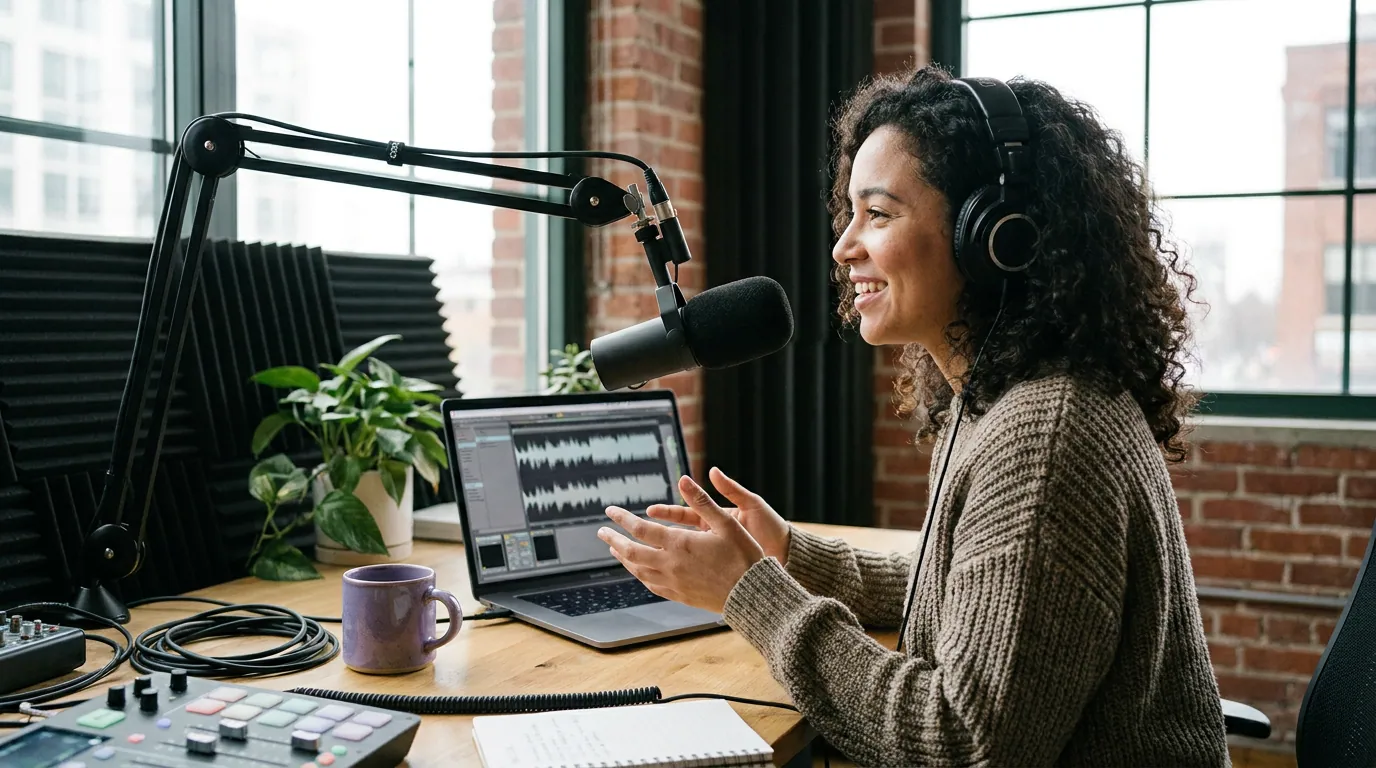
The best podcast software for solo hosts, scored
Here are the six tools, ranked by total Solo Score. Prices were checked in June 2026 against each vendor's own page; software pricing moves, so verify before you enter a card.
| Tool | Best for the solo host who… | Solo Score / 20 |
|---|---|---|
| Descript | wants the fastest edit and lives in the transcript | 18 |
| Alitu | wants editing fully automated, not learned | 15 |
| Riverside | records video solo and wants 4K capture | 14 |
| GarageBand | is on a Mac and wants free, friendly recording | 13 |
| Audacity | wants a free, deep audio editor on any OS | 12 |
| Podcastle | records and edits entirely from a phone | 12 |
1. Descript, the solo host's fastest edit (Solo Score 18/20)
Descript wins the solo category because of one design decision: your transcript is your timeline. You record straight through, Descript transcribes it, and you edit by deleting text, cut a sentence from the transcript and it's cut from the audio. For a one-person show, that collapses the slowest part of the job. In testing on well-recorded audio, the transcript stays accurate enough to edit against directly, with a word error rate under 3% (AI Voice Review's 2026 test).
It scores highest on the two dimensions that matter most to a solo host. One-take editing (5/5): record without stopping, then one-click filler-word removal strips every "um" and "uh," and silence removal trims dead air automatically, the same review clocks filler removal alone at 15 to 30 minutes saved per hour of content (AI Voice Review). Monologue workflow (5/5): a single clean mic on one speaker is the ideal case for its transcription. It publishes straight to YouTube and podcast hosts, so record-to-publish is short (4/5). Mobile capture is the weak leg (4/5), it's desktop-first.
The cons, honestly. The September 2025 pricing overhaul replaced clean transcription hours with a two-meter "media minutes plus AI credits" system that's genuinely harder to budget (Descript pricing). The free plan gives 60 media minutes a month, capped at 720p with a watermark, one episode and it's spent, so a regular show needs the Creator tier at $24/month billed annually ($35 monthly) for 30 media hours and watermark-free 4K export (Descript pricing). And it falls short fast on complex visual editing; if you want motion graphics or layered B-roll, you'll outgrow it. For a one-voice show, none of that bites. Our podcast editing software for beginners guide covers where Descript sits among the gentler editors.
2. Alitu, for the solo host who refuses to learn editing (Solo Score 15/20)
Alitu earns its place by solving the solo problem differently: instead of making editing fast, it makes editing largely disappear. You upload or record, and Alitu automatically cleans the audio, levels the volume, adds your intro and outro, and publishes, drag-and-drop, no waveforms to learn. For a host who wants to talk and ship, that's the whole pitch, and it's an honest one.
Monologue workflow (5/5) and record-to-publish speed (4/5) are its strengths: it includes free hosting up to 1,000 downloads a month, 17-language transcription, and one-click Apple Podcasts publishing (Alitu pricing). One-take editing (3/5) is automated rather than precise, great for cleanup, weaker if you want to surgically restructure a take. Mobile capture (3/5) exists but isn't its center.
The cons. There's no meaningful free tier, just a 7-day trial, and one flat plan at $38/month, dropping to about $32/month if you pay annually (two months free) (Alitu pricing). That's more than Descript's solo tier, and you're paying for automation, not control. If you enjoy editing or want frame-level precision, Alitu will feel like it's deciding for you. If you dread editing and that dread is what's threatening your publishing streak, it's worth every dollar.
3. Riverside, overkill for audio, strong for solo video (Solo Score 14/20)
Riverside is built for remote interviews, which is exactly the feature set a solo host doesn't need. But it scores respectably here for one real reason: if you record a video solo show, it captures you locally in up to 4K, which beats recording video into a generic webcam tool. Its Magic Clips feature also turns a recording into short social clips, useful for a one-person operation with no editor.
Mobile capture (4/5) is a genuine strength, it records on mobile and browser. Record-to-publish (3/5) is decent with Magic Clips in the loop. But monologue workflow (4/5) and one-take editing (3/5) are where the mismatch shows: the entire platform is organized around guests and separate tracks you'll never use, so you work around features that don't apply.
The cons. The free tier gives 2 hours of recording total (not per month), capped at 720p with a watermark on every export (Riverside pricing). To record solo in 4K without the watermark, you're on Standard at $19/month or Pro at $29/month (Riverside pricing), paying interview-platform prices for a monologue. Choose Riverside only if your solo show is video-first and you value the 4K local capture. If you're weighing it against the other remote recorders for any reason, our Riverside vs Zencastr vs SquadCast comparison breaks down all three.
4. GarageBand, free, friendly, Mac-only (Solo Score 13/20)
If you're on a Mac, GarageBand is free, already installed, and the gentlest on-ramp there is for a solo audio host. It records cleanly and exports at full quality with no watermark. One quirk to know: its length is counted in measures, not minutes, at the default 4/4, 120 BPM it tops out near 33 minutes, so for a longer episode drop the tempo to 40 BPM before you record to stretch a project to a few hours (GarageBand time limit explained).
Monologue workflow (4/5) is solid for one mic, and record-to-publish (3/5) is fine once you export and upload to your host. One-take editing (3/5) is manual waveform work, no transcript magic, no auto filler removal. Mobile capture (3/5) is the iOS app, which is capable but fiddly for a full episode.
The cons. It's Apple-only, it's built for music (switch off the metronome and time signatures before recording speech), and it has no AI cleanup, so a one-take recording with stumbles means manual cutting. For a Mac-based solo host who wants free and simple, though, it's the obvious starting point. Mac users should also see our best podcast software for Mac ranking for the fuller picture.
5. Audacity, the free, deep editor on any OS (Solo Score 12/20)
Audacity is the answer when you want a real, free editor and you're not on a Mac. It's open-source, runs on Windows, Mac, and Linux, records locally with no minute cap and no watermark, and includes genuine tools, EQ, noise reduction, compression, a deep plugin ecosystem (Audacity). For a solo audio host who's willing to learn, it's the most capable free option, period.
Monologue workflow (4/5) is strong, one mic, one track, total control. But it costs points where solo speed matters: one-take editing (2/5) is all manual (no transcript, no auto filler removal), mobile capture (1/5) doesn't exist, and record-to-publish (3/5) means exporting and uploading by hand.
The cons. The interface looks like it was built in 2008, and the learning curve is real, budget a session to get comfortable. It does the recording and editing brilliantly for free; it just doesn't do anything to shrink the solo loop the way Descript or Alitu do. Pair it with the right mic and your room will matter more than the software anyway, see best podcast mics by budget tier.
6. Podcastle, record and edit from your phone (Solo Score 12/20)
Podcastle is the pick for the solo host who records on the go and wants to never open a laptop. It's a cross-platform AI studio for recording, editing, and publishing, with AI noise removal and auto-leveling built in, and a mobile app that handles a full episode end to end.
Mobile capture (5/5) is its clear win, this is the dimension it's built for. One-take editing (3/5) benefits from AI cleanup, and monologue workflow (3/5) is fine for one voice. Record-to-publish (3/5) is reasonable from the app, though export and hosting still take steps.
The cons. The free tier is limited and the better AI features sit behind a subscription, so budget for the paid plan if you record regularly, verify current pricing on Podcastle's site before committing, as it changes. Desktop-grade precision isn't its strength either. But for a host whose whole appeal is recording an episode from a coffee shop or a hotel room, no desktop tool matches it. For more mobile-first options, see our best mobile podcast recording apps roundup.
How I scored these
I judged each tool only on the four Solo Score dimensions, monologue workflow, one-take editing, mobile capture, and record-to-publish speed, and deliberately ignored remote-call quality, guest tracks, green rooms, and live-audience tools, because a solo host uses none of them. Each dimension is worth five points; the total is out of 20.
The scores reflect testing the solo path specifically: record a single 20-plus-minute take with stumbles and dead air, then see how few steps it takes to reach a clean, published file. Prices and tiers were checked in June 2026 against each vendor's own page and cited inline. Cloud-software pricing moves quarterly, re-verify before you pay. Where a plan is clearly in flux (Podcastle's tiers), I point you to the source rather than pin a number that's stale by next quarter.
One honesty flag: "free recording" inside Spotify is gone
Worth flagging because it trips up new solo hosts. Spotify for Creators (formerly Anchor) is genuinely free for hosting, distribution, and analytics, no asterisk there. But Spotify removed its in-app recording tools, and now points users to a Riverside integration that requires a paid Riverside plan to record (Spotify for Creators). So "free hosting" is true; "free recording inside Spotify" is no longer a thing. Record with one of the tools above, then upload to Spotify for free hosting.
Who should pick what
You dread editing and want it automated: Alitu. One flat plan, drag-and-drop, audio cleaned and leveled for you. The fastest path to publishing if learning an editor is what's stopping you.
You want the fastest edit and don't mind learning a little: Descript. The transcript-based workflow is genuinely faster for a one-voice show, and the Creator tier at $24/month annual is the standard solo pick (Descript pricing).
You want free and you're on a Mac: GarageBand. Pre-installed, no watermark, no real time limit. On Windows or Linux, Audacity is the free pick instead.
You record on the move: Podcastle, for a true phone-only loop.
You record video solo and want 4K: Riverside, knowing you're paying for an interview platform to record a monologue.
Where QuickReel fits in a solo workflow
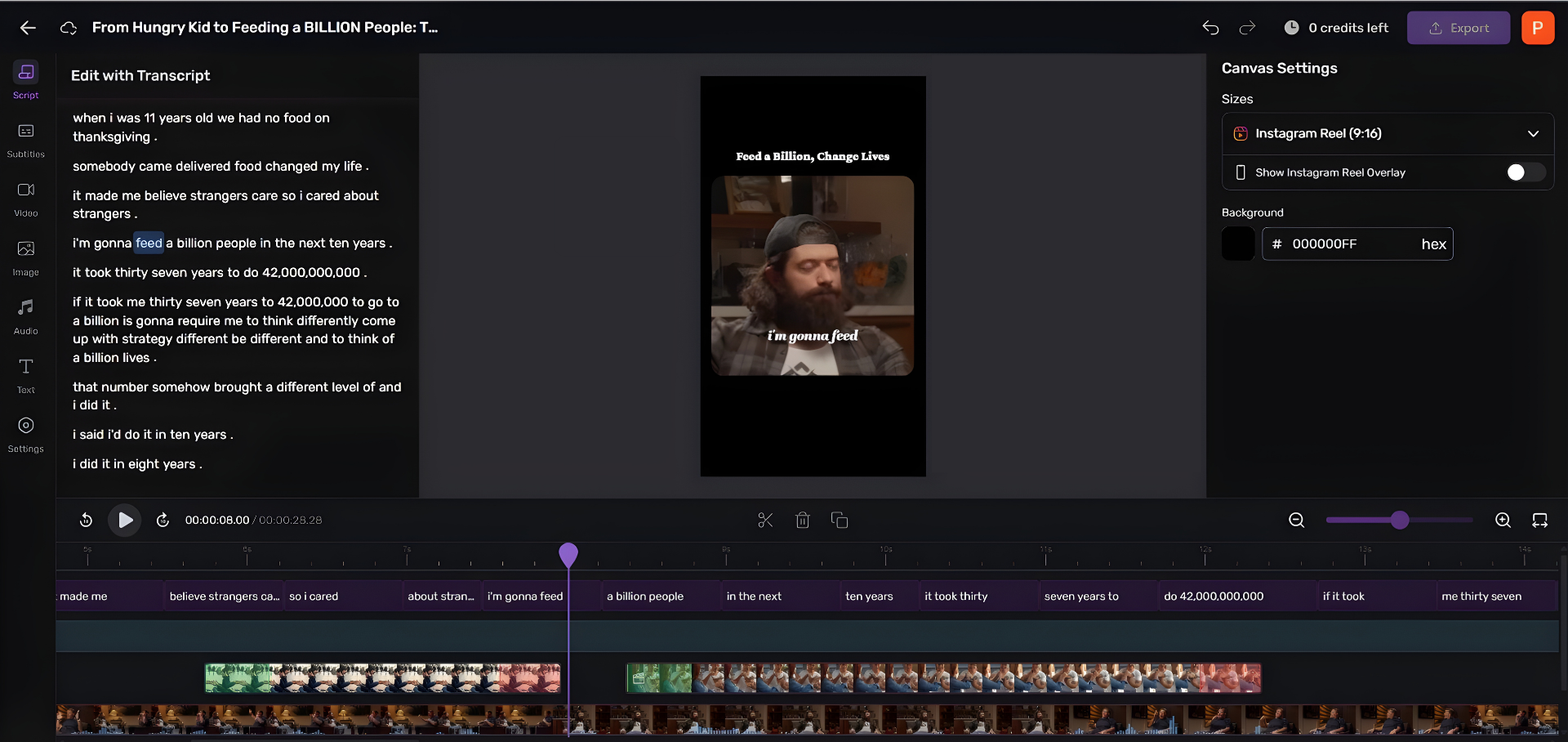
Plainly: QuickReel is not recording software. It won't replace Descript, Audacity, or Alitu for capturing or editing your episode. It sits one step later, turning the finished episode into short, captioned vertical clips for social, which is how most new listeners now find shows. Social-media recommendations edged ahead of friends and family as a podcast discovery source for the first time, 57% versus 54%, in Coleman Insights and Amplifi Media's State of Video Podcasting 2025 study, reported by InsideRadio. The gap is narrow and word-of-mouth still matters, but for a solo host with no marketing team, clips are the only scalable discovery lever.
On the same free-to-paid test I applied to the recorders: QuickReel is freemium with no card required. The free plan gives enough credits to clip roughly one episode, about five captioned clips, so you can judge the output before deciding anything (QuickReel pricing). Paid plans start at $9 (Starter) and around $17/month (Pro). Like every AI tool here, it's an accelerant, not a finished-product machine, expect to review and tweak roughly 20–40% of what it generates. For a one-person show, that's still hours saved each week.
Frequently asked questions
What is the best podcast software for a solo host? Descript, for most solo hosts. Its transcript-based editing, delete text to cut audio, one-click filler-word and silence removal, collapses the slowest part of producing a one-voice show; reviewers measured filler removal alone saving 15 to 30 minutes per hour of recording (AI Voice Review). If you'd rather not edit at all, Alitu automates cleanup; for free recording, use Audacity or GarageBand.
Can I record a podcast entirely by myself? Yes, solo recording is simpler than interview recording, not harder. You need one mic, a quiet-ish room, and recording software. There's no remote audio to sync and no guest tracks to manage, so any tool here handles a monologue. Your real choices are how much you want editing automated and whether you record on desktop or phone.
Do I need expensive software for a solo podcast? No. Audacity (any OS) and GarageBand (Mac) record and edit a solo show for free with no watermark and no time limit. Paid tools like Descript ($24/month annual) and Alitu ($32/month annual) earn their cost by shrinking the edit, not by recording better audio, worth it if editing time is what threatens your publishing streak, skippable if it isn't.
Can I record a solo podcast on my phone? Yes. Podcastle records and edits a full episode from a phone with AI noise removal and auto-leveling built in, and it's the highest-scoring mobile-first tool here. GarageBand's iOS app and Riverside's mobile recording also work. For the fully free route, your phone's built-in voice recorder captures clean audio you then upload to your host.
Is Descript's free plan enough for a solo podcast? For testing, yes; for a regular show, no. The free plan gives 60 media minutes a month, capped at 720p with a watermark, one episode spends it entirely (Descript pricing). Record a real 20-minute episode on it to see if the transcript-editing workflow clicks, then move to the Creator tier ($24/month annual) once you're publishing weekly.