
Best Mobile Apps for Recording a Podcast on Your Phone


The best phone podcast app depends on the device and what you record. On iOS, Ferrite Recording Studio is the strongest all-rounder: multitrack, on-device editing, external-mic-friendly. For remote interviews on either platform, Riverside records locally in WAV with separate guest tracks. For a free start, GarageBand (iOS) or Podbean (Android) get you publishing without a laptop.
Recording away from a desk changes what "best" means. In a treated room, almost any app sounds fine. In a car, a hotel, a conference hallway, or a guest's kitchen, four things decide whether you get a usable take: whether the app reliably uses your clip-on mic, how it handles background noise, how painful it is to move the file off your phone, and whether you can trim the take before you lose Wi-Fi. This roundup scores every app on those four, with features and prices checked against the App Store, Google Play, and each maker's own page in June 2026. Software prices move, re-check before you pay.
Quick verdict: which app for which situation
- Solo, recording on the move (iOS): Ferrite Recording Studio. Multitrack, on-device editing, free to start (one-time $29.99 Pro lifts length and effect limits) (Wooji Juice).
- Solo, free, no app to install (iOS): GarageBand. Pre-installed, multitrack, supports external mics (The Podcast Host).
- Remote interview, separate guest tracks (iOS + Android): Riverside mobile. Local recording, up to 10 in the studio, WAV download (Riverside).
- Two lavaliers, one interviewer + one guest (iOS + Android): RODE Reporter, paired with RODE wireless hardware (RODE).
- Free record-and-publish on Android: Podbean Audio Recorder. One of the few true on-phone record/edit/host apps left (Google Play).
- Shure hardware owner (iOS + Android): ShurePlus MOTIV, for in-app gain and DSP control of MOTIV mics.
How we evaluated these apps
Most "best recording app" lists rank on star ratings and feature counts. That misses what breaks on a real shoot. So every app here is scored on the four things that actually decide a recording away from a desk:
- External / lavalier-mic support. Does the app reliably switch to your wired, USB-C, or Lightning lav, and stay on it? Phone apps are notoriously inconsistent about input selection (test-record before every session, that advice comes up in nearly every guide for a reason).
- Background-noise handling. Built-in noise reduction, or at least clean enough capture that you can fix it later.
- File-transfer friction. How many steps from "stop recording" to a high-quality file on the machine where you edit. AirDrop, cloud upload, WAV export, versus a closed app that traps your audio.
- On-device editing. Can you trim dead air, drop a cut, and ship, or do you have to get to a computer first?
These four are the spine of the comparison table and every mini-review below. They reflect setting up rigs across budget tiers, not lab benchmarks, verify any single feature against the linked store page before you commit.
The comparison table
Prices and platforms verified June 2026 against each maker's page and the App Store / Google Play listings. "Edit on device" means real cuts, not just trim.
| App (platform) | Best for | Price · external-mic · on-device edit |
|---|---|---|
| Ferrite Recording Studio (iOS) | Solo recording + editing on the move | Free (length-limited); $29.99 one-time Pro · yes · yes |
| GarageBand (iOS) | Free, pre-installed multitrack | Free · yes · yes |
| Hokusai 2 (iOS) | Multitrack mixing on a phone | Free + IAP · yes · yes |
| Riverside (iOS + Android) | Remote interviews, separate tracks | Free (2 hrs, watermark) → ~$24/mo · yes · partial |
| RODE Reporter (iOS + Android) | Two-lav interviews with RODE gear | Free · yes (RODE) · trim only |
| ShurePlus MOTIV (iOS + Android) | Shure MOTIV mic owners | Free · yes (Shure) · trim/split |
| Podbean Audio Recorder (Android + iOS) | Record + edit + publish in one app | Free + hosting plans · yes · yes |
| Spotify for Creators (iOS + Android) | Hosting/analytics, not recording | Free · n/a (recording removed) · no |
The apps, reviewed
Ferrite Recording Studio, best overall on iPhone
Ferrite is the closest thing iOS has to a real audio workstation in your pocket. It records, it does true multitrack editing on a "magnetic" timeline, and it carries grown-up tools, noise reduction, EQ, ducking, automation, that most phone apps skip (Wooji Juice's product page). It takes external mics happily, and you can cut a full episode on the phone, then export a clean file.
The catch is the free tier and the platform. Ferrite is iOS-only, no Android, no standalone Mac version (App Store listing). The free version limits how long your recordings and projects can run; the one-time Ferrite 3 Pro in-app purchase ($29.99 at the time of writing) lifts the limit to projects up to 24 hours and adds the advanced effects, noise reduction, auto-levelling, EQ, noise gate, compression (App Store listing; Wooji Juice). It's also genuinely deep, which means a learning curve. For a solo host recording and editing away from a desk, nothing else on iOS comes close. Field-test score: external mic strong, noise handling strong, transfer easy (Files/AirDrop), on-device editing deeper than anything else here.
GarageBand, best free iOS option
GarageBand is free, pre-installed on most iPhones, and more capable than its reputation. It does multitrack recording, supports external microphones and instruments, records up to 24-bit, and syncs projects over iCloud (The Podcast Host's iOS recording guide). For a beginner who wants to record and roughly edit without paying anything, it removes every barrier.
Its limits show up in podcast-specific work. It's built for music, so the interface fights you on long spoken-word edits, and there's no dedicated noise-reduction tool, you capture clean or you fix it elsewhere. Export is to your editor or to Voice Memos-style sharing; getting a publish-ready file usually still means a stop on a computer in editing software built for beginners. Field-test score: external mic strong, noise handling weak (no built-in NR), transfer fine, on-device editing capable but awkward for speech.
Hokusai 2, multitrack mixing without the music-app baggage
Hokusai is the app to reach for when you want side-by-side multitrack on iOS but find GarageBand's music framing distracting. It lays tracks out clearly, lets you mix them the way you want, and exports to common formats (general iOS recording guides). It's a clean middle ground between a voice recorder and a full DAW.
It's less polished than Ferrite and several of its better features sit behind in-app purchases. There's no real noise-reduction engine, so it leans on you recording clean. Solid, honest tool, just not the deepest one here. Field-test score: external mic good, noise handling weak, transfer easy, on-device editing good.
Riverside, best for remote interviews on either platform
If your "phone podcast" is actually a remote interview, Riverside is the pick, and it's the one app here that's equally serious on iOS and Android. It records locally on each device, up to 4K video and 48 kHz WAV audio on paid plans, so a guest's bad Wi-Fi doesn't wreck the take, then uploads in full quality afterward. The studio holds up to 10 people total (host plus nine guests, with up to seven recording at once), and you download separate audio and video tracks for editing (Riverside mobile page; Riverside pricing). It also ships a teleprompter and AI clip features.
Two honest caveats. The free plan is a one-time two-hour allowance of multitrack recording, caps video at 720p and audio at 44.1 kHz, and adds a watermark; the Pro plan runs $24/month billed annually (or $29 month-to-month) and lifts those limits (Riverside pricing). And the app is video-first, audio-only hosts and reviewers note that much of the interface assumes a camera, and the on-device editor can get glitchy on longer files (App Store reviews). Record on it; do heavy editing on a computer. Field-test score: external mic strong, noise handling good (clean local capture + AI cleanup), transfer easy (auto cloud), on-device editing partial.
RODE Reporter, best for two-lavalier interviews
RODE Reporter is a free, deliberately simple broadcast-audio app for iOS and Android, capturing 24-bit / 48 kHz recordings with more control over input level than the stock recorder (RODE). Its real strength shows when you pair it with RODE's wireless hardware: with the right adapter or a RODE Wireless kit, you can record an interviewer and a guest on separate lavaliers, separate files, which makes editing far cleaner. For run-and-gun interviews, that's exactly the workflow you want.
It's not an editor. You get trims, not real multitrack cuts, so you'll move the files to a computer to assemble the episode. And the separate-track magic depends on owning RODE gear, on its own with a single mic, it's a clean recorder and not much more. (RODE's newer Capture app is video-first and iOS-only, built for filming with RODE mics rather than multitrack audio podcasting, don't confuse the two; per RODE's Capture page.) Field-test score: external mic strong (with RODE hardware), noise handling fair, transfer easy, on-device editing trim-only.
ShurePlus MOTIV, best if you already own Shure hardware
ShurePlus MOTIV is the companion app for Shure's MOTIV mic line, and it's the reason to pick it: it gives you in-app control of gain, gain limiter, and DSP for compatible Shure mics, plus standalone recording with split and trim (general iOS/Android recording roundups). On both iOS and Android, that hardware-level control over a known-good mic is a real advantage in an uncontrolled room.
Outside the Shure ecosystem it's ordinary, a competent recorder with light trimming, no multitrack assembly. The value is the mic-plus-app pairing, not the app alone. Field-test score: external mic strong (Shure), noise handling good (DSP), transfer easy, on-device editing trim/split only.
Podbean Audio Recorder, best all-in-one on Android
Podbean is one of the few apps that still does the full loop on a phone: record, edit, and publish to a host, all in one place, which matters most on Android, where in-app record-and-publish options have thinned out. It captures separate single-track files per participant for cleaner editing, layers in AI noise reduction and audio balancing, and lets you invite remote guests to join from their own phones (Podbean on Google Play).
The honest knock, echoed across reviews, is the interface, it can be clunky to navigate, and the smoothest path leans you toward Podbean's own hosting. If you already host elsewhere, you'll fight the app a little. For an Android host who wants to record and ship from the phone without a computer in the loop, it's still the most complete option. Field-test score: external mic good, noise handling good (AI NR), transfer easy within Podbean (more friction if you host elsewhere), on-device editing capable.
Spotify for Creators, the one that no longer records
Worth naming because so many people search for it: the Spotify for Creators app (the former Anchor) removed native mobile recording and editing. The mobile app is now a management and analytics dashboard, and recording is pushed to a paid Riverside integration aimed at desktop, not on-the-go phone capture (Spotify for Creators). If you remember Anchor as the free record-on-your-phone app, that workflow is gone. Use it to host and watch analytics, record somewhere else. Field-test score: recording removed, not a recording app in 2026.
Recording on your phone: three things that decide the take
A great app can't save a bad capture. Three habits matter more than which app you pick:
- Turn on Airplane Mode before you record. A cellular ping mid-take can bleed interference into the audio, and it stops calls from interrupting. Re-enable Wi-Fi after if you need to upload.
- Get the mic close, and use a clip-on if you can. Phone built-in mics are room mics, they pick up everything. A cheap wired lavalier clipped near the mouth does more for clarity than any app's noise reduction. (For where phone mics stop and real mics start, see our budget mic guide under $100 and the full mic-by-budget breakdown.)
- Export at the highest quality, then move it off the phone. Save as WAV or a high-bitrate file before uploading to your host or editor. The gap between a $150 and a $1,500 setup is real but smaller than the gap between bad mic technique in a noisy room and good technique in a quiet one, and that's true on a phone too (mic ranges of $50–400 and full setups from roughly $100 to $5,000+ per Ausha's cost-to-start breakdown).
If you outgrow the phone entirely, a dedicated handheld unit is the next step, that's a different category, covered in our portable field-recorder roundup. And if you're recording into a computer instead, start with free podcast recording software or, on Apple silicon, the best podcast software for Mac.
Frequently asked questions
Can you record a good-quality podcast entirely on a phone?
Yes, for solo shows and in-person interviews, a phone plus a clip-on mic and an app like Ferrite (iOS) or Podbean (Android) can produce publish-ready audio. The limits are mic count (usually one or two inputs) and room control. For multi-mic panels in a treated room, a desk setup still wins.
What's the best free app to record a podcast on iPhone?
GarageBand. It's pre-installed, free, records multitrack at up to 24-bit, and supports external mics (The Podcast Host). Ferrite's free tier is also strong but limits recording and project length until you buy the one-time Pro upgrade ($29.99), which raises the ceiling to 24-hour projects (App Store).
Can I record a remote guest from my phone?
Yes. Riverside's mobile app records each participant locally, up to 10 people in a studio, with 48 kHz WAV on paid plans, and uploads in full quality, so a guest's weak connection doesn't ruin the audio (Riverside). Podbean also lets you invite up to seven remote co-hosts to join a session from their own phones (Google Play).
Does the Spotify for Creators (Anchor) app still record podcasts?
No. As of 2026, Spotify removed native recording and editing from the mobile app; it's now a management and analytics dashboard, with recording handled through a paid Riverside integration built for desktop (Spotify for Creators).
Will a phone-recorded episode work as social clips?
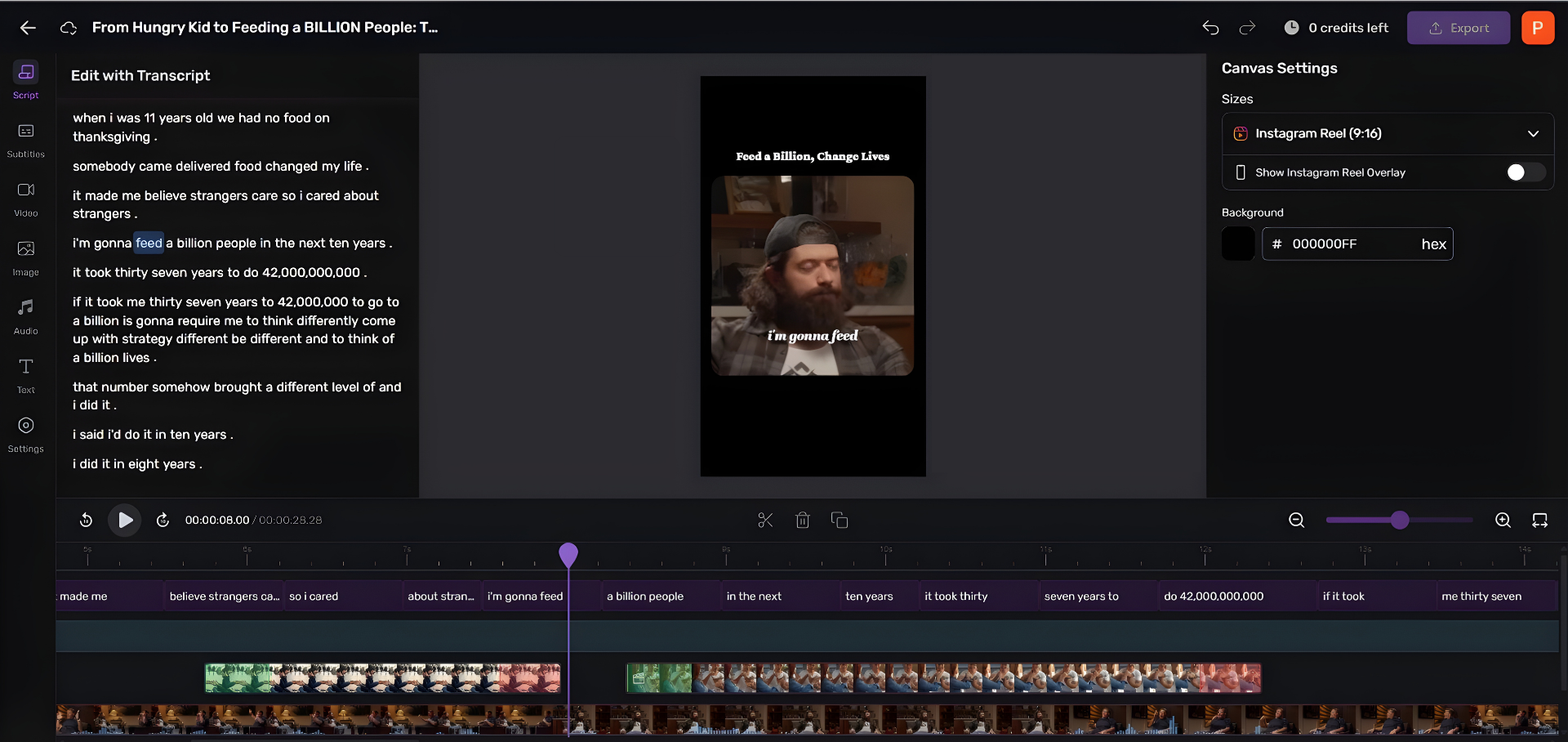
Yes, vertical video shot on a phone is already the native format for Reels, Shorts, and TikTok. Once the episode exists, the bottleneck is cutting it into clips, which is a separate step from recording. Tools that take a finished episode (or a YouTube link) and return captioned clips handle that part.