
The $150 Podcast Starter Kit (Audio Only), Itemized


You can record clean, publishable audio for $105 to $123, not the full $150, one dynamic USB/XLR mic, one pair of closed-back headphones, one boom arm, and a pop filter, recording into free software on the laptop you already own. The leftover cash under the $150 ceiling is your margin for a better mic later. The trick is one mic that does both connections, so nothing in this kit becomes landfill when you upgrade.
This is a single, specific bill of materials, not a "here are ten options" list. Every part is named, every price is from a real retailer page checked in mid-2026, and the trade-offs are stated out loud. Prices on Amazon, Sweetwater, and B&H move week to week, so treat each figure as "roughly this," not a promise. Below the kit, you get the upgrade order: exactly what to buy first when money appears, and why it is not a second microphone.
The kit, in one table
Here is the whole thing. Five line items, audio only, no camera.
| Item | Pick | Price (mid-2026) |
|---|---|---|
| Microphone (USB + XLR) | Samson Q2U | ~$60–70 |
| Headphones (closed-back) | Behringer HPM1000 | ~$10–13 |
| Boom arm | FIFINE BM88 | ~$25–30 |
| Pop filter | Aokeo dual-layer | ~$10 |
| Recording software | Audacity (free) | $0 |
| Total | ~$105–123 |
The Samson Q2U sells for roughly $60–70 on Amazon (Samson Q2U listing; Buzzsprout's review lists it at $69.99, Buzzsprout). The Behringer HPM1000 runs about $10–13, Sweetwater lists it at $12.90 (Sweetwater). The FIFINE BM88 boom arm and the Aokeo pop filter (Equipboard, best price ~$9.99) round it out. Audacity costs nothing. Even at the high end of every range, you clear $150 with room left.
That total sits below the entry point most guides quote. Ausha estimates a hobby launch runs $100–$350 in one-time equipment, with mics alone spanning $50–$400 and a professional rig reaching $1,500–$5,000 (Ausha). This kit comes in under even the low end of that hobby band, and gets you to a publishable episode anyway.
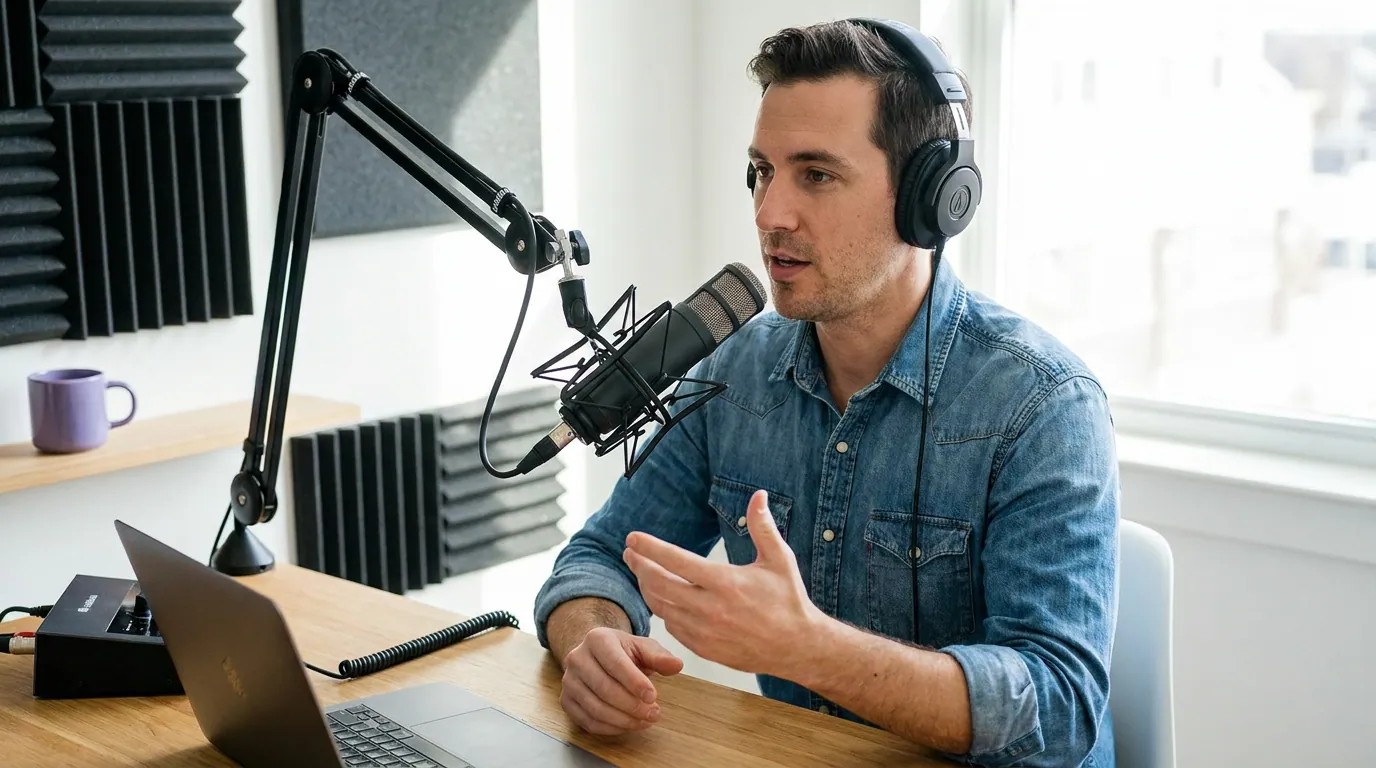
Why these five, specifically
The microphone: Samson Q2U (~$60–70)
This is the only part of the kit you cannot afford to get wrong, and it is where most of the budget goes. The Q2U is a dynamic cardioid mic with both USB and XLR outputs (The Podcast Host). That dual connection is the whole reason it is in the kit: plug it into your laptop by USB today, and the same mic plugs into an audio interface or mixer by XLR the day you outgrow this rig. You replace nothing.
It also ships with a desk stand, a foam windscreen, and both cables in the box (Buzzsprout). For a budget kit, a mic that arrives with its own cables and a stand quietly saves you $20–30 in parts you would otherwise forget to order.
Being dynamic matters more than the spec sheet suggests. A dynamic mic rejects far more room noise than a condenser, which is exactly what you want in an untreated bedroom or a room with a hum from the fridge. If you want other options at this price, our roundup of budget mics under $100, tested by use case, compares the Q2U against its closest rivals.
The honest cons. The Q2U picks up plosives readily, your "p" and "b" sounds can pop, which is precisely why the pop filter is non-optional here (The Podcast Host). It does not include a shock mount, so desk thumps can travel up the stand. And it is a wired mic with no onboard processing, what you record is what you get, so technique carries the load.
The headphones: Behringer HPM1000 (~$10–13)
Closed-back, wired, and cheap on purpose. You need closed-back cans for one reason: open headphones leak sound that your mic then re-records, and wired headphones add zero latency so you hear yourself in real time. The HPM1000 does both for about the price of two coffees (Sweetwater).
The honest cons. These are functional, not flattering. Reviewers describe modest isolation and ordinary sound, fine for catching mistakes while you record, not for fine mixing decisions. That is acceptable at this stage, because your first goal is monitoring (did the audio clip? is there a hum?), not mastering. Better headphones are upgrade number two, below.
The boom arm: FIFINE BM88 (~$25–30)
The Q2U comes with a desk tripod, so an arm is technically optional. It earns its place anyway. A boom arm gets the mic close to your mouth without you hunching over a desk, and it keeps the mic off the desk surface so keyboard taps and laptop fan vibration do not travel into the recording. The BM88 is all-metal, extends to about 29 inches, and supports up to 3.3 lbs with universal 1/4-inch, 3/8-inch, and 5/8-inch threads, so it fits the Q2U and almost any mic you upgrade to (FIFINE BM88 listing).
The honest con. A clamp-mount arm needs a desk edge between roughly 0.8 and 2.4 inches thick. Check your desk before ordering. If you record on a thick butcher-block or a glass top, the included tripod is your fallback and you save $27.
The pop filter: Aokeo dual-layer (~$10)
Cheap insurance against the Q2U's one real flaw. A dual-layer mesh filter sits between your mouth and the capsule and breaks up the blast of air from plosives before it reaches the mic (Equipboard). At around $10 it is the highest return-per-dollar item in the kit. Skip it and your "p" sounds will thump on a mic that is already prone to it.
The software: Audacity (free)
You do not need to pay for recording software to publish a podcast. Audacity records, lets you cut mistakes, normalizes levels, and exports an MP3, which covers a beginner's entire editing need. It is free and runs on Windows, Mac, and Linux. Spending on a paid editor before you have ten episodes out is optimizing the wrong thing.
The trade-offs you are accepting (said out loud)
A kit this cheap is a set of deliberate compromises, not a free lunch. Knowing them keeps you from blaming the gear for a problem the gear was never going to solve.
- One mic, one voice. A USB mic records one input. The moment you want a co-host or an in-person guest at the same table, this setup hits a wall, you would need an interface or a second computer. If a second host is on the horizon, read USB versus XLR mics before you buy, because the upgrade path changes.
- No onboard processing. No compression, no noise gate, no EQ knobs. You fix levels in Audacity after the fact. That is more than enough for clean speech.
- Monitoring, not mixing. The HPM1000 tells you whether the audio is broken, not whether it is beautiful. Trust your levels meter more than your ears at this stage.
- Room first, gear second. The biggest variable is the room you are in, and no $105 kit fixes an echoey kitchen. The gap between a $150 and a $1,500 setup is smaller than the gap between bad mic technique in a noisy room and good technique in a treated one. Record in the smallest carpeted room you have, talk close to the mic, and you will beat people with pricier rigs in worse rooms.

How we chose these parts
Three rules drove every pick. First, nothing becomes landfill on upgrade, the dual USB/XLR mic and the universal-thread arm both survive into a $500 rig, so you are buying forward, not replacing. Second, spend where it is audible, the mic gets two-thirds of the budget because it is the only part a listener can hear; the headphones and arm are utilities. Third, every price is from a live retailer page checked mid-2026, and where a range exists (the Q2U swings $60–70 by retailer and week), we used the range rather than a single tidy number, because pretending SaaS-style price stability exists for hardware would be dishonest.
The upgrade order: spend the next $100 here
When money appears, the instinct is to buy a fancier microphone. Resist it. The Q2U is good enough to carry you to a hundred episodes. Here is where the next $100 actually moves your sound.
- Treat the room (~$20–40). A few panels of acoustic foam, a thick blanket draped behind you, or simply moving to a smaller carpeted room with soft furniture. This is the cheapest and most audible change you can make. Listeners notice room echo before they notice a mid-range mic.
- Better headphones (~$50). Step up to something like the Audio-Technica M20x, which streets around $49–59. Once you can actually hear the hum and the sibilance, your edits get better, and the HPM1000 becomes your guest's spare pair.
- An XLR interface (~$50–120). This is when the Q2U's second connector pays off. Plug it in by XLR, gain a cleaner signal and the option of a second mic, and you have a two-host rig, without rebuying the microphone you already own.
Notice what is not on the list: a new microphone. By the time the Q2U genuinely limits you, you will know exactly which mic you want and why, instead of guessing now. If you do reach that point, our mic picks by budget tier and the dual USB/XLR hybrids that grow with your show map the next step.
Frequently asked questions
Can you really start a podcast for under $150?
Yes, comfortably. A complete audio-only kit (Samson Q2U mic, Behringer HPM1000 headphones, FIFINE BM88 arm, an Aokeo pop filter, and free Audacity) totals roughly $105–123 at mid-2026 retailer prices. That undercuts even Ausha's $100–$350 hobby-launch estimate (Ausha) and is enough to publish a clean episode.
Do you need an audio interface for a beginner podcast?
No. A USB microphone like the Samson Q2U is your interface, it converts your voice to digital and plugs straight into a laptop. You only need a separate XLR interface when you add a second mic or want a cleaner signal chain, which is upgrade number three, not a starting requirement.
Is the Samson Q2U good enough to start?
It is one of the most-recommended starter mics in podcasting, and its dual USB/XLR output means it survives into a more advanced rig instead of becoming a spare (The Podcast Host). Its one real weakness, popping on plosives, is exactly what the $10 pop filter in this kit fixes.
What should you upgrade first on a budget podcast setup?
Treat your room before you touch the gear. A blanket, foam, or a smaller carpeted space removes echo, which listeners notice before mic quality. Then better headphones, then an XLR interface that reuses your existing Q2U. A new microphone is rarely the right first spend.
Do you need a camera for a podcast?
Not to start. This kit is audio-only on purpose, because audio is the part listeners cannot forgive being bad. Video matters for discovery later, but you can publish, grow, and even repurpose audio into vertical clips long before you buy a camera.
Record your first three episodes on this kit before you spend another dollar. Lock your episode structure and pick your prep style, scripting or outlining, because those two choices shape your sound more than any gear on this page.