
The Best Podcast Software for Interviews


For a remote interview show, Riverside is the safest default, clean guest link, no download, separate 4K tracks, and local recording that survives a dropped connection. SquadCast (bundled with Descript) is the value pick if you also need editing. Zencastr records audio and video and adds hosting. For audio-only on a budget, Cleanfeed is hard to beat.
Most "best podcast software" lists rank tools on a feature checklist, 4K here, AI there, a transcript count. That is the wrong lens for an interview show. Your bottleneck is not your software. It is the guest who has never used the tool, on a laptop you cannot see, on Wi-Fi you cannot control. The right question is narrower: when that guest shows up, which tool gets a clean recording of both of you with the fewest things that can go wrong?
So this roundup scores every tool on the four things that actually decide an interview's quality, then names the honest trade-off on each.
The interview scorecard
Four criteria, in the order they bite you during a real recording.
- Guest-link friction. Can you send one link and have the guest in the room, or are there accounts, lobbies, and "can you hear me" loops?
- No-download joining. Does the guest record in their browser, or do they have to install an app fifteen minutes before you go live?
- Separate guest tracks. Do you get the guest's audio (and video) on its own isolated file, so you can fix their levels without touching yours?
- Bad-connection handling. When the guest's internet wobbles or their mic is rough, does the recording survive, or do you get a glitchy, unusable file?
The reason these four matter more than resolution or AI tools is mechanical. A remote interview lives or dies on local recording, each person's audio and video captured at full quality on their own device, then uploaded after the call, instead of streamed live over a connection that compresses and stutters. Every serious tool below does this. Plain video calls do not, which is why a Zoom interview sounds thin and pixelates the moment someone's Wi-Fi dips.
The verdict, up front
Who should pick what, before the detail.
| Your situation | Best pick | Why |
|---|---|---|
| Remote video interviews, want the safest guest experience | Riverside | Lowest guest friction, 4K separate tracks, local recording |
| You also need to edit, on a budget | SquadCast + Descript | Recording bundled free with a full editor |
| Want recording + hosting + clips in one dashboard | Zencastr | Audio and video, plus hosting and distribution |
| Live interview that also streams to YouTube | StreamYard | Browser studio built for going live with guests |
| Audio-only, tightest budget | Cleanfeed | Free tier with no time limit; separate tracks on Pro |
| Guests who only know Zoom, zero budget | Zoom | Familiar to everyone; quality and tracks are the cost |
The headline most reviews bury: the top three tools record the same interview about equally well. The differences live in guest friction and price, not in whether you get a usable file. Pick on how technical your guests are and what else you need the tool to do.
How I evaluated these
I have built recording rigs from $150 to $5,000, and the remote-interview question lands on almost every one. The hardest part is never the host's setup. It is the guest. So I weight the four scorecard criteria above and ignore the spec-sheet padding that fills most reviews.
For each tool I checked: how the guest joins, whether anything installs, whether you get isolated tracks, and what the failure mode is when a connection or mic is bad. Pricing was verified against each vendor's own page in June 2026. These prices move, so confirm the current number before you pay, and note that nearly every tool lists a lower annual rate and a higher month-to-month one.
A note on overlap with our deeper Riverside vs Zencastr vs SquadCast comparison: that piece goes head-to-head on the big three. This one is broader and interview-specific, it adds the live-stream, audio-only, and zero-budget options, and ranks everything on guest experience.
1. Riverside, lowest guest friction, safest default
Best for: remote video interviews where you cannot vouch for the guest's tech skills.
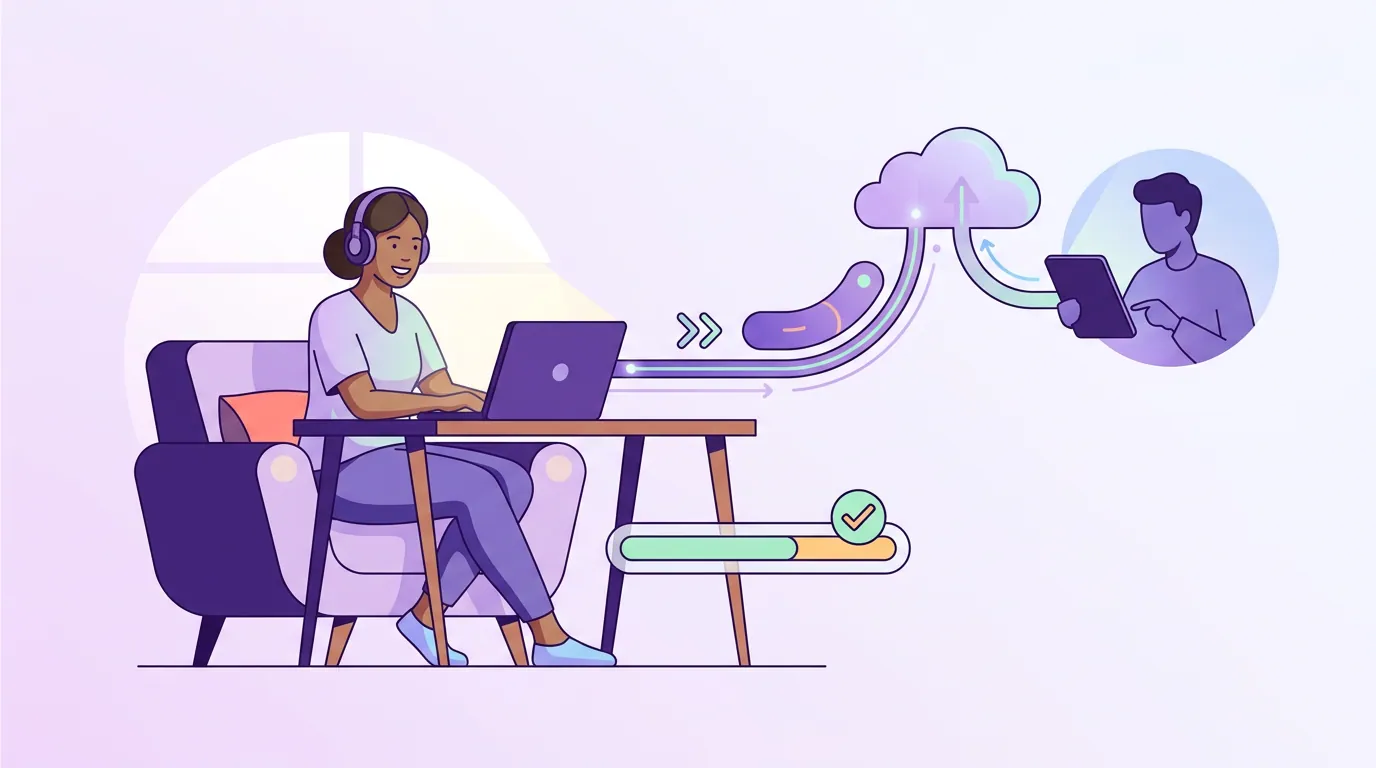
Riverside is the tool I reach for when I do not know who is on the other end. The guest clicks a link, lands in the browser, allows the mic and camera, and you are recording, no install, no account required for guests. Each person's media is captured locally on their device at up to 4K and 48 kHz, then uploaded after you stop, so a guest's flaky Wi-Fi degrades the live preview but not the saved file (Riverside pricing, verified June 2026).
On the scorecard it scores high across all four: one-link joining, browser-only for guests, separate audio and video tracks per participant, and local recording that survives a drop. The pricing is host-based, not per-participant, guests join free, and a one-hour session with four people still counts as one hour against your plan, not four.
Pricing (verified June 2026): Free plan ($0) gives a one-off 2 hours of multitrack recording, 720p, and a Riverside watermark. Pro is $24/mo billed annually ($29 month-to-month). Higher Live and Webinar tiers add streaming and larger audiences.
The honest cons. The free tier's watermark and the one-off (not monthly) multitrack allowance push serious interviewers to Pro quickly. Reviewers also note that guests on older devices can see audio and video drift out of sync, and that hours past your plan can trigger overage charges. It is the most polished option, not the cheapest.
2. SquadCast + Descript, the value pick if you also edit
Best for: interviewers who want recording and a full editor for close to the price of recording alone.
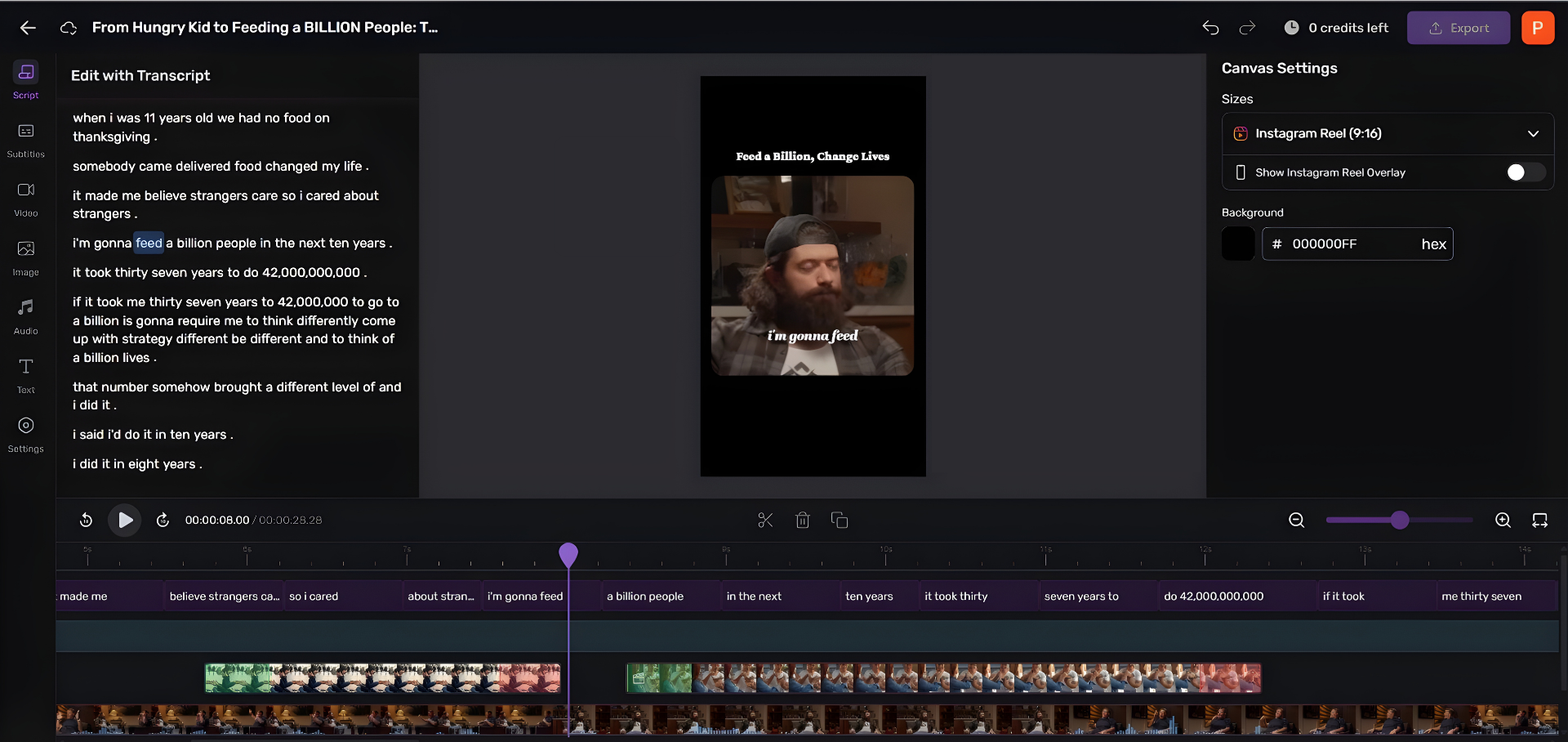
SquadCast was acquired by Descript and now comes bundled with every Descript subscription at no extra cost (Descript pricing). That changes the math: you are paying for one tool and getting both remote recording and a transcript-based editor that lets you cut audio by deleting words. For a solo host who interviews and edits everything alone, that bundle is the cheapest serious setup here.
On the scorecard, SquadCast scores as well as Riverside on the fundamentals. Guests join by browser link with nothing to install. Its signature feature is progressive upload, each participant's audio and video record locally and stream to the cloud in real time during the session, so even if a guest's machine dies mid-interview, what already uploaded is safe. You get isolated tracks per speaker plus a mixed preview, in WAV/MP3 and MP4/WebM.
Pricing (verified June 2026): Descript's Free plan ($0) includes about an hour of recording and transcription monthly, 720p, and a watermark. Hobbyist is $16/mo billed annually ($24 month-to-month), Creator $24/mo annually, Business $50/mo annually, recording is included on all.
The honest cons. The free and Hobbyist tiers cap monthly recording hours tightly, so a weekly two-hour interview show will outgrow them fast. The two products are still merging, so the experience can feel like two apps stitched together. And it does not stream live to social, if you want a live audience, look elsewhere.
3. Zencastr, recording, hosting, and clips in one place
Best for: interviewers who want fewer tools and one dashboard for recording through distribution.
Zencastr's pitch is consolidation: record the interview, edit it, host the feed, and push social clips without leaving the platform. It records audio and video, captures each participant's audio locally so a poor connection does not wreck the file, and supports up to 11 remote guests (Zencastr pricing). Guests join from a browser link with no download, strong on the first two scorecard criteria.
The free plan is genuinely usable for interviews: unlimited audio and video recording with separate tracks, but MP3-only export. To get lossless WAV you move to a paid tier.
Pricing (verified June 2026): Free plan (MP3, separate tracks, basic editing). Standard is $20/mo, Grow $30/mo (4K, filler-word removal, social clips), Scale $50/mo (team seats, multiple shows), Business $100/mo. Annual billing saves 20%, Grow drops to about $24/mo.
The honest cons. Reviewers consistently flag two things: the built-in editor is light and a bit rough, so you may finish in a more capable editor anyway; and some users report stability problems, downtime and the occasional failed recording that forces a re-record. That last one matters most for interviews, where you rarely get a guest back for a second take. The all-in-one convenience is real, but test reliability before you depend on it for a hard-to-book guest.
4. StreamYard, for interviews you also stream live
Best for: live interview shows that broadcast to YouTube, LinkedIn, or Facebook while recording.
If your interview is also a live event, StreamYard is built for it. Guests join a browser studio from a Chrome link with no sign-up or download, and you stream to multiple platforms at once while the audience comments in real time. Guests or hosts can share a screen, a slide deck, a demo, which is rare among recording-first tools and useful for expert interviews (The Podcast Consultant, 2026).
Pricing (verified June 2026): a free tier exists with StreamYard branding. The entry paid Core plan is about $35.99/mo billed annually ($44.99 month-to-month), which drops the watermark and adds 1080p output plus multistreaming to three destinations (StreamYard pricing). Re-check before buying, its tiers have moved.
The honest cons. StreamYard optimizes for live, which means it leans on the stream rather than fully local per-participant capture the way Riverside and SquadCast do. For a polished, edited interview where audio quality is paramount, a recording-first tool gives you cleaner isolated tracks. Use StreamYard when the live audience is the point and a separate high-fidelity master is not.
5. Cleanfeed, the audio-only budget answer
Best for: audio-first interview shows that want pro-grade tracks for as little as possible.
Cleanfeed runs entirely in the browser, nothing to install for host or guest, and its free Lite tier has no limit on recording time or number of connections, which is unusual (Cleanfeed Pro). For a two-person audio interview, you can be recording within minutes of sending a link. It scores top marks on guest friction and no-download joining.
The catch sits on criterion three. The free plan gives you a single stereo mixdown, not isolated tracks. Separate per-guest tracks are a Pro feature: Cleanfeed Pro records each participant to its own 48 kHz WAV, up to 32 tracks, and the tracks align perfectly with no drift, exactly what you want for clean editing.
Pricing (verified June 2026): Lite is free. Pro starts at about $23/mo for non-commercial personal use, up to roughly $36/mo full price. Check the eligibility rules before assuming you need the higher rate.
The honest cons. It records audio only, no video, full stop. With video interviews now the norm on YouTube and the source of most clips, that rules Cleanfeed out for anyone building a video show or planning to repurpose to Reels and Shorts. For pure audio, it is excellent and cheap. For anything visual, it is the wrong tool.
6. Zoom, familiar, free, and you pay in quality
Best for: guests who refuse to learn a new tool, on a zero budget.
Zoom's only real advantage for interviews is that everyone already has it. There is no onboarding because there is nothing to learn, which, with a non-technical guest, is occasionally worth more than fidelity. It is the lowest-friction option on familiarity and the worst on the criteria that actually matter.
The trade-offs are real. Zoom compresses audio for real-time transmission, so it sounds thin and telephony-like, and video pixelates when a connection dips because there is no local-recording safety net. The free plan caps group calls at 40 minutes and has no native podcast hosting.
The one setting that helps: in Settings → Recording, enable "Record a separate audio file for each participant," and turn on Original Sound so Zoom stops filtering the audio. That buys you per-speaker tracks and removes the worst of the processing. It still will not match a local-recording tool, but it makes a Zoom interview salvageable.
The honest take. Use Zoom only when the guest genuinely cannot or will not use anything else, and treat the audio as a compromise you will hear in the final cut.
Which tool fits which interview
The field clusters cleanly, so a short decision rule covers most shows.
- You record video and your guests vary in tech skill → Riverside. Lowest chance of a guest getting stuck.
- You record and edit everything yourself → SquadCast + Descript. One subscription, both jobs.
- You want one dashboard from recording to published feed → Zencastr, after you test its reliability on a low-stakes episode.
- Your show is live → StreamYard.
- You are audio-only and watching every dollar → Cleanfeed.
- Your guest will only use Zoom → Zoom, with separate-track recording switched on.
Whatever you pick, the recording is only the raw material. The interviews that grow a show are the ones that get cut into clips and posted across platforms, clips drive an estimated 20–40% of new audience for video shows and can lift reach 2–5x (Podcast Studio Glasgow). That step is separate from recording, and you can bolt it on regardless of which tool above you choose.
Frequently asked questions
What is the best podcast software for two-person interviews? For a two-person remote interview, Riverside is the safest pick: one browser link, no download for the guest, separate 4K tracks, and local recording that survives a dropped connection. If you also edit your own episodes, SquadCast bundled with Descript gives recording plus a full editor for close to the price of recording alone.
Do I need separate tracks for an interview podcast? Yes, for any interview you plan to edit. Separate (isolated) tracks let you fix the guest's levels, cut crosstalk, and remove their background noise without touching your own audio. Riverside, SquadCast, and Zencastr give them by default; Cleanfeed's free tier gives a single mixdown, with separate tracks on Pro.
What happens if my guest's internet drops mid-interview? With a local-recording tool, the saved file survives. Each person's audio and video is captured on their own device at full quality, so a wobbly connection degrades the live preview but not the recording. SquadCast's progressive upload goes further, streaming the captured media to the cloud as you record. A plain video call like Zoom has no such safety net.
Can my guest record without installing anything? Yes. Riverside, SquadCast, Zencastr, StreamYard, and Cleanfeed all let guests join by clicking a browser link with no app to install and, for guests, usually no account to create. That no-download joining is the single biggest predictor of a smooth interview with a non-technical guest.
Is a free podcast recording tool good enough for interviews? For starting out, yes. Cleanfeed Lite (audio) and Zencastr's free plan both record real interviews with separate tracks or a clean mixdown. The usual limits are watermarks, MP3-only export, or a 720p cap. See our roundup of free podcast recording software that is actually usable for the honest ceiling on each.
Related reading
- Riverside vs Zencastr vs SquadCast compared, the big three, head to head
- Free podcast recording software that is actually usable, what each free tier really gives you
- Podcast editing software for total beginners, where to cut the interview once it is recorded
- The best podcast recording software for Mac, if you are recording on Apple hardware
- Best podcast mics by budget, the gear that fixes the half of audio quality software cannot
- Best podcast mic under $100, tested by use case, a clean mic on each end matters more than the platform