
Instagram Collab Posts for Podcasts: Guest Reels


Cut a vertical clip from the interview, post it as a Reel, and invite your guest as a collaborator from the tagging screen before publishing. When they accept, the same Reel appears on both grids and reaches both follower sets with one pooled view count. Tagging the guest does not do this, only a Collab invite does.
That single mechanic is the most underused growth move available to interview podcasters on Instagram. Most hosts tag the guest, send a "go check it out" DM, and hope. A Collab post skips the hoping: the guest doesn't have to repost anything, the algorithm treats it as native content on their account, and a stranger scrolling the guest's feed meets your show without ever leaving the app. This guide is the full workflow, the clip hand-off, the invite script that gets a yes, and a checklist that removes every reason a guest would decline.
If Instagram is new territory for your show, start with the broader Reels strategy for your first 1,000 podcast followers; the guest-collab move below is the single highest-return play inside it, but it works best once you're posting consistently.
What is an Instagram Collab post, exactly?
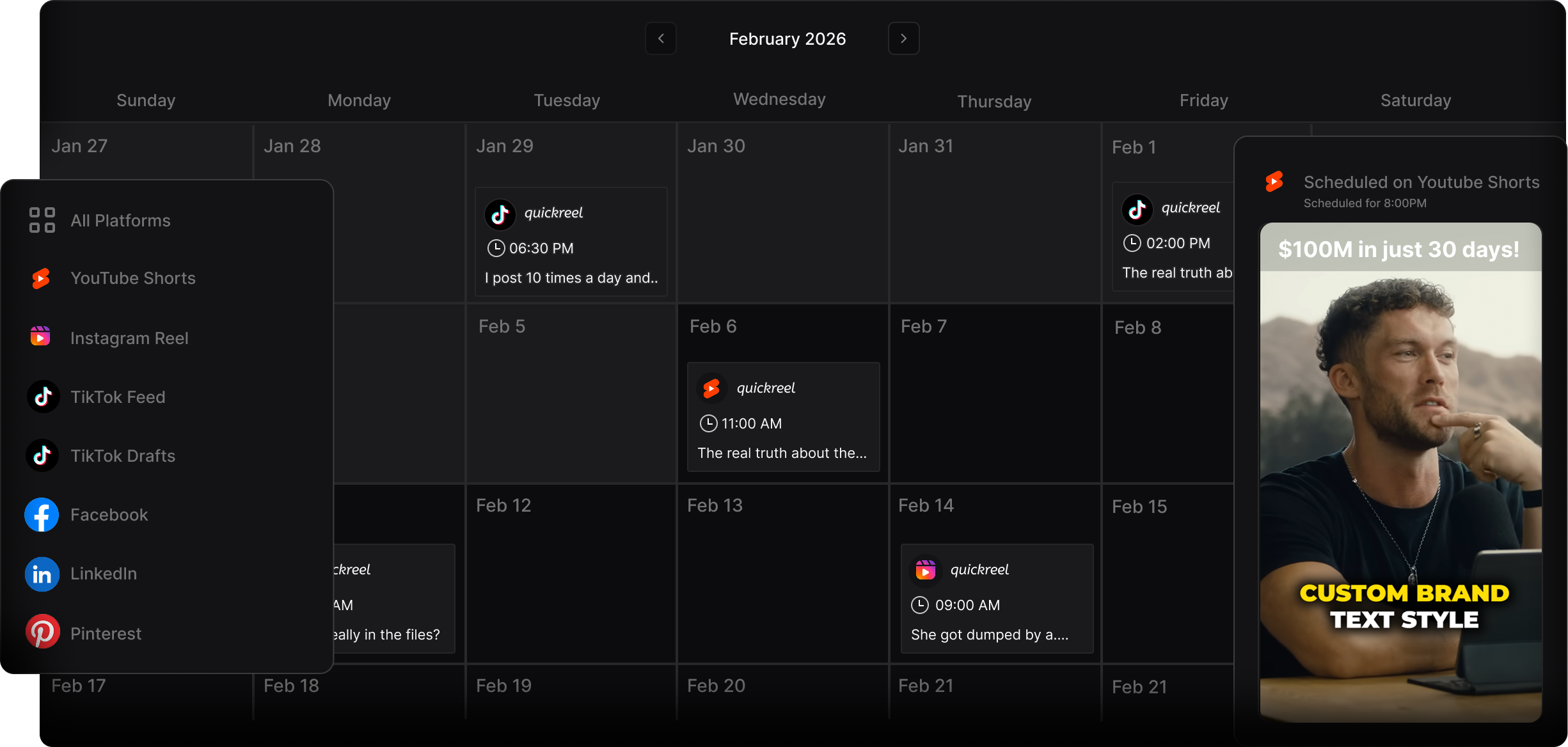
A Collab post is a single Instagram post or Reel co-authored by multiple accounts. You can invite up to five collaborators, six accounts total including you, and once each one accepts, the post publishes to their grid too and is served to their followers (Buffer). Likes, comments, and views pool into one shared count visible on every profile. For a podcast, that means your guest episode clip lives on the guest's feed as if they posted it.
The reach difference is not marginal. Analyzing more than 1.1 million Instagram posts, Emplifi found collaborator posts generate more than double the impressions and interactions of non-collaborative organic content (Emplifi). That lift comes from the second audience, not from a trick, you are borrowing the guest's followers, who skew toward people predisposed to like the kind of conversation your show already records.
Two mechanics matter for podcasters specifically. First, the guest must accept the invite; until they do, the post shows as yours alone, which is exactly why the invite script below matters. Second, Collab works on feed posts, carousels, and Reels, but not on Stories (Buffer). Reels are the format to use, because they get pushed to non-followers and combine that with the cross-audience pooling.

Why this is the best growth move for interview shows
Podcast discovery has moved onto the feed, and a Collab post is built to ride that channel. 57% of listeners now rely on social media for podcast recommendations, the first time that source surpassed friends and family (InsideRadio). A clip on a guest's grid is a recommendation, delivered by someone their followers already trust, in the format the platform surfaces most.
The clip itself is doing the heavy lifting either way. Clips can drive 20-40% of new audience for video shows and lift reach 2-5x (Podcast Studio Glasgow), those are observed ranges from production studios, not promises, and they assume you post steadily. A Collab post stacks a second audience on top of that, at zero extra cost. You already recorded the guest. The only new work is one clip and one invite.
The guest-collab workflow, step by step
The whole sequence takes one clip and a few taps. Here it is end to end.
- Pick the moment that makes the guest look good. This is the rule that separates a collab that gets accepted from one that gets ignored. Cut the clip that flatters the guest, their sharpest story, their best line, not the one where you got the laugh. People reshare and accept things that make them look smart. Scan the transcript for the guest's strongest 30-90 second stretch and lead with it.
- Cut it vertical and captioned. Reels are 9:16. The first three seconds decide whether anyone watches (castmagic), so open on the guest's hook with no run-up, and burn in captions because most feed video plays on mute. For the sweet-spot duration, see how long a podcast Reel should be; for the open itself, writing a hook that survives three seconds is the difference between a clip the guest is proud to have on their grid and one they quietly decline.
- Upload as a Reel and invite the guest. Tap +, upload the clip, write the caption, then tap Tag people. On a Reel you'll see both Add Tag and Invite Collaborators, choose Invite Collaborators, search the guest's handle, tap their profile, then Done and Share (Buffer). Using Add Tag instead is the single most common mistake; a tag does not put the post on their feed.
- Send the accept nudge. The invite is easy to miss in notifications. A short, warm DM, not a guilt trip, gets it accepted within the day. The script is below.

The invite script that gets a yes
Send this the moment you publish, before the clip cools. Keep it specific and make accepting feel like a gift to them, not a favor to you.
Hey [name], your bit about [specific thing they said] was my favorite part of the whole episode, so I made it the clip. I sent you a collaborator invite on Instagram so it posts to your grid too (you don't have to do anything but tap accept). Figured your audience would love this one. Caption and the post are all done on my end.
Three things make that work. It names the exact moment, so the guest knows you actually listened. It states plainly that accepting takes one tap and no effort. And it frames the clip as something their followers will enjoy, which is true, because you cut the moment that flatters them. Compare that to the usual "posted our episode, give it a share when you can," which asks for unspecified work and gets left on read.
The checklist that makes guests actually accept
A guest declines (or ignores) a collab for predictable reasons. Remove each one before you hit send.
- The clip flatters the guest, not the host. They accept things that make them look good. If the moment is really about you, save it for your own grid.
- Captions are accurate. A misquote or garbled caption on a guest's grid embarrasses them. Read every word before exporting; auto-captions miss names and jargon.
- The caption tags them and credits them by name and title. "With [guest], [their role]" reads as respect and gives their followers context.
- Nothing in the frame is off-brand for them. No competitor logos, no joke that lands wrong for their audience, no unflattering freeze frame as the cover.
- You handled everything. The DM says it explicitly: caption written, post live, one tap to accept. Zero homework.
- The ask arrives warm. Send it right after publishing, while the episode is fresh in their mind, not three weeks later out of nowhere.
- You picked one clip, not five. One great collab beats a pile of mediocre invites. Make the best moment unmistakable.
Run that list and the accept rate climbs, because you've quietly answered every objection before it forms. The guest's only decision becomes whether to tap a button on something that already makes them look good.
Common mistakes
- Tagging instead of inviting. A tag keeps the post on your grid alone. Only an Invite Collaborators invite publishes it to the guest's feed. This is the error that wastes the whole opportunity (Buffer).
- Leading the clip with yourself. The collab's job is to make the guest's followers care, and they don't know you yet. Lead with the guest; your audience already likes you.
- Trying to collab on a Story. Collab posts don't work on Stories, only feed posts, carousels, and Reels. Use a Reel; Stories disappear and don't pool reach.
- Waiting weeks to send the clip. The invite that arrives the day of publishing gets accepted; the one that arrives a month later feels like an afterthought and often goes unaccepted.
- No plan for the new visitors. A spike of profile taps that lands on a grid with no clear next step leaks. Pin a clip that explains the show, keep an episode carousel or two near the top so visitors can browse, and make sure your bio link points somewhere that captures interest, ideally a podcast email list with a welcome sequence ready, so a borrowed audience becomes a kept one.
FAQ
Do both accounts need to be public to use Collab posts? Practically, yes, a Collab post is meant to be seen by both audiences, and a private account defeats that. There's no follower minimum, so a brand-new show can invite a guest with a large following. The bigger account starting the collab tends to help reach, but the host inviting the guest is the standard and works fine.
Can I add more than one guest from a panel episode? Yes. You can invite up to five collaborators, six accounts total, so a multi-guest panel clip can publish across every participant's grid at once (Buffer). The catch: each person has to accept, and the post only reaches a given audience once that person taps accept, not at publish time.
What if the guest never accepts the invite? The Reel still lives and performs on your grid, you lose only the second audience, not the post. Send one warm reminder DM; if it's still pending after a few days, let it go. Don't re-upload or pester. A future episode with a different guest is a better use of the energy.
Should the caption be written for my audience or theirs? Theirs. The whole point is reaching people who don't follow you, so write the caption to make a stranger curious about the guest and the conversation, name the guest and their credential, and keep the hook in the first line where it shows before the "more" cutoff.
Does a Collab post replace posting the clip myself? It is the same post, one Reel on both grids, so there's nothing extra to post. What it doesn't replace is the rest of your Reels cadence. Treat guest collabs as the high-return spike on top of a steady weekly posting habit, not the whole strategy. The first-1,000-followers Reels plan covers the baseline; collabs accelerate it.