
Instagram Broadcast Channels for Keeping Podcast Fans


Use a Broadcast Channel as the one place your warmest listeners get told an episode is live, then keep them with a tight mix of drop alerts, polls, and behind-the-scenes notes, posted three to four times a week. A channel is not where new fans find you; it is where the fans you already have stop drifting. Treat it as a retention tool, not a reach tool, and it earns its keep.
Most podcasters either ignore Broadcast Channels or treat them like a second feed and burn out their subscribers inside a month. The fix is an operating system: a fixed content mix, a sustainable cadence, and a clear rule for when something belongs in the channel versus a Story or a DM. This guide gives you all three, built so a solo host can run it from the episode already in the can.
What are Instagram Broadcast Channels, and why use one for a podcast?
A Broadcast Channel is a one-to-many message thread inside Instagram's DM inbox where only you, the creator, post, followers join, get notified, and react, vote in polls, or reply if you allow it. For a podcast, the value is direct reach to people who opted in: posts land in your committed listeners' inboxes instead of fighting the feed algorithm.
Instagram launched the feature in February 2023 and now reports that creators and fans exchange over 1.5 billion messages a month on channels (Instagram for Creators). The supported message types, text, photo, video, voice notes, and polls, map cleanly onto what a podcast needs to keep fans warm between episodes (Instagram).
One honest caveat up front. The original 10,000-follower requirement has been relaxed for Professional (Creator or Business) accounts in most markets, but rollout still varies by region, account type, and app version, if you don't see the option, that is why, not anything you did wrong. Check Instagram's Help Center for your region before you plan around it.
How is a Broadcast Channel different from Stories and DMs?
A channel sits between a Story and a one-to-one DM. It is more durable than a Story, posts don't vanish after 24 hours, and far more scalable than a DM, since one message reaches every subscriber at once. Stories reach anyone who follows you; a channel reaches only the people who opted in, which is exactly the audience you want to keep.
The practical difference is intent. A follower scrolls past a Story; nobody accidentally joins a channel. Joining is a small commitment, so the people inside are your warmest segment by definition. That is why a channel is a retention surface and Stories are a reach-and-conversion surface, they do different jobs, and you run both.
Here is the same split as a quick reference.
| Surface | Audience | Best job |
|---|---|---|
| Stories | Anyone who follows you | Reach + episode conversion |
| Broadcast Channel | Subscribers who opted in | Retention + insider relationship |
| One-to-one DM | A single person | Deep relationship, doesn't scale |
For the reach side of this, finding new listeners rather than keeping existing ones, pair the channel with a Reels strategy for your first 1,000 podcast followers. The Reels bring people in; the channel keeps them.
What should you post in a podcast Broadcast Channel?
Post four things, in roughly this balance: drop alerts (the episode is live), behind-the-scenes notes that fans can't get anywhere else, polls that pull people into a decision, and your single best clip from the latest episode. Drop alerts give a reason to subscribe; the other three give a reason to stay. The mix matters more than any single post.
The trap is making a channel a mirror of your feed. If every channel post is a recycled grid caption, subscribers learn there is nothing exclusive inside and they mute or leave. Every channel-only piece, a cut you didn't post publicly, a question you ask them first, a voice note about why an episode hit you, reinforces why being in the channel is worth the notification.
1. Drop alerts (the reason to join)
When an episode goes live, post a short note with the title, the one-line tension ("This week: why she walked away from a $400k job"), and the link. This is the channel's table-stakes job: subscribers joined to be told first, so deliver that reliably. Keep it to two or three lines, the channel is a tap target, not a newsletter.
2. Behind-the-scenes (the reason to stay)
Once or twice a week, share something that does not exist on your public feed: the line a guest said after you stopped recording, a photo of the messy desk, a voice note explaining why you almost cut an episode. Behind-the-scenes is what converts a subscriber into a regular, because it makes the channel feel like a backstage pass rather than a billboard. Voice notes are underused here and read as the most personal format Instagram offers in a channel (Instagram for Creators).
3. Polls (the reason to participate)
Since direct text replies are off by default, the poll is your main two-way tool, and it does double duty. A poll like "Which guest should I bring back?" gives subscribers a say, which deepens commitment, and it hands you real input for the show. Ask the question your next episode could answer, then reference the result on the show: "You voted, so we did it." That loop is what makes a channel feel like a small club instead of an announcement bot.
4. The best clip (the reason to share)
Drop your single strongest moment from the latest episode as a captioned vertical video. Subscribers can copy the channel link and share it, so a clip that lands gives them something to pass along, your warmest fans become a distribution layer. Burn in captions: most social video is watched on mute (Digiday reported ~85% of Facebook video muted in 2016; Verizon Media's 2019 study found 83% of mobile viewers watch with sound off) (via Digiday), so a silent clip in the inbox says nothing.

How often should you post in a podcast Broadcast Channel?
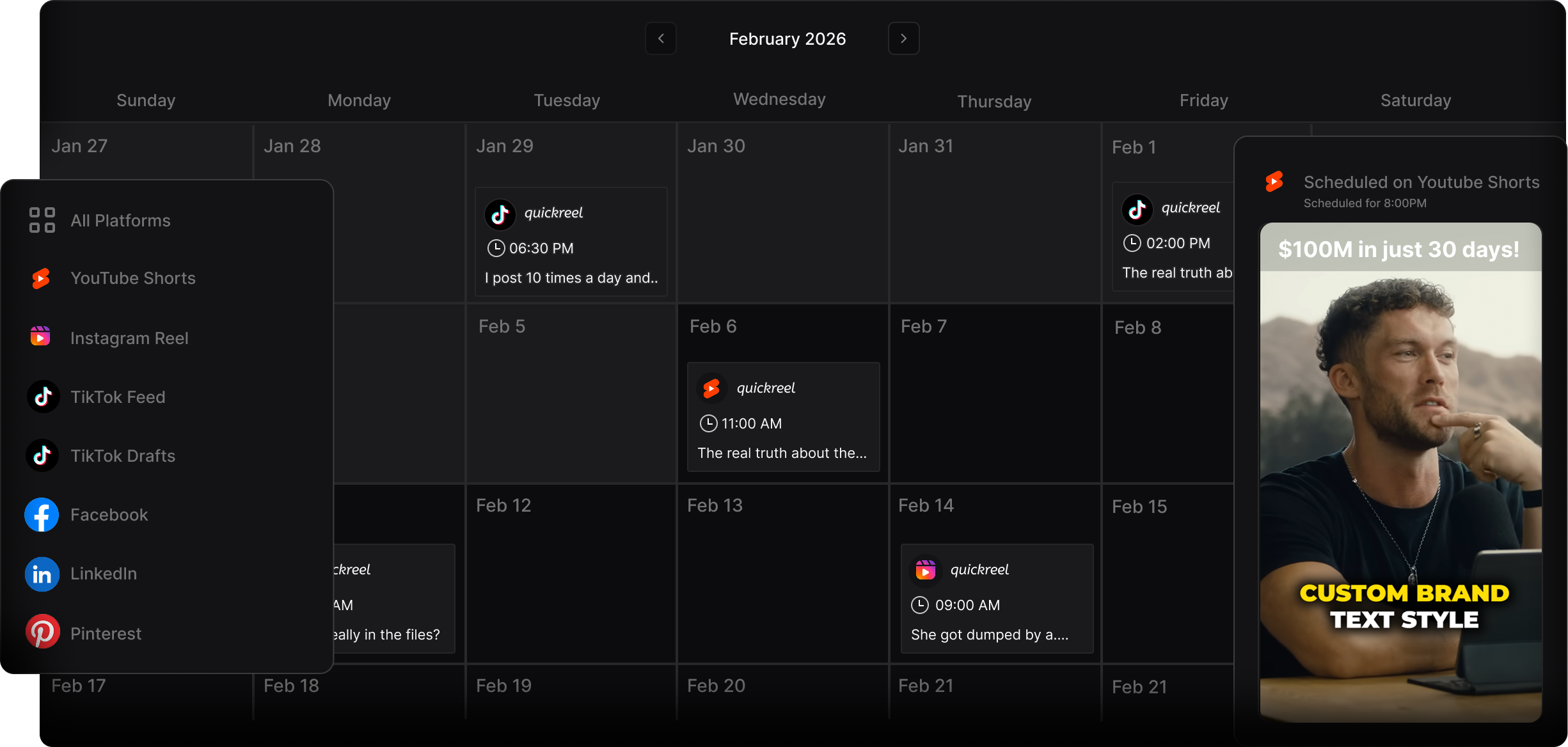
Post three to four times a week, anchored to your episode schedule, with at least one interactive post (a poll or prompt) in the mix. That is enough to stay present without training subscribers to mute you. The failure modes sit at both ends: silence for two-plus weeks kills the reason to subscribe; posting multiple times a day pushes people to mute.
A workable weekly rhythm for a weekly show: a drop alert on release day, the best clip a day or two later, one behind-the-scenes note midweek, and a poll whenever you have a real decision to crowdsource. Skip the filler. A channel earns trust by being signal, and one good post beats three forgettable ones.
Common mistakes that kill a podcast Broadcast Channel
- Treating it as a second feed. Reposting your grid captions teaches subscribers there is nothing exclusive inside. Reserve at least one channel-only post, a clip you didn't publish, a question, a voice note, every week.
- Going dark. A channel that sits silent for weeks quietly becomes a dead notification people mute. Pick a minimum cadence and protect it the way you protect your publishing schedule.
- Only ever selling. A stream of "new episode out" posts with no participation or backstage value reads as a billboard. Lead with value and participation; let the conversion posts be the minority.
- No interaction. With replies off by default, a channel with no polls is a megaphone. Add a poll or prompt regularly so subscribers do something other than receive.
- Renting the whole relationship. Instagram owns the channel and can change the rules overnight. Use it to move your warmest fans onto something you own, point them to a podcast email list you build from zero and run a real welcome sequence for new subscribers.
Tools that make the channel easy to feed
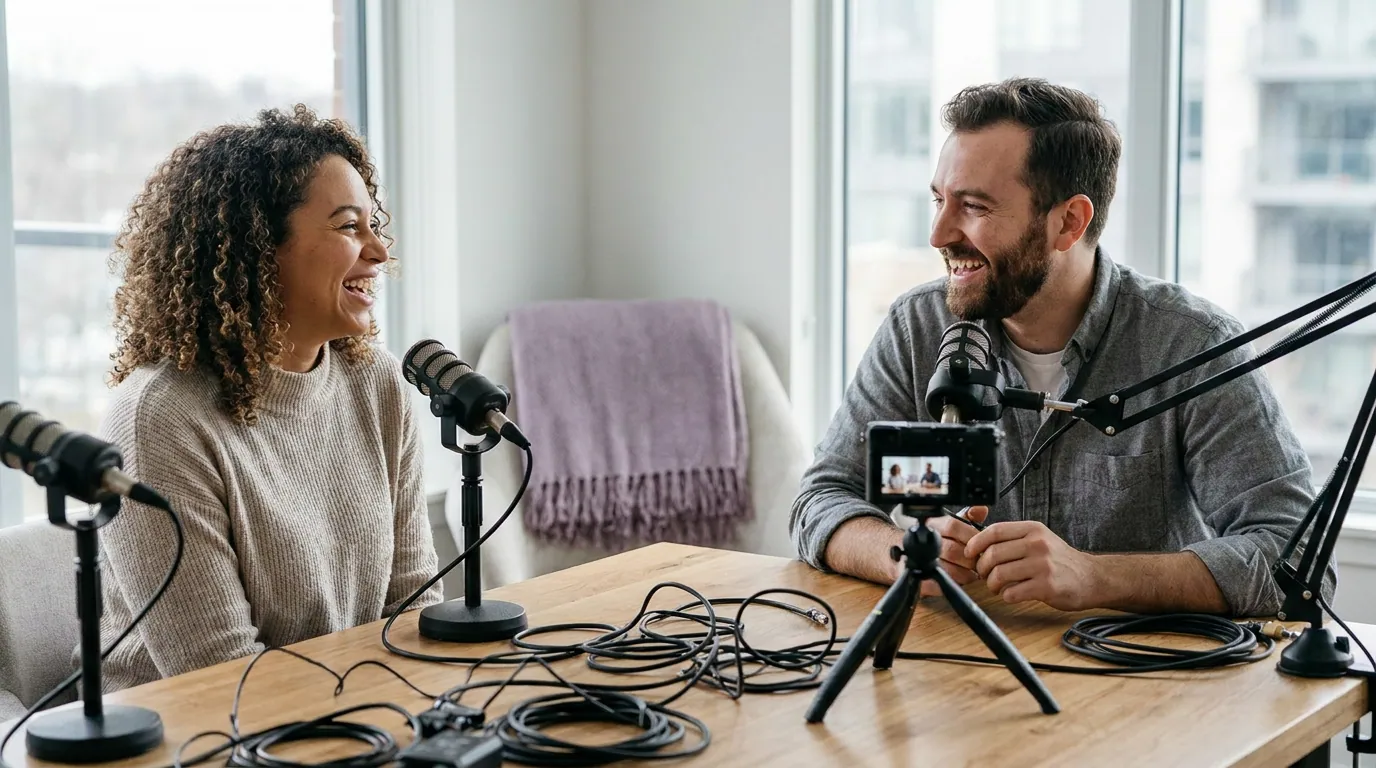
You can run a channel with nothing but your phone, and for text and voice notes that is the right call. The friction is the visual posts, the clip and the behind-the-scenes video, because that is where editing eats your evening. As of late 2025 Instagram does not let third-party tools auto-post into channels, so plan a manual posting step regardless of how you produce the assets.
For the clips themselves, a clipping tool that turns one episode into several captioned verticals removes the slow part. QuickReel does this from a YouTube link or an upload, and its free tier covers roughly one episode, so you can test the workflow before paying anything. For the mechanics of picking the moment and the length, how long a podcast clip should run on Instagram and the first-three-seconds hook rules apply directly to the clip you drop in the channel.
FAQ
Do you need 10,000 followers to start an Instagram Broadcast Channel? Not anymore in most markets. The original 10,000-follower minimum has been relaxed for Professional (Creator or Business) accounts in supported regions. Availability still varies by region, account type, and app version, so if you don't see the option in Instagram Direct, check the Help Center for your area rather than assuming you did something wrong.
What should a podcast post in its Broadcast Channel? Four things in balance: drop alerts when an episode goes live, behind-the-scenes notes that aren't on your public feed, polls that pull subscribers into a decision, and your single best captioned clip from the latest episode. Drop alerts justify joining; the other three justify staying.
How often should I post in a podcast Broadcast Channel? Three to four times a week, anchored to your episode schedule, with at least one interactive post. Less than once a week and the channel loses its reason to exist; multiple posts a day and subscribers start muting. One good post beats three forgettable ones.
Is a Broadcast Channel better than Instagram Stories for a podcast? They do different jobs. Stories reach anyone who follows you and are your conversion-and-discovery surface; a channel reaches only opted-in subscribers and is your retention surface. Run both, Reels and Stories bring people in, the channel keeps the ones you already won.
Can followers reply in a Broadcast Channel? By default the channel is one-way: you post, subscribers react with emoji or vote in polls. You can enable replies in settings if you want a two-way thread, but most podcast channels run reply-off and use polls and prompts as the main participation tool, which is easier to moderate solo.