
How to Record a Video Podcast on Your Phone


You can record a publish-ready video podcast on a phone you already own: mount it horizontally at eye level on a tripod, shoot with the main (1x) rear lens, lock focus and exposure on your face before you start, set 1080p at 30fps, and, the part that actually decides whether it's watchable, plug in an external mic instead of trusting the phone's built-in one. Get those five things right and the picture clears the bar for YouTube and clips.
The phone is not the weak link people assume it is. A recent flagship rear camera resolves more than enough detail for a talking-head show, and the picture problems beginners blame on "just a phone" are almost always a wrong setting or a bad angle. The real ceiling is sound. This is a phone-only spec, lens, focus, exposure, frame rate, height, and audio, with an honest line on where a phone genuinely runs out of road and the one upgrade worth making first.
Why bother filming a podcast on a phone?
Film because the people most likely to find a new show want to watch one, and a phone is the cheapest camera that clears the quality bar. 53% of new US weekly listeners say they prefer to watch a podcast, up from 30% in April 2022 (Backlinko), and YouTube reported more than 1 billion monthly podcast viewers as of January 2025 (Variety). Video is also what makes a small show clippable, and clips are how a show with no audience gets found.
There's a cost angle too. A hobby podcast rig runs roughly $100–350 up front, with a professional setup climbing to $500–$5,000+ (Ausha). A phone collapses the camera line item to zero, which matters because added work and added spend are why new shows quit, nearly half of all podcasts stop at three episodes or fewer Amplifi Mediasummarizing podfade data). Keep the setup light enough that you actually keep recording. If you're filming for the very first time, our first-time video podcast setup walkthrough covers the room around the camera; this one stays on the phone.
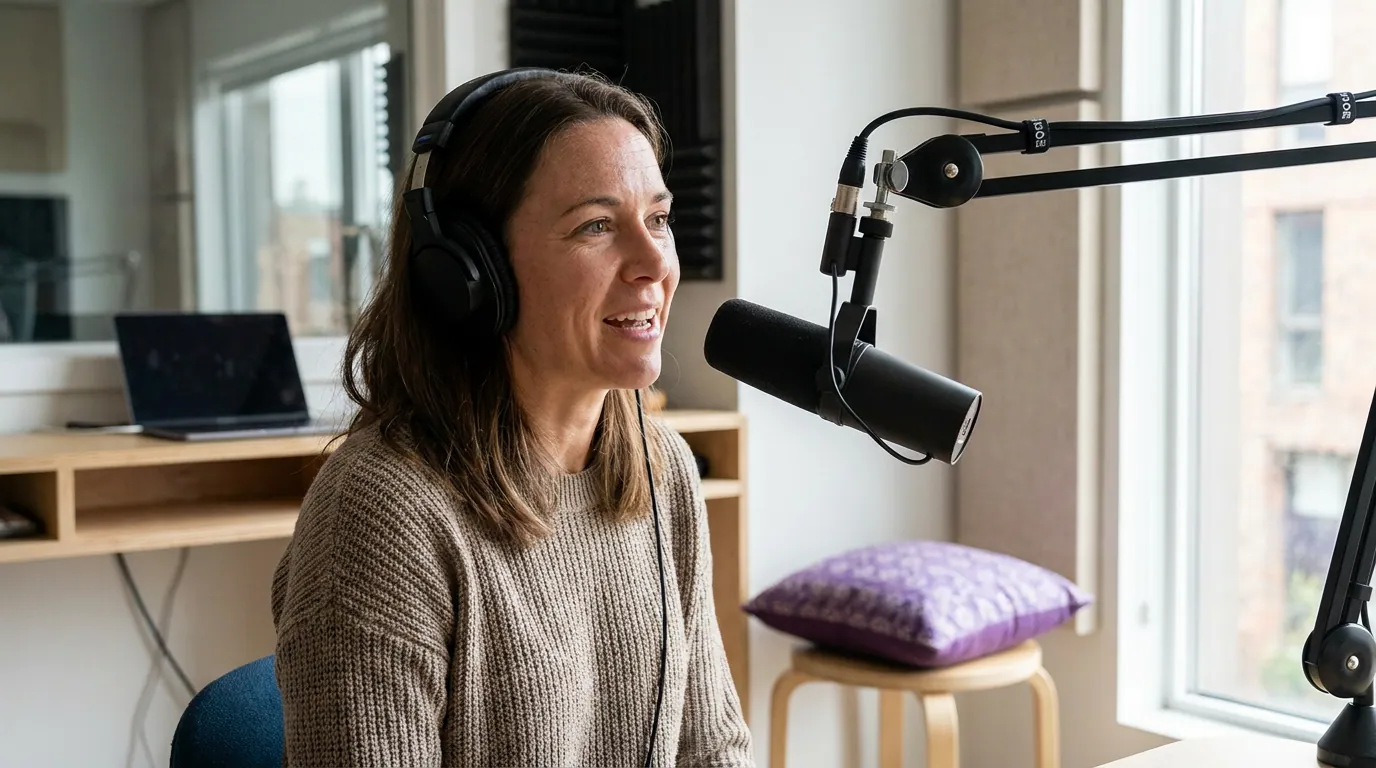
The phone-only recording spec
Lock these settings once and save them as your default. The whole point of a spec is that episode two looks identical to episode one without you re-deciding anything.
- Shoot with the main (1x) rear lens. Use the back camera, not the selfie camera, the rear sensor is sharper and handles low light far better. Stay on the standard 1x lens. The ultra-wide distorts faces at podcast distance, and the telephoto needs more light than a room usually has. If your phone offers it, the 1x is the lens the manufacturer tuned hardest.
- Film horizontal (16:9) for the master. Turn the phone sideways so the file works on YouTube and as the source for vertical clips. You can always crop a 16:9 recording down to 9:16 later; you cannot widen a vertical one. Frame your face in the center third so nothing important gets cut when you pull a vertical clip.
- Set 1080p at 30fps. 1080p is plenty for a talking head and keeps files small enough to move around. Use 30fps, not 24 or 60, 30 matches what social platforms expect and dodges the slight stutter 24fps can show on fast head movement. 4K at 60fps just fills your storage and your editing timeline with no visible payoff for a face on a chair.
- Lock focus and exposure before you hit record. This is the setting beginners skip and regret. On both iPhone and Android, tap and hold on your face in the camera app until the focus/exposure lock indicator appears (on iPhone it reads "AE/AF Lock"). That stops the phone from re-focusing or brightening and darkening every time you lean back or wave a hand. A phone left on auto "hunts", it pulses in and out of focus mid-sentence, the single most amateur-looking phone-video flaw.
- Mount it at eye level, horizontally, on something that doesn't move. A cheap phone tripod or a clamp stand set to your seated eye height. Not propped on a stack of books pointing up at your chin.
On framing and headroom beyond height, our guide to framing and composition for a talking-head podcast goes deeper. The short version: eyes on the upper third of the frame, a little space above your head, and a plain background a few feet behind you.
The one upgrade that matters most: get the mic off the phone
If you change one thing, change the microphone. The phone's built-in mic sits inches from the lens and several feet from your mouth, so it picks up room echo, your laptop fan, and the street, and no amount of editing fully fixes thin, roomy audio. Listeners forgive a soft picture; they leave over bad sound. Our standing rule on gear: the gap between bad mic technique in a noisy room and good technique in a treated one is bigger than the gap between a $150 and a $1,500 setup, and that holds doubly when the camera is free.
You have three honest paths, cheapest first:
- A wired lavalier into the phone. A clip-on lav with a USB-C or Lightning connector (or a TRRS lav plus the right adapter) gets the mic to your collar, a few inches from your mouth. Cheapest option that clears the bar. The trade is the cable.
- A wireless lav transmitter. A small clip-on transmitter that beams to a receiver on the phone. More money, no cable, and it scales to two people, the practical pick for interviews.
- A USB mic recorded separately. A desk mic recorded on a laptop or recorder while the phone shoots picture only, synced afterward with a clap. Best sound, more steps.
For specific picks, our best podcast mic under $100 and the wider mics by budget tier breakdown both list lavaliers that connect straight to a phone. Whichever you choose, plug it in and run a 20-second test recording before the real take, you want to confirm the phone is actually using the external mic and not silently defaulting to its own.
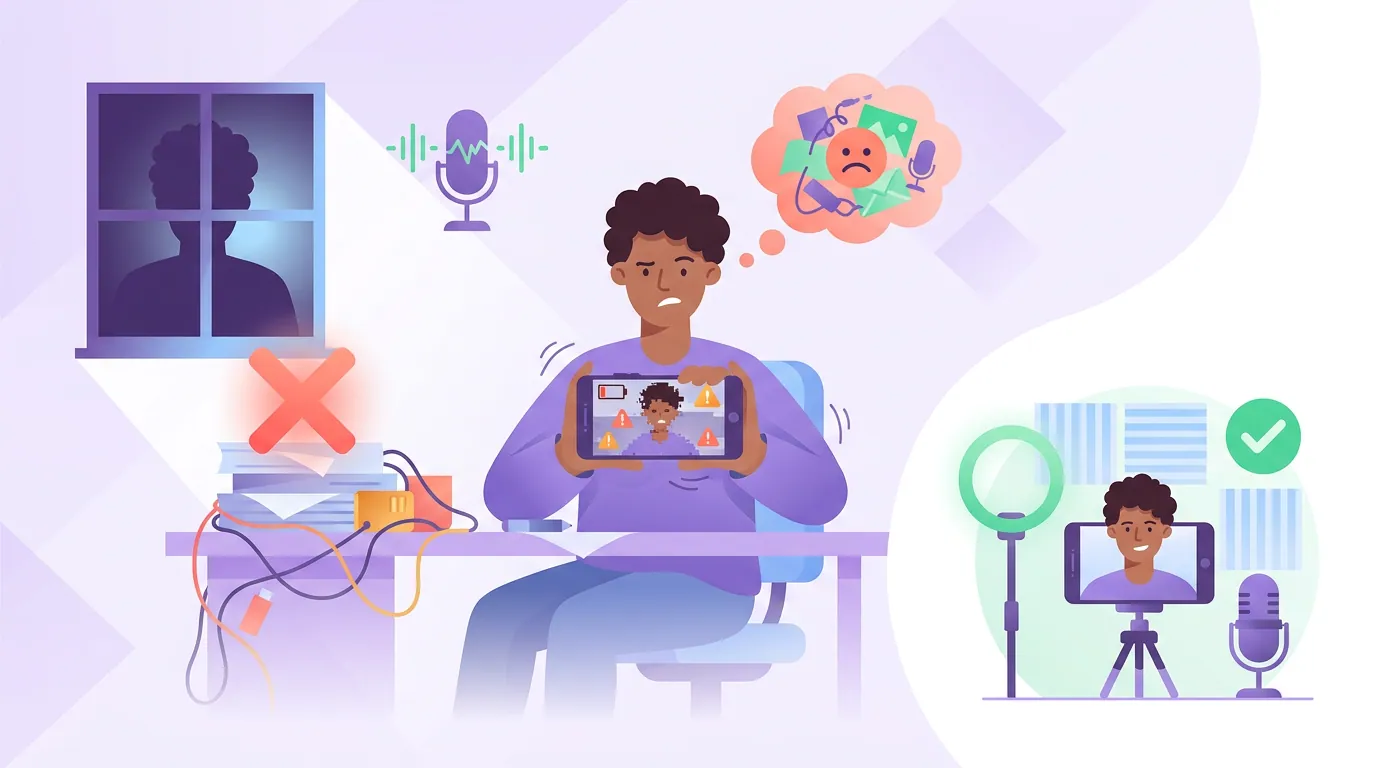
Common mistakes that wreck phone podcast video
Most phone-video failures aren't the phone. They're one of these five, and each has a one-line fix.
- Leaving focus and exposure on auto. The fix: tap-and-hold to lock both before recording (step 4 above). This single change removes the "hunting" pulse that screams amateur.
- Shooting backlit, with a window behind you. A bright window behind your head turns your face into a silhouette the phone can't expose for. Face the window instead, or put any soft light in front of you. Our three-point lighting guide covers the upgrade once you outgrow window light.
- Trusting the built-in mic. Covered above, it's the number-one regret. Get a close mic.
- Letting the phone overheat or fill up mid-record. Long 4K takes overheat phones and eat storage, which can stop a recording without warning. Shoot 1080p/30, clear space first, and keep the phone out of direct sun. Turn on airplane mode and Do Not Disturb so a call doesn't kill the take.
- Forgetting the second device for interviews. One phone can't cleanly frame two people across a table and sound good. For two-camera or two-person setups, see single vs multi-camera podcast, even a second phone works as camera two if you sync with a clap.
Where a phone genuinely runs out of road
Be honest with yourself about the ceiling so you upgrade for the right reason, not out of gear envy. A phone struggles in three specific places. Low light: small sensors get noisy fast in a dim room, so a phone leans hard on good lighting where a larger camera would coast. Shallow, flattering background blur: phones fake it in software, and the fake breaks around hair and glasses; a real camera with a fast lens does it optically. Two cameras at once: running multi-cam off phones is fiddly, and at that point a dedicated body earns its price.
None of those block you from starting. They're the reasons you might eventually move up, and most shows never need to. A phone at eye level, locked, in soft light, with a close mic will out-perform an expensive camera used carelessly. Spend on the mic, then light, then a second angle, in that order.
FAQ
Can you record a video podcast on an iPhone? Yes. Use the rear main camera at 1080p/30fps, tap and hold on your face to set AE/AF Lock so focus and exposure stop shifting, mount it horizontally at eye level, and connect an external mic via USB-C or Lightning. The iPhone's rear camera resolves plenty of detail for a talking-head show; sound, not the sensor, is the real limit.
Do I need a separate mic, or is the phone's good enough? You need a separate mic. The built-in mic sits too far from your mouth and pulls in room echo and noise that editing can't fully remove. A clip-on lavalier under $100 (see picks) is the single highest-impact upgrade you can make to phone video.
What settings should I use to film a podcast on a phone? Rear 1x lens, horizontal 16:9, 1080p at 30fps, focus and exposure locked on your face, and an external mic confirmed working with a test take. Save these as your default so every episode matches. Skip 4K and 60fps, they fill storage and overheat the phone with no visible benefit for a face on a chair.
How do I keep the phone from refocusing while I talk? Tap and hold on your face in the camera app until the lock indicator appears (AE/AF Lock on iPhone, focus/exposure lock on most Android camera apps). That freezes both focus and brightness so the phone stops "hunting" every time you move. Re-lock only if you change seats or the light changes.
Can two people record a video podcast on one phone? You can, but one phone can't frame two faces tightly and capture both voices well. Use a wide framing plus two clip-on mics into a small recorder, or add a second phone as camera two and sync them with a clap at the start. See single vs multi-camera podcast for the trade-offs.