
Podcast RSS Feed SEO: The Fields That Rank


Your RSS feed is the single file every podcast directory reads, but the fields that move discovery are a short list, and one of the most-optimized tags is dead. To rank, fill the feed fields Apple and Spotify actually index for search: your show title, author, category, and episode titles. The
There is a lot of recycled advice telling you to "optimize your RSS feed" without saying which of the fifty-odd possible tags any engine reads. Most of it tells you to load up fields that have been ignored since the iTunes era. This guide does the opposite: it sorts every meaningful feed tag into required, recommended, situational, or genuinely dead, names the source for each, and tells you the three fields worth real effort. Open your feed once, fix four things, and move on.
What is an RSS feed and why does it control discovery?
A podcast RSS feed is a public XML file your host generates. It lists your show metadata, title, artwork, category, author, and every episode. Apple Podcasts, Spotify, Amazon Music, and every other directory read that one file to display and index your show, so the feed controls what each platform knows about you.
You almost never edit the XML by hand; you change fields in your host's dashboard, and the feed updates. Each episode carries its audio URL inside an

Which RSS tags do directories actually read?
Few of them. Apple groups its iTunes-namespace tags into required, recommended, and situational tiers, and treats an older set as dead but tolerated. For search specifically, the list is shorter still: Apple indexes your show title, episode titles, and the author field, not your description (Ausha).
The required channel tags are
So the discovery-relevant feed is small. Get the required tags right so you pass validation and appear at all, then pour your keyword effort into title and author, which are the only fields a search query is matched against on Apple. Everything else is plumbing or polish.
The tags that are dead, and the ones that just look dead
The
Two more sit in the same "dead but tolerated" bucket:
There is one honest nuance on keywords. Historically a few directories, Castbox and Player FM among them, did still read the keyword tag, so adding a short, accurate list is not actively harmful (Transistor). Treat it as a five-minute afterthought, never a strategy. And do not solve the dead-keyword field by stuffing keywords into your title instead: Apple penalizes shows that pack keywords into searchable fields, and people have been removed from Apple Podcasts for it (The Audacity to Podcast).
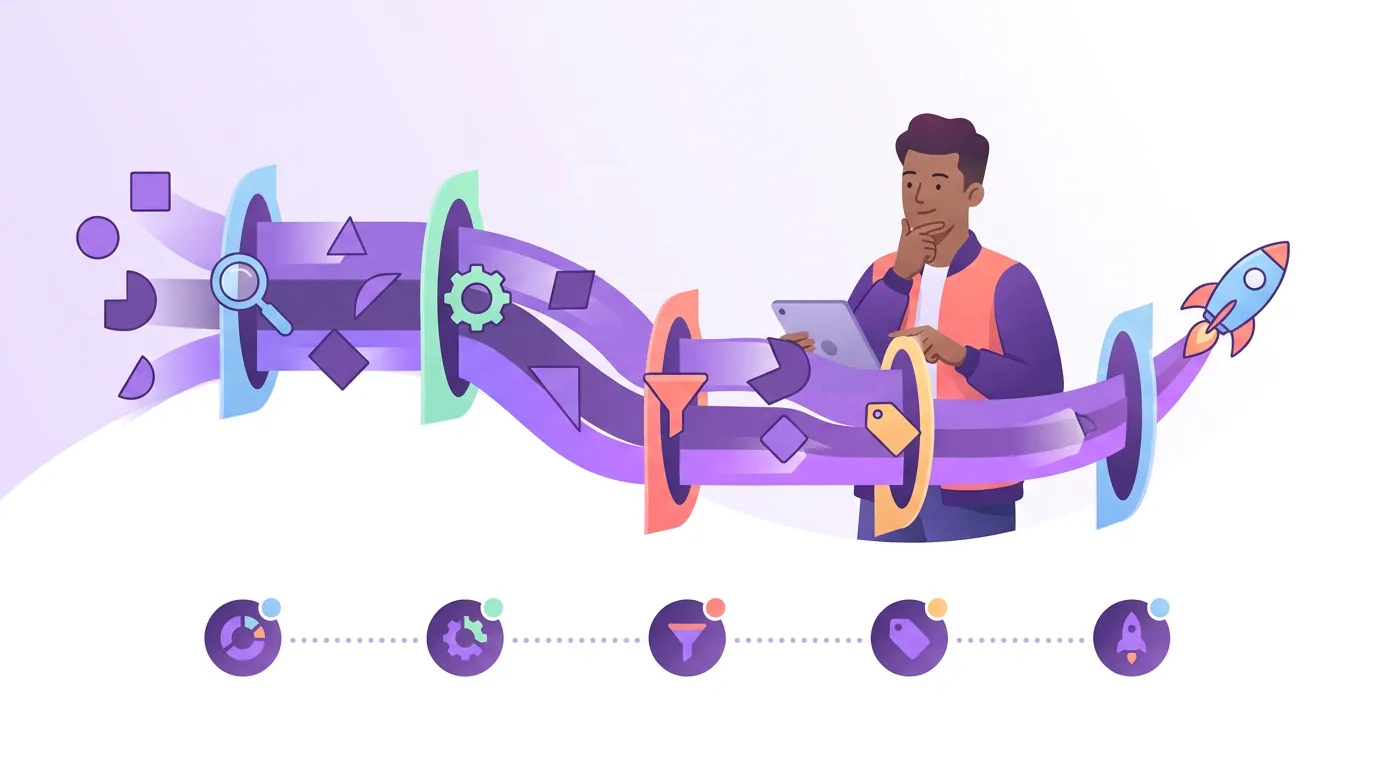
How to optimize your podcast feed in five steps
Work these in order. The first three carry almost all the weight, and most take minutes in your host's dashboard.
- Front-load your primary keyword in the show title. The title is the single strongest search field on Apple (Ausha). "The Resting Heart Rate Podcast" beats a clever name that says nothing, but stay distinctive and avoid stuffing. See our breakdown of how Apple Podcasts search ranking actually works.
- Optimize the author field, it is indexed and underused. Apple reads the author tag for search, so lead it with your niche rather than only your name: "Endurance Coaching, Greg Wasserman." It reads slightly worse to a human and ranks meaningfully better.
- Write episode titles around what listeners search. Episode titles are indexed; "Ep. 47, Wild Wednesday" ranks for nothing. Lead with the topic phrase, every time. Our guide to episode titles that get found has the formats.
- Set category, explicit, and type correctly. Pick the most accurate
- Add a
Common feed mistakes that quietly cost you discovery
Most feed problems are self-inflicted and invisible until you look. These five are the ones I see most.
- Optimizing dead fields. Hours on
- A brand-only title. "Beyond the Mic" is invisible for every topical search. If you will not rename, at least carry the topic in your author field and every episode title.
- Wrong or missing category. It is a required tag and it controls where you can even be browsed. A mismatched category buries you in the wrong neighborhood.
- Changing your feed URL without
- Editing a published episode's GUID. The GUID must never change; altering it makes directories treat the episode as brand new, duplicating it for listeners.
Do Spotify and Google read the same feed fields as Apple?
Mostly the same file, different priorities. Spotify and Amazon Music both read your
The practical takeaway: write your title and author for Apple, your descriptions for Spotify and Amazon, and add transcripts for everyone. One feed, three audiences, no field wasted. For the platform-specific playbook, see Spotify podcast SEO.
Where clips fit into all this
A perfectly tuned feed makes you findable; it does not make you found. Almost no new listener starts inside a directory's search bar, they meet a 45-second clip on Instagram or YouTube, like it, and search your name. Your front-loaded title and author are what they land on. Short-form video can drive up to 40% incremental new audience for video shows, and 57% of listeners now rely on social media for podcast recommendations, the first time it passed friends and family (Inside Radio).
The honest framing: fixing your feed is a one-time hour that removes a ceiling. Clips are the recurring work that fills the room under it. Do the feed audit this week, then spend your real effort on the distribution that brings searchers to the metadata you just cleaned up.
FAQ
Does the itunes:keywords tag still help podcast SEO? Not on Apple. The tag was removed from Apple's spec years ago and is ignored for search and ranking; Apple's only residual use is occasional ownership verification (Transistor). A few smaller directories historically still read it, so a short, accurate list is harmless, but it is a five-minute afterthought, not a strategy.
Which RSS fields should I actually optimize for discovery? Your show title and author field (the two fields Apple search indexes), your episode titles, and your description and
Does Apple Podcasts read my show description for search? No. Independent field testing found the show and episode description has little to no measurable effect on Apple ranking, while title and author move it (Ausha). Spotify and Amazon do read descriptions, so still write them well, just for the right platform.
Will an old or deprecated tag break my feed? No. Legacy iTunes-namespace tags like
What is the podcast:transcript tag and should I add it? It is a Podcasting 2.0 tag that links a machine-readable transcript (VTT or SRT) for an episode. It is in only about 6% of feeds, yet it powers in-app transcripts on Apple and Spotify and gives indexers full text to read (podcast-standard.org). Add it, it is a rare, under-used edge.