
How Short Clips Drive Podcast Discovery and Search


Short clips drive podcast discovery because they put your show in front of strangers who are searching, not just the followers who already subscribe. On TikTok, YouTube Shorts, and Instagram Reels, search reads the words on and around your clip, the on-screen captions, the spoken transcript, the written caption, and your hashtags, and serves your clip to people typing those terms. A clip with the right text becomes a search result; a clip without it becomes wallpaper.
That reframe matters because most creators treat clips as promotion for followers and stop there. The bigger prize is the search and recommendation surface underneath. Roughly 57% of listeners now rely on social media for podcast recommendations, the first time it surpassed friends and family (InsideRadio). This guide covers the four text layers search reads on a clip, exactly what to write in each one, and a keyword-to-clip map you can apply to your next episode.
Why clips are a discovery channel, not just a promo channel
A clip is the only asset your show has that a complete stranger will watch before they have ever heard of you. Your episode page, your show notes, your trailer, those all assume someone already found you. A clip is served by an algorithm into a feed and a search results page, to people who searched a topic, not your name.
The reach difference is real. Clips drive an estimated 20–40% of new audience for video shows and can raise reach 2–5× (Podcast Studio Glasgow), treat those as directional vendor figures, not a guarantee, but the direction is consistent across every show I have grown. And the shift toward watching is structural: 53% of new US weekly listeners now prefer to watch a podcast, up from 30% in April 2022 (Backlinko). Watching happens on the platforms where clips live and where clips get searched.
The strategic shift is small but important. You stop asking "how do I get my followers to share this clip" and start asking "what is a stranger typing into the search bar, and does my clip answer it." That single question changes what you put on the screen.
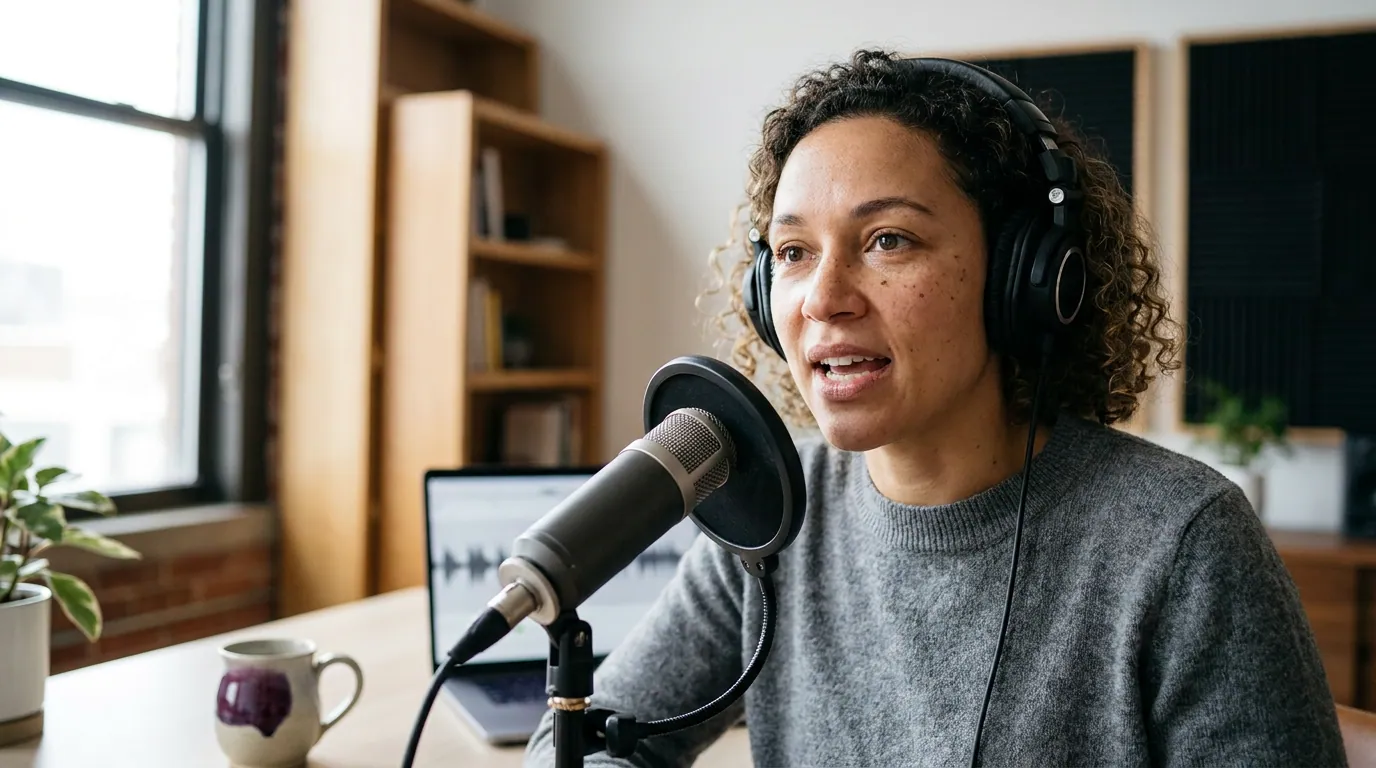
The four text layers search reads on a clip
Short-form platforms cannot watch a video the way a person does. They index text. Every clip exposes four text layers, and each one is a place to plant the keyword someone will search.
- On-screen caption text (burned-in). The words rendered onto the video itself. TikTok and Instagram run text recognition on what is visible in-frame, so your captions are searchable content, not just an accessibility nicety. Most social video is watched on mute, commonly cited at 75–85% muted (Verizon Media/Sharethrough reported ~75%; Digiday reported ~85% of Facebook video muted; publisher-reported, directional), so the on-screen text is doing the talking and the indexing at once.
- The spoken transcript. Platforms auto-transcribe the audio. What your guest actually says becomes searchable, which is why a clip where someone names the specific topic out loud outperforms a clip where they gesture vaguely at it.
- The written caption / description. The text box under the clip. This is the most controllable field and the one most creators waste on emoji and "link in bio." It is prime keyword space.
- Hashtags. A secondary signal, useful for topic clustering. Two or three specific tags beat ten generic ones.
The lesson: a clip's discoverability is decided by its words, and three of the four word-layers are things you write, not things you film. That is good news, because it means you can engineer discovery after the recording is done.
What to put in each layer for searchability
Knowing the four layers is half of it. Here is the specific thing to write in each, in the order a stranger encounters them.
The on-screen hook (first frame, top of clip)
Put the searchable phrase in plain words at the top of the frame, held for the first three seconds. The opening seconds are the make-or-break window, castmagic calls the first 3 seconds "absolutely critical for social media success" (castmagic). A hook like "The real reason creatine works" plants the keyword "creatine" in the most-watched frame and in the image-text index at the same time. Avoid pronouns with no antecedent ("Why he did it"), search has nothing to match.
The burned-in captions (whole clip)
Use word-by-word or phrase-level captions, high-contrast, in the safe zone above the platform UI. They carry the spoken keywords into the searchable on-screen text for the full duration, and they keep the muted viewer watching. Accuracy matters here for search specifically: a mis-transcribed brand or topic name is a keyword you lose.
The written caption (description box)
Lead with the keyword phrase as a real sentence, not a hashtag dump. "How to fix a clip that keeps cutting to the wrong speaker, " reads to a human and indexes for the query. Then add one line of context and the episode reference. End with a soft pointer to the full episode. Keep the first line strong; on most platforms it is the part that shows before "more."
The hashtags
Two to four specific tags tied to the clip's actual topic and niche. A true-crime clip about a specific case gets the case-adjacent tags, not just #truecrime. Specific tags put you in smaller, more searchable clusters where a niche show can actually surface.
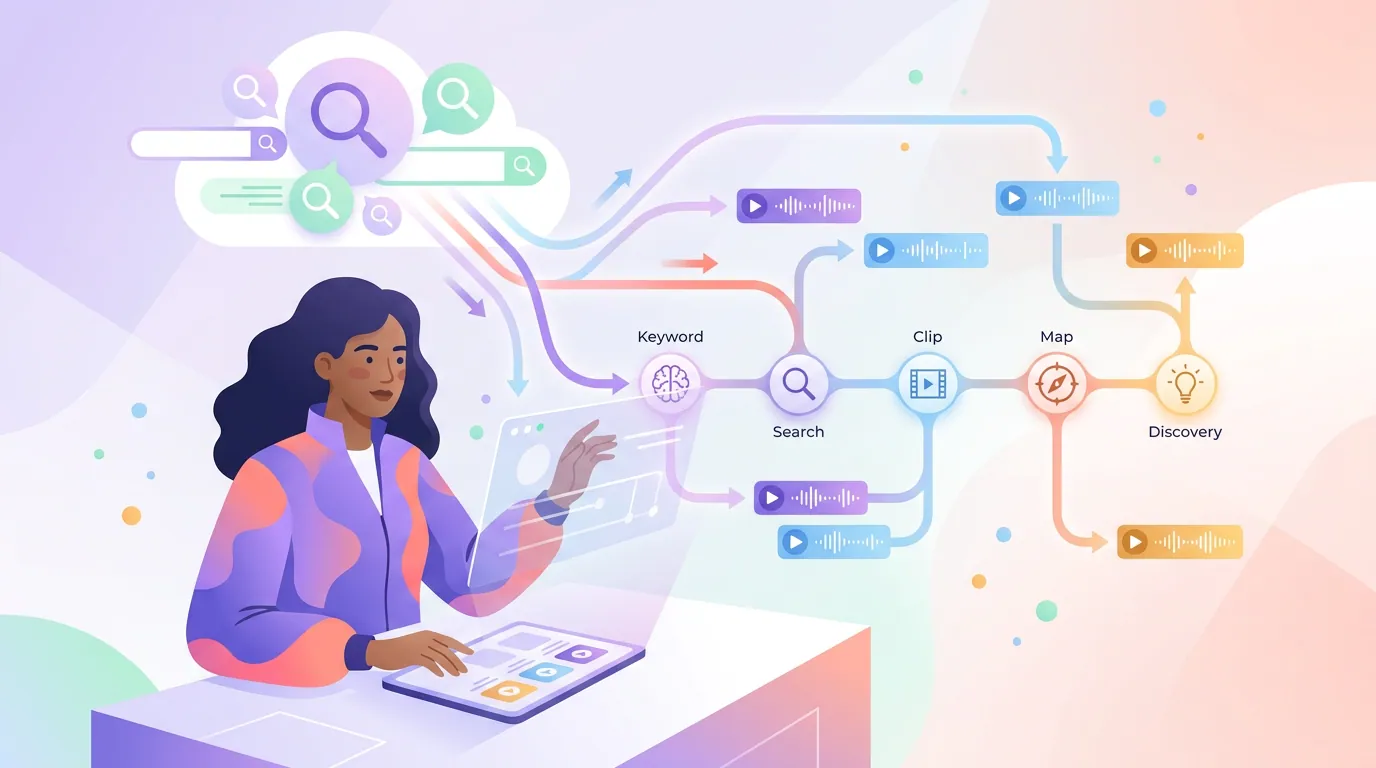
The keyword-to-clip map (the framework)
Here is the part no one writes down. Most creators pick a clip first and caption it after. Reverse it. Start from the search query and let one keyword drive every text layer of the clip. This is the keyword-to-clip map, and it is the difference between a clip that gets seen by followers and one that gets found by strangers.
Pull your candidate keywords from real demand, not guesses, Ausha's keyword guidance is to build from terms your target listener actually searches and to favor specific long-tail phrases over broad ones (Ausha). Then map a single keyword across the clip:
Worked example. Say your nutrition show has an episode segment about creatine for women. Your keyword is "creatine for women", specific, searched, not owned by a giant show.
- On-screen hook: "What creatine actually does for women"
- Burned-in captions: the segment where your guest says "creatine" and "women" out loud, accurate to the word
- Written caption: "Creatine for women, explained without the bro-science, from this week's episode with [guest]. Full breakdown linked."
- Hashtags: #creatine #womenshealth #nutritionpodcast
Now the same keyword is planted in three indexed layers and spoken in the fourth. A stranger searching "creatine for women" on TikTok or Shorts can land on your clip, and the handoff is the payoff: a clip earns the platform search; your show name and episode title earn the listening-app search. That second leg is where how Apple Podcasts search ranking actually works and Spotify podcast SEO take over, the clip sends a searcher who then searches your show by name, and your metadata has to catch them.
Which text layer matters most for getting found?
The on-screen hook and burned-in captions, because they carry the keyword into the most-watched frames and the image-text index at once. The written caption is prime keyword space too, but it sits below a clip most people judge in the first three seconds. Plant the keyword on screen first, then reinforce it in the transcript, caption, and hashtags.
Common mistakes that cost you search visibility
These are the errors I see most often, each with the fix.
- No keyword spoken out loud. The clip is about a topic, but the guest never names it, so the transcript layer has nothing to index. Fix: pick segments where the topic is stated explicitly, or add an on-screen line that names it.
- Captions burned in but inaccurate. Auto-captions mis-transcribe names, jargon, and brands, the exact words people search. Fix: proof the caption text before export. One wrong word is one lost keyword.
- The written caption is a dead field. "New episode out now 🔥 link in bio" indexes for nothing. Fix: open with the searchable phrase as a sentence.
- Pronoun hooks. "Why she quit" gives search no anchor. Fix: name the thing. "Why she quit her $200k job."
- Same caption pasted on every platform. Search phrasing differs by platform and the duplicate looks low-effort. Fix: rewrite the first line per platform; reuse the clip, not the copy.
- Treating clips as a one-way promo to existing followers. Fix: write for the searcher who has never heard of you, every time.
Tools for searchable clips
You can make discovery-ready clips by hand: cut the segment, burn in accurate captions in your editor, write the on-screen hook, and proof every word. It works and costs nothing but time. The bottleneck is volume, a discovery strategy needs several clips a week, and hand-captioning each one is where consistency dies.
AI clip tools speed the cut, the auto-captions, and the vertical reframe, then leave you to do the part that matters for search: proofing the text and writing the hook. No clipper gets the keyword work right on its own, and for discovery, that human pass is exactly the work this guide is about. QuickReel fits here: paste your episode link, get captioned vertical clips back, then proof the caption text and set your on-screen hook before scheduling. The tool gives you the speed; the keyword-to-clip map gives you the discovery.
FAQ
Do podcast clips actually help search discovery, or just social reach? Both, in sequence. The clip itself is indexed by platform search on TikTok, YouTube Shorts, and Reels through its on-screen text, transcript, caption, and hashtags, so strangers searching a topic can find it. It then drives those viewers to search your show by name on the listening apps. Clips feed the social search; your metadata catches the handoff.
What should the on-screen text on a clip say for searchability? Lead with the specific keyword phrase someone would type, written in plain words and held in the first three seconds. Name the topic, not a pronoun. "What creatine does for women" beats "the truth about supplements" because it matches a real query and lands in the on-screen text index.
How many clips per week do I need for discovery to work? Aim for three to five searchable clips a week. Below three, you rarely gather enough signal to learn which keywords surface your show; consistency, not any single viral clip, is what builds a discovery base over time. Quality of the text matters more than raw count.
Do hashtags still matter for podcast clips? They are a secondary signal, useful for topic clustering. Use two to four specific tags tied to the clip's actual subject and niche rather than broad ones. They help a niche show land in smaller, more searchable clusters, but they will not rescue a clip with weak on-screen text and no spoken keyword.
Where do clips hand off to the listening apps? A clip earns the platform search and the algorithm's recommendation; once a viewer wants more, they search your show by name on Apple or Spotify. That is why your episode titles built for discovery and show notes that rank on Google matter, they catch the searcher the clip sent. Capturing the email of those new listeners through a podcast email list started from zero and a welcome sequence turns a one-time discovery into a returning one.