
Podcast Collaboration Clips Both Shows Can Post


When you record a joint episode or a promo swap with another show, cut two sets of clips from the same recording: an A-side that leads with your guest's best moment for your audience, and a B-side that leads with your best moment for theirs. Both shows post both sets, on a staggered schedule. That turns one collaboration into roughly two weeks of cross-promotion that points new listeners at both feeds.
Most cross-promotion stops at "we'll each shout out the other's show." That gets you a single, easy-to-ignore mention. A clip system gets you a dozen native posts, each one a self-contained reason for a stranger to follow a show they've never heard of. This guide is the system: how to plan the recording so it clips well, the A-side/B-side cut, co-branding the frame so a viewer learns both show names in three seconds, and a shared calendar so the two feeds amplify instead of cannibalize.
If you haven't picked a partner yet, start with how to find the right podcasts to cross-promote with, the clip system below assumes you've matched with a show whose audience overlaps yours partly, not entirely.
Why clips beat a plain shout-out
A spoken cross-promotion lives once, inside one episode, heard only by people already subscribed. A clip lives on two feeds, gets recommended to strangers, and can be re-posted for months. The discovery math has shifted decisively toward the second model: 57% of listeners now rely on social media for podcast recommendations, the first time that source surpassed friends and family (InsideRadio). The recommendation engine for podcasts is the social feed, and clips are what the feed actually surfaces.
The reach upside is real but worth stating with its caveat. Clips can drive 20-40% of new audience for video shows and lift reach 2-5x (Podcast Studio Glasgow), but those are observed ranges from production studios, not guarantees, and they assume you post consistently. A collab gives you something a solo episode can't: a second feed posting your face to an audience that has never been pitched your show.
Step 1: Record so the episode clips well
Before the conversation, agree on three things that make clipping painless afterward. This is the step partners skip and regret.
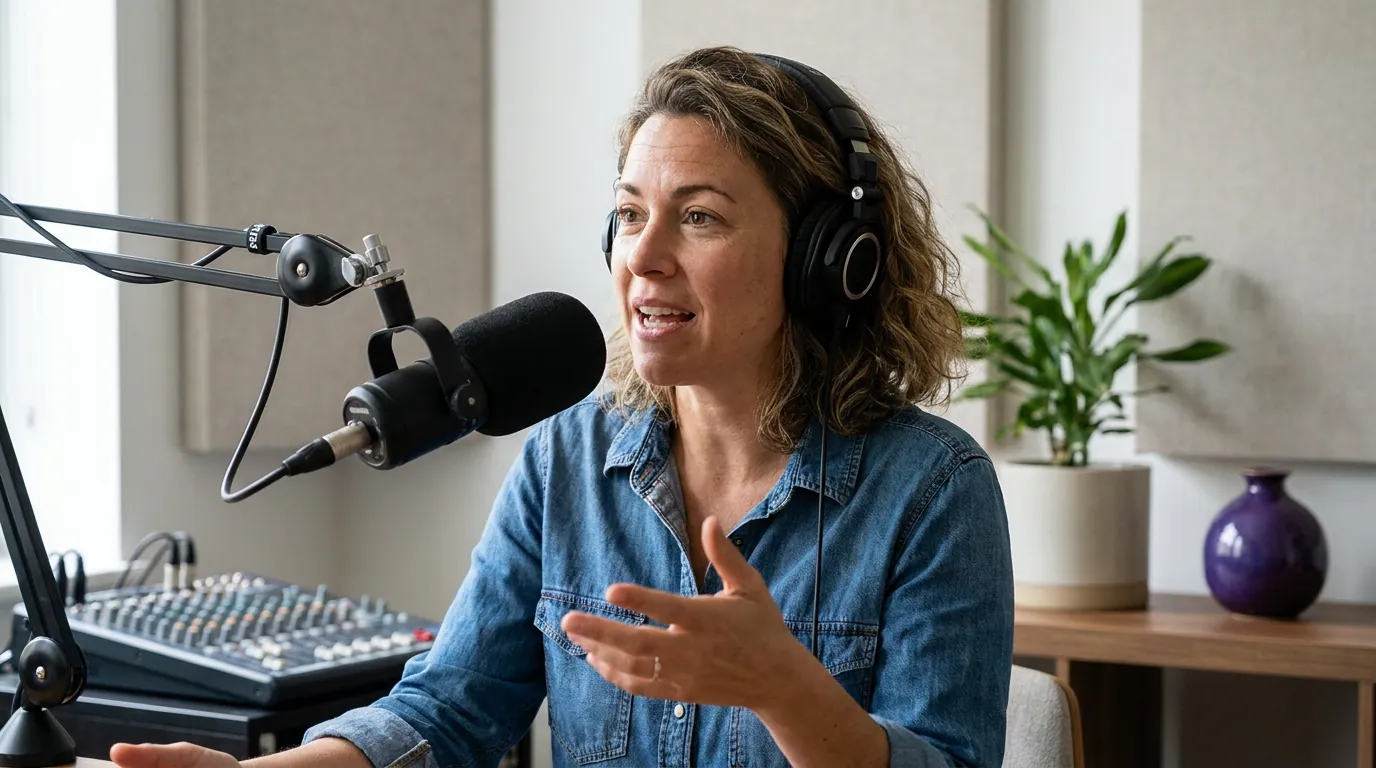
- Record video, even for an audio show. A talking-head clip with two faces reacting outperforms a static waveform, and YouTube, which reported more than 1 billion monthly podcast viewers as of early 2025 (Variety), rewards it. If you're remote, record locally on both ends so each face is a clean, separate track you can crop independently.
- Capture separate audio tracks per speaker. When voices are isolated, you can balance levels and reframe to whoever's talking without one person's mic bleeding over the other.
- Plant two or three "clip moments" on purpose. Early in the call, agree that each of you will tell one strong story and make one sharp, quotable claim. You're not scripting, you're guaranteeing the raw material exists. The first three seconds decide whether a clip gets watched (castmagic), so a clean, self-contained statement with no run-up is worth more than a great point buried after a minute of throat-clearing.
A 20-40 minute joint episode holds enough 30-90 second moments to feed both shows for a week or two, treat that as a directional planning rule, not a fixed yield, since it depends entirely on how quotable the conversation actually is.
Step 2: Make the A-side / B-side cut
Here's the part that separates a clip swap from a regular highlight reel. You are cutting for two different audiences from one recording, and the lead matters more than the content.
The A-side is for your audience. Its job is to make your listeners curious about your partner. So the A-side clips should lead with your partner's best moment, their sharpest story, their hottest take, with you reacting or setting it up. Your audience already likes you. They need a reason to care about the new voice.
The B-side is for your partner's audience, and it mirrors that: it leads with your best moment, with your partner framing it. Their listeners don't know you, so the clip has to make you worth a follow in the first three seconds.
The instinct most hosts have, lead every clip with yourself, is exactly backwards for cross-promotion. The clip that lands on a stranger's feed should make the host they don't follow yet look essential. Plan for two to four clips per side. Cut the obvious moments first (the planted stories from Step 1), then scan the transcript for the unscripted spike, the laugh, the disagreement, the "wait, say that again."

Step 3: Co-brand the frame
A cross-promotion clip has one extra job a normal clip doesn't: a viewer must learn both show names without reading the caption. Build that into the frame.
- Name both shows on screen. A lower-third or a top banner with both show titles, present for the whole clip. If a viewer watches on mute, and most social video is watched silent, with muted-playback estimates commonly cited at 75-85% (Sharethrough reported ~75% of mobile video; Digiday reported ~85% of Facebook video muted, the latter publisher-reported and never confirmed by Facebook, so treat both as directional), the on-screen show names may be the only branding that registers.
- Keep two faces visible when both are talking. A split or side-by-side frame signals "collaboration" instantly. Reframe to a single speaker only during a long solo answer.
- Use one shared caption style across the whole swap. Same font, same highlight color, same placement on every clip from both shows. It makes the set read as one campaign, and it keeps captions out of the lower-third zone where the show names live.
- Tag, don't just mention. Every post @-mentions the other show's handle on every platform, so the algorithm and the curious viewer can both find the second feed in one tap.
The cleanest division of labor: whichever show is featured (leads) in a given clip owns its caption style, but both names stay on screen. Agree on this before anyone exports a frame, because re-cutting for branding after the fact is the most common time-sink in a swap.
Step 4: Run a staggered shared posting schedule
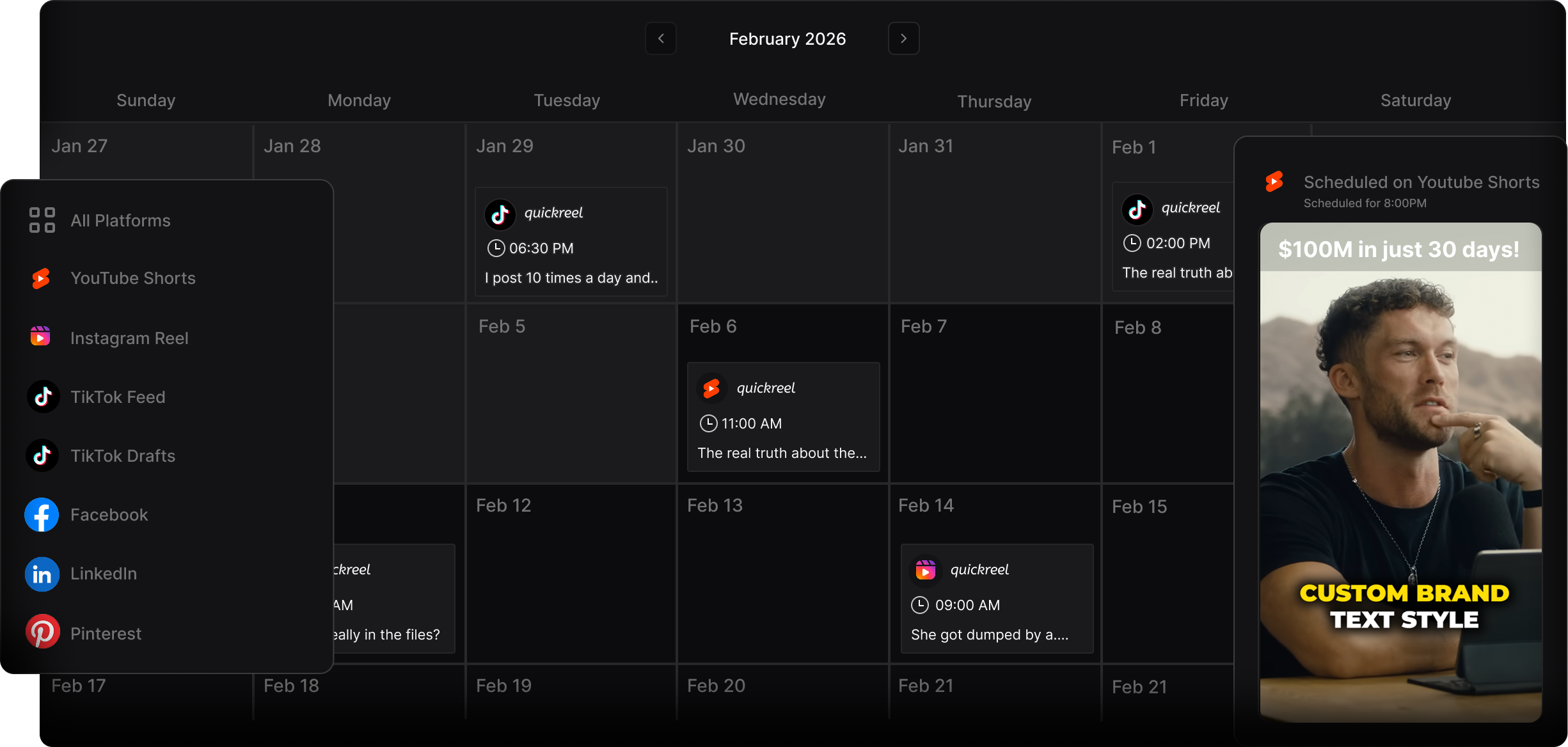
If both shows dump all their clips on the same day, the two feeds compete for the same eyeballs and the campaign burns out in 48 hours. Stagger it. Spread the clips across two weeks so there's always a fresh post pointing at both shows, and so each platform sees steady activity rather than one spike.
A simple rule that works: each show posts two to three clips in week one (its own side), then in week two each show re-posts the other side's strongest clip to its own feed. That second week is the multiplier, your audience sees your partner's best moment, on your feed, in your caption style. Coordinate it in a shared sheet with columns for clip, owner, platform, scheduled date, and status.
This is also where a scheduler earns its keep. Instead of two people manually posting at six times across multiple platforms, queue every clip once and let it publish on schedule. QuickReel can schedule to a long list of platforms in one pass, which keeps a two-host swap from devolving into a "did you post yours yet?" group chat.
A clip swap pairs naturally with the slower-burn tactics. A feed-drop swap puts a full segment in the other show's feed, and a trailer swap is a lighter-weight version when a full joint episode isn't on the table. Use the clips as the social layer on top of whichever audio swap you run, and route the traffic somewhere you own, a podcast email list, with a welcome email sequence ready to greet the new subscribers, so a borrowed audience becomes a kept one.
Common mistakes
- Leading every clip with the home host. The cross-promo clip's whole job is to make the unfamiliar host look essential. Lead with them; let your audience meet someone new. (Covered in Step 2, it's the single most common error.)
- No second show name on screen. If the only place both shows are named is the caption, the muted majority never learns the second show exists. Put both names in the frame.
- Posting everything on day one. Two feeds, same clips, same day, the campaign peaks and dies before the algorithm can spread it. Stagger over two weeks.
- Mismatched caption styles. When each show uses a wildly different caption look, the set reads as two unrelated posts instead of one campaign. Agree on one shared style before exporting.
- No re-post week. The biggest gain is week two, when each show puts the other's clip on its own feed. Skipping it leaves half the reach on the table.
- Picking a near-identical partner. If the two audiences are the same people, there's nothing to cross-promote, you're just posting to your own listeners twice. Match with a complementary show, not a mirror.
FAQ
How many clips should we make from one joint episode? Aim for four to eight total, two to four per side. A 20-40 minute conversation usually holds that many strong 30-90 second moments, but cut for quality, not a quota. Two genuinely sharp clips per show beat six forgettable ones, and a thin episode may only yield three good cuts.
Who edits the clips, both shows or one? Whoever has the better clipping workflow should cut all of them, then share both sets so each show posts in its own caption style and schedule. Splitting the editing usually produces mismatched branding. One editor, one export pass, two posting calendars.
What if the two shows are very different sizes? A size gap is fine as long as audiences overlap and both partners post genuinely. The smaller show gains more raw reach, the larger show gains a credible, specific moment its audience hasn't seen. If the gap is large, lead the bigger show's clips with the smaller host's strongest moment to give it the best possible introduction. The pitch template covers how to propose a swap across a size gap without it feeling lopsided.
Should we post the same clip on every platform? Post the same clip, but adjust the caption and reframe per platform, vertical 9:16 for Reels, Shorts, and TikTok; the same cut works across all three. What changes is the hook text and any platform-specific tagging, not the underlying moment.
Do clips actually convert, or just rack up views? Views are not subscribers. A clip that gets 50,000 views and zero new followers did nothing for either show. Judge the swap by follows, saves, and profile taps on each feed, and by whether new listeners show up in your downloads the week after, not by the view counter alone.