
Cross-Platform Podcast Promotion: A No-Burnout Plan


To promote one episode across six platforms without burning out, build a weekly operating system instead of a daily grind: turn each episode into a fixed set of source assets in one batch, assign one asset type to each platform, and schedule the whole week in a single sitting. The trick is not posting more, it is deciding once what each platform gets, so every week runs on the same template instead of a fresh round of decisions.
Most solo hosts quit cross-platform promotion not because it stops working but because it asks them to make the same forty small choices every day. This guide gives you a system that removes those choices: the source assets one episode produces, a platform-by-platform map of what to post where, and a time-budgeted checklist that fits the whole week into roughly two hours. Run it the same way every week and it becomes a habit, not a crisis.
Why cross-platform repurposing burns people out (and how a system fixes it)
Burnout comes from re-deciding, not re-posting. Every day spent staring at an episode wondering "what do I post on LinkedIn, is this clip too long for TikTok, does this work on Pinterest" is a fresh tax on attention. A system pays that tax once. You decide the rules a single time, then each week you execute them without thinking, the way you brush your teeth without strategizing.
The stakes are worth the effort because social is now where shows get found. 57% of listeners rely on social media for podcast recommendations, the first time it has passed friends and family (InsideRadio). And short video is doing the recommending: clips drive 20–40% of new audience for video shows and can raise reach 2–5x (Podcast Studio Glasgow). Skipping distribution is leaving most of your growth on the table.
There is a deeper reason to make this sustainable. The single biggest predictor of a podcast surviving is publishing consistency, and nearly half of all podcasts never make it past their first three episodes (Command Linux). A promotion routine that exhausts you is a routine you abandon, and the show usually follows. The goal here is a pace you can hold for a year, not a heroic month.
Step 1: Turn one episode into a fixed set of source assets
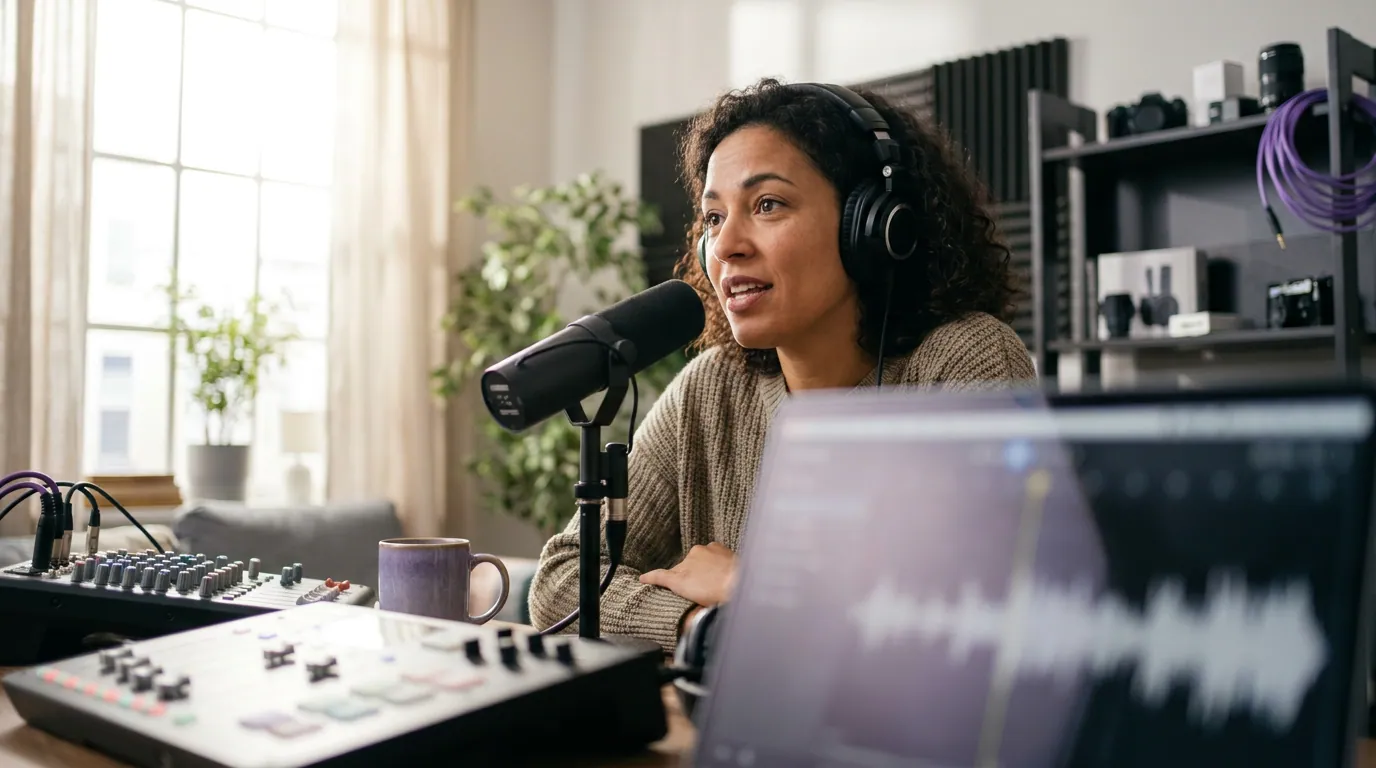
Before you touch a single platform, produce the same set of raw assets from every episode. Doing this as one batch, not piecemeal across the week, is what makes the rest of the system cheap. From a 20–60 minute episode, generate four to six short clips, one or two audiograms for the audio-first feeds, and a handful of quote cards pulled from the transcript. That's your weekly supply.
Pull the clips from the moments that already earned a reaction in the room, a sharp answer, a disagreement, a story with a turn. If you want a repeatable filter for which moments travel, the TikTok hooks that keep people watching breakdown applies to every short-video platform, not just TikTok. The point of this step is volume of raw material, not polish. Polish happens per platform, next.
An AI clipper does the heavy lifting here, but be honest about its limits. The realistic workflow is hybrid: the tool surfaces candidate moments, then a human reviews and picks the best five to ten (Podcast Studio Glasgow). That review step is non-negotiable, it's what catches a clip that ends mid-sentence or opens on a weak line. Budget the time for it; don't post raw output blind.
Step 2: The weekly operating system, what posts where
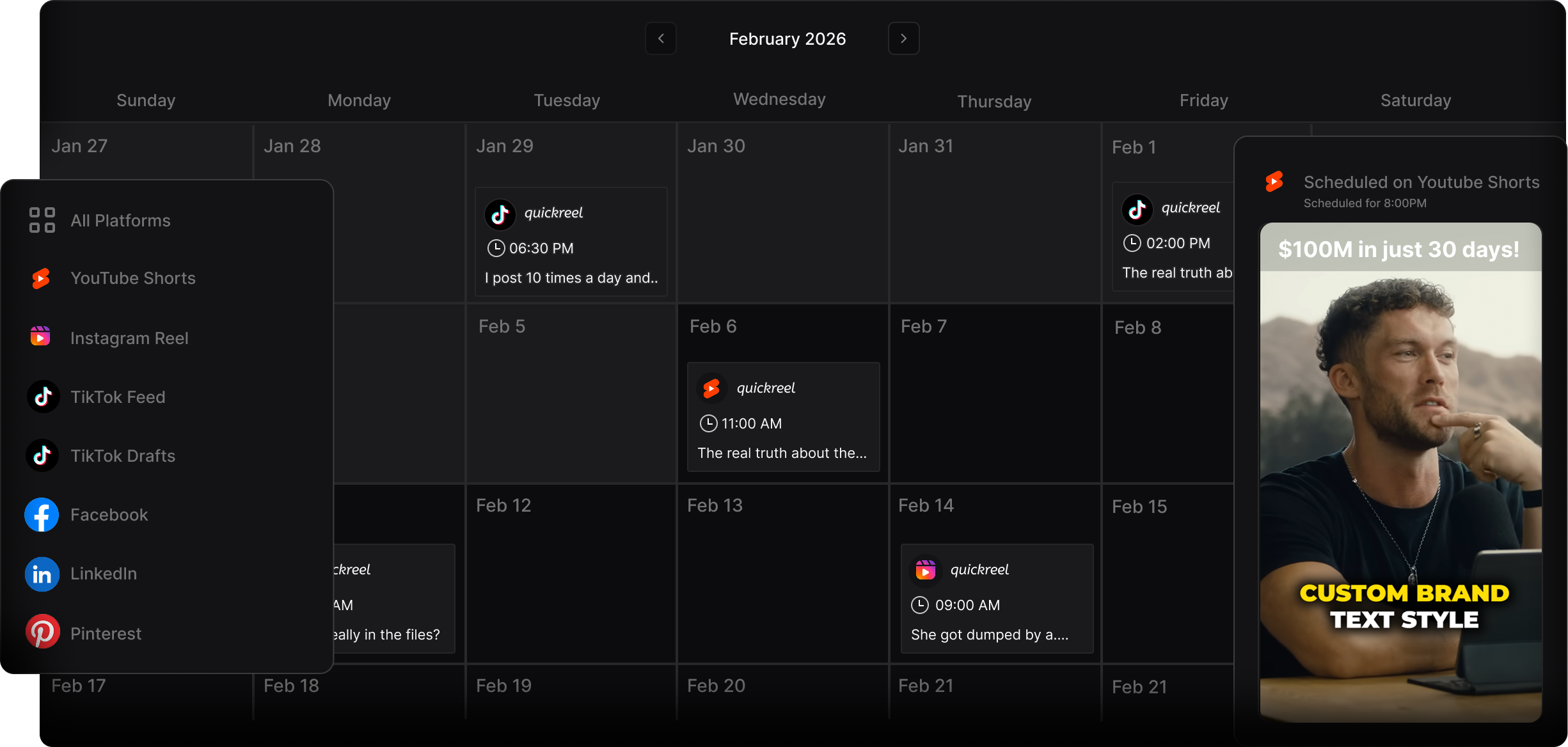
Assign one job to each platform and never re-litigate it. The mistake is treating six platforms as six separate content problems. They aren't. They are six destinations for the same source assets, each needing a small native adaptation, a different caption, a different crop, a different framing line. Decide those adaptations once and they become a template.
Here is the per-platform map and the one native adaptation each demands.
| Platform | Asset it gets | The native adaptation |
|---|---|---|
| TikTok | Your strongest vertical clip | Spoken hook in the first 2 seconds; captions burned in; trend-aware, not trend-chasing |
| A clip plus a short text post | Lead with a takeaway or contrarian line; clip is the proof, the text is the value | |
| X (Twitter) | A quote card or 4-tweet thread | One idea per tweet; the quote card carries the visual; link the episode in a reply, not the main post |
| Threads | The same thread, looser | Conversational, less polished; ask a question to invite replies |
| An audiogram or clip | Longer caption with context; this audience reads more before tapping | |
| A quote card as a tall pin | 2:3 vertical, keyword-rich title and description; it's a search engine, so write for search |
Two platforms, X and Threads, share one asset because they reward the same format with a tone shift, which is why six platforms only take a little more than four platforms' worth of work. TikTok carries two posts because short video is your biggest discovery lever, so the supply skews toward it. For the deeper TikTok cadence, the TikTok posting schedule for podcasters goes day-by-day; treat that as the engine and this grid as the chassis around it.
A note on Pinterest, because it surprises people: it isn't a social feed, it's a visual search engine with a long shelf life. A quote-card pin can drive traffic months after you post it, so the keyword in the pin title matters more than timing. That's the opposite of TikTok, where timing is everything and shelf life is hours.

Step 3: Adapt natively without doing six edits
Native does not mean bespoke. It means small, templated tweaks on top of the same asset, and the difference between those two is the difference between a sustainable system and a second job. NPR's 2026 reporting on the clipping economy quotes an analyst making the blunt version of this: "clips aren't the promotional material for the content, clips ARE the content." Feeds are crowded with clips, so the cheap adaptation that makes yours feel made-for-here is what earns the stop.
The adaptations that actually matter, in order of payoff:
- The first line. Rewrite the hook for each platform's reading habit, spoken on TikTok, written takeaway on LinkedIn, a question on Threads. This is 80% of the native feel.
- The crop and captions. 9:16 for TikTok, Reels, and Threads video; the same clip works on Facebook; 2:3 for Pinterest. Burn captions in, because most social video is watched on mute (Verizon Media/Sharethrough reported ~75%; Digiday reported ~85% of Facebook video muted, both publisher-reported and directional).
- The link placement. Native players punish outbound links in the main post. Put the episode link in a reply, a comment, or your bio, never as the thing the algorithm sees first.
What you should not do is re-edit the video six times. One clip, one caption track, three caption rewrites, three crops. Everything else stays.
Step 4: Batch and schedule the whole week at once
Do all of this in one sitting, then let a scheduler handle the calendar. The single biggest time-saver in the entire system is refusing to open six apps on six days. Batch the asset creation, write all the captions in one pass while the episode is fresh in your head, and queue every post through a scheduler that pushes to multiple platforms at once. A multi-platform scheduler turns "post seven times this week" into "schedule once on Sunday."
Set the schedule to your audience's active hours, not generic "best time to post" charts. The grid above uses Monday–Friday as a template; if your analytics show weekend evenings, move the posts there. The schedule is yours to tune; the system is what stays fixed.
Common mistakes that quietly kill the system
Five failure patterns show up again and again with solo hosts. Each has a specific fix.
- Posting identical content to every platform. The same caption everywhere reads as a cross-post and gets throttled. Fix: the three caption rewrites from Step 3, that's the minimum native effort.
- Treating it as a daily task instead of a weekly batch. Daily decisions are the burnout engine. Fix: one scheduling session per week, full stop.
- Skipping the link strategy. Burying the episode link, or worse, leading with it. Fix: link in the reply or bio; the post itself earns the curiosity. The bridge funnel for turning followers into listeners covers this in depth.
- Chasing every platform from day one. Six platforms cold is how you quit in week three. Fix: start with two, TikTok plus whichever one your audience already lives on, and add a platform only when the first two are automatic.
- Confusing views with growth. A clip that "did numbers" and a clip that grew your show are different events. Virality without a funnel is empty engagement, views are not conversions. Fix: track plays and subscribes, not just impressions.
Tools that make the system run
You need three things: something to make the clips, something to schedule across platforms, and something to make quote cards. An AI clipper (QuickReel, Opus Clip, and others) handles the first; QuickReel folds multi-platform scheduling into the same tool, which removes a step, though dedicated schedulers like Buffer or Later do it well too. For quote cards, a Canva template you reuse every week beats designing from scratch. The honest rule across all of them: most AI clippers detect roughly the same moments, so pick the one that removes the most clicks between your episode and a posted clip, and remember the human review step regardless of tool.
If captions and a steady clip supply are still your bottleneck, fix that first; the TikTok growth playbook for podcasts and an email list built from zero are the two best places to send the audience this system attracts, and a welcome sequence for new subscribers keeps them once they arrive.
FAQ
How many platforms should a solo podcaster actually post to? Start with two and master the weekly batch before adding more. Two platforms run on autopilot beat six platforms you abandon in a month. TikTok plus whichever platform your audience already uses is the strongest pair. Add a third only when the first two take no thought to maintain.
Can I post the exact same clip to every platform? You can post the same clip, but not the same caption or crop. Rewrite the first line for each platform's reading habit and adjust the aspect ratio (9:16 for vertical feeds, 2:3 for Pinterest). Identical captions across platforms read as a cross-post and tend to get throttled by native algorithms.
How long should this take each week? Roughly two hours when fully batched, about 15 minutes to generate clips, 20 to review and pick, 30 to write captions, 20 for quote cards, and 25 to schedule. The first week or two runs longer while you build templates; after that it compresses, because you're executing a system instead of deciding from scratch.
Is it better to schedule everything in advance or post in real time? Schedule the evergreen majority and leave room for real-time reaction. About 80% of the week, clips, quote cards, audiograms, can be queued in one sitting. Keep the remaining 20% open for a trending sound or a reply that fits the moment, which is where Threads and TikTok reward spontaneity.
Which platform gives a podcast the longest shelf life? Pinterest, by a wide margin. It functions as a visual search engine, so a keyword-titled quote-card pin can surface for months, while a TikTok or Threads post mostly lives within its first day or two. Use Pinterest for evergreen, searchable ideas and the video feeds for timely reach.