
A Podcast Recording Setup Under $200


A complete podcast setup under $200 is one dynamic USB microphone, free recording software, and a pair of closed-back headphones, and the strongest combo is a Samson Q2U ($70), Audacity (free) or GarageBand (free), and an Audio-Technica ATH-M20x (~$59). That is about $130 all in, recording the day it arrives, with roughly $70 of headroom for the one upgrade that matters.
Most "budget podcast setup" lists pad the number to justify a longer shopping list. You do not need a mixer, a $300 condenser, or a paid app to publish episodes people will actually finish. The trap is the opposite: spending the whole $200 on a mic and then realizing it does not plug into your laptop without a separate box. Below is the exact build, the math behind it, the two cheaper paths if even $130 is tight, and the single upgrade I would make first once you have a little money.
The fast verdict: the under-$200 build, itemized
Here is the whole setup in one table. Every price is a real retail figure verified in June 2026. Hardware prices move less than software subscriptions, but check the listing before you buy.
| Component | Pick | Price (verified June 2026) |
|---|---|---|
| Microphone | Samson Q2U (USB + XLR dynamic) | ~$70 (Samson) |
| Recording + editing software | Audacity (Win/Mac/Linux) or GarageBand (Mac) | $0 (Audacity) |
| Headphones | Audio-Technica ATH-M20x (closed-back) | ~$59 |
| Pop filter / windscreen | Included with the Q2U | $0 (Buzzsprout) |
| Total to start recording | ~$129 |
That is the recommendation. Now the reasoning, because the why is what keeps you from re-buying in six months.
Why this exact combo (and not a longer list)
Three decisions do almost all the work in a sub-$200 setup: the mic's connection type, whether your software costs anything, and whether you bought headphones at all. Get those three right and the rest is noise.
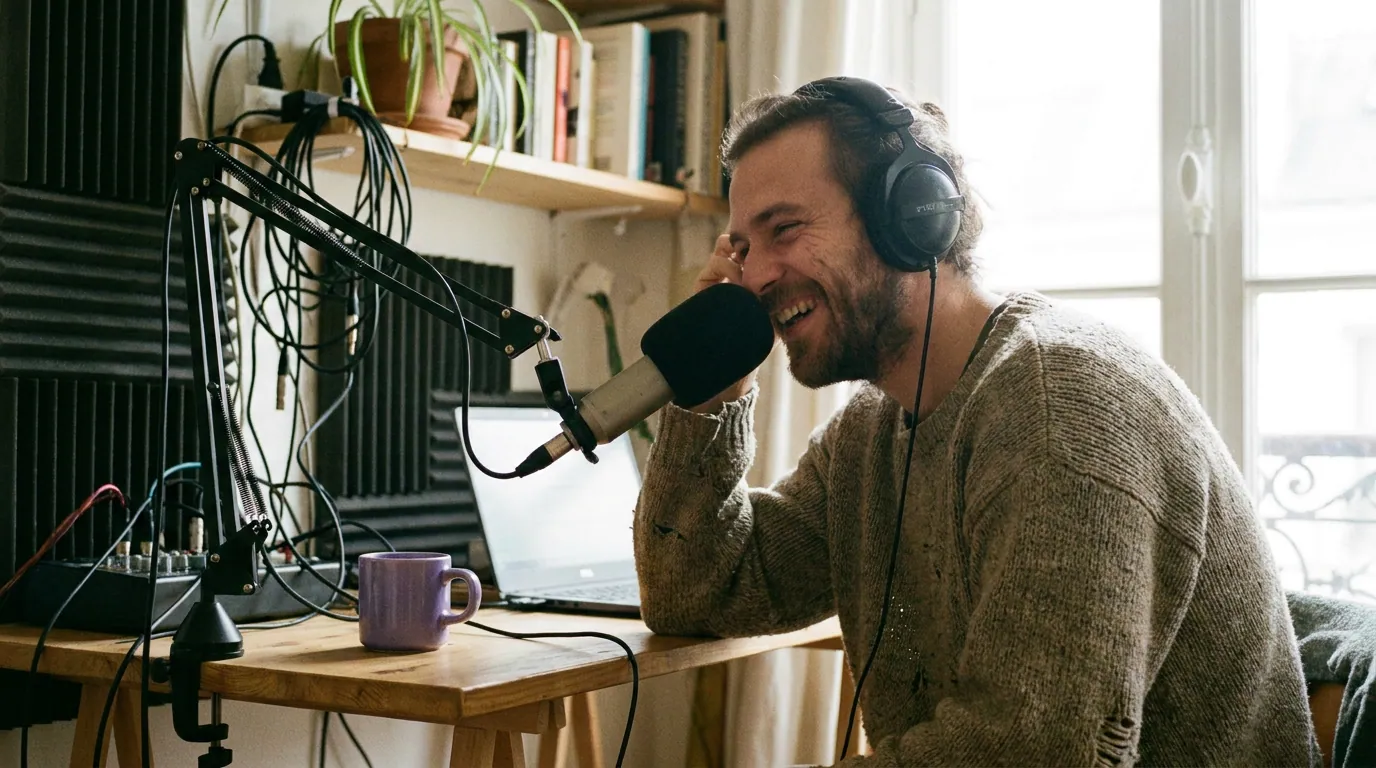
The mic decides everything. Podcast mic prices span $50 to $400, with around $150 typically buying a quality mic plus accessories (Ausha). The Q2U sits near the bottom of that band and still does the one thing that protects your budget: it records straight into your computer over USB. No audio interface, no extra box, no second purchase. It is also a dynamic mic, which rejects room echo and background hum far better than a condenser, the right tool for the untreated bedroom or office most people start in. And it carries an XLR output too, so when you outgrow USB you keep the mic and add an interface instead of rebuying. Buzzsprout's reader survey ranked the Q2U the second most popular mic among podcasters at 8.1%, which tells you the recommendation is not just mine (Buzzsprout).
The software is free, and that is not a compromise. Audacity is a free, open-source multitrack recorder and editor for Windows, Mac, and Linux, with noise reduction, EQ, and MP3 export built in (Audacity). On a Mac, GarageBand is free, included with the OS, and records up to 255 tracks (Buzzsprout). For a solo or in-person show, neither one limits you in a way you will feel for a long time. Paid apps buy you polish and remote-recording features, not better-sounding episodes. If you want the full rundown of free options and where each one breaks, see free podcast recording software that is actually usable.
Headphones are the part beginners skip, and shouldn't. Closed-back headphones let you catch problems while you record, a buzz, a clipping level, a guest who drifted off-mic, instead of discovering them in the edit. The "closed-back" part matters: open headphones leak sound into your mic. The ATH-M20x is the most consistent sub-$60 pick reviewers name, though its street price has crept toward $59 and only dips under $50 on sale. Skip the $15 earbuds; this is the accessory that earns its keep.
What is not on the list is as important as what is. No mixer, a sub-$200 setup does not need one, and the reasoning is in do you need an audio interface or mixer to start a podcast. No standalone pop filter, because the Q2U ships with a windscreen and a tabletop stand in the box (Buzzsprout). No condenser mic, because it would hear your whole room.
Three honest paths under $200
One build does not fit every wallet or every computer. Here are three real configurations, all under $200, with the true out-the-door cost. Pick by your constraint, not by which sounds most impressive.
| Path | What you get | True cost (June 2026) |
|---|---|---|
| The recommended build | Q2U + free software + ATH-M20x | ~$129 |
| Rock-bottom | Q2U + free software + reuse any wired headphones | ~$70 |
| The XLR-ready start | Q2U over XLR + Behringer UMC22 interface + ATH-M20x + free software | ~$165 |
Rock-bottom (~$70). Just the Q2U and free software, using whatever wired headphones you already own. This is enough to record and publish a clean episode today. The only thing you give up is the comfort and accuracy of proper monitoring headphones, which you can add later.
The recommended build (~$129). The Q2U, free software, and the ATH-M20x. This is the sweet spot for most people: complete, monitored, and still leaving room under budget.
The XLR-ready start (~$165). If you already know you will go XLR, say you plan a two-mic show or a more permanent rig, record the Q2U over its XLR output into a Behringer U-Phoria UMC22 interface, which sells from about $35 across retailers (Equipboard). You will not hear a night-and-day difference over USB on day one, but you start on the path you are going to walk anyway, and the UMC22 supplies phantom power if you later add a condenser. For most beginners this is overkill; for the rare person who knows their destination, it saves a re-buy.
A quick orientation: this page is the floor of a wider map. If you want to see how a $130 setup compares to $400 and pro-tier rigs, best podcast mics by budget tier lays out the whole ladder, and a $150 podcast starter kit packs the same idea into a single buy-it-now list.
How I evaluated these picks
After building 40-plus recording setups across budget and pro tiers, I weighted the choices on four things, in this order:
- Records on its own. The mic had to plug into a computer and capture audio with nothing else bought. A "$99" XLR-only mic plus a required interface is really a ~$200 setup, which blows the budget before you add headphones. USB-capable wins.
- Dynamic over condenser. Every pick is a dynamic mic. Condensers reveal room echo and background noise, exactly wrong for the untreated space beginners record in.
- Free software with no asterisk. The recording app had to be genuinely free and capable of multitrack editing and MP3 export, not a 14-day trial. Audacity and GarageBand both clear that bar (Audacity; Buzzsprout).
- Total under $200 with monitoring included. I counted the headphones in the budget, not as an "optional extra," because monitoring is how you avoid re-recording.
Prices come from manufacturers' own listings and current 2026 retail trackers. I left out any figure I could not source to a named page.
The one upgrade to make first (and the three to skip)
Here is the part most budget guides get backwards. Once you have a little money, the first upgrade is not a better microphone.
Make this upgrade first: your room and your mic technique, which cost roughly nothing. The honest version, after setting up rigs from $150 to $5,000: the gap between a $150 setup and a $1,500 one is smaller than the gap between bad mic technique in a noisy room and good technique in a treated one. Speak a fist's distance from the Q2U and lower your gain to match. Record facing soft things, a bookshelf, a wardrobe, a hung blanket, instead of a bare wall. Those two free moves do more for your sound than any sub-$200 gear swap. If you then want to spend, the highest-value paid upgrade is a single $30–$60 boom arm: it gets the mic to a consistent distance from your mouth every episode, which fixes the most common cause of uneven-sounding budget audio.
The second upgrade, only if you record remote guests: a recording platform that captures each person locally. Audacity and GarageBand record what is in your room beautifully but have no built-in remote-guest feature, so a video call recorded through them sounds like a video call. A tool like Riverside captures each guest's own track locally; its free plan gives you 2 hours of multitrack recording at 720p with a watermark, and the cheapest paid tier runs about $24/month billed annually (its list monthly price is $29) for higher-resolution, watermark-free recording (Riverside). If your show is solo or in-person, you do not need this at all, save the money.
Three upgrades to skip while you are under $200:
- A condenser mic. It will make your untreated room sound worse, not better.
- A mixer. It adds buttons and cost without improving a one- or two-person show's audio.
- A more "premium" headphone jump. The Sony MDR-7506 is a genuine studio standard at roughly $95–$113 (Sweetwater), and it is a worthy buy later, but the ATH-M20x already clears the floor for monitoring. Put that money into your room first.
What to do with the episode (and where clips fit)
A clean recording is the start, not the finish. The thing that actually grows a budget show is publishing consistently, and the data is blunt about why that matters: nearly half of all podcasts stop at three episodes or fewer, and the clearest line between survivors and quitters is episode count, with lasting shows tending to hold 100-plus episodes Amplifi Media. Gear does not save a show. Showing up does.
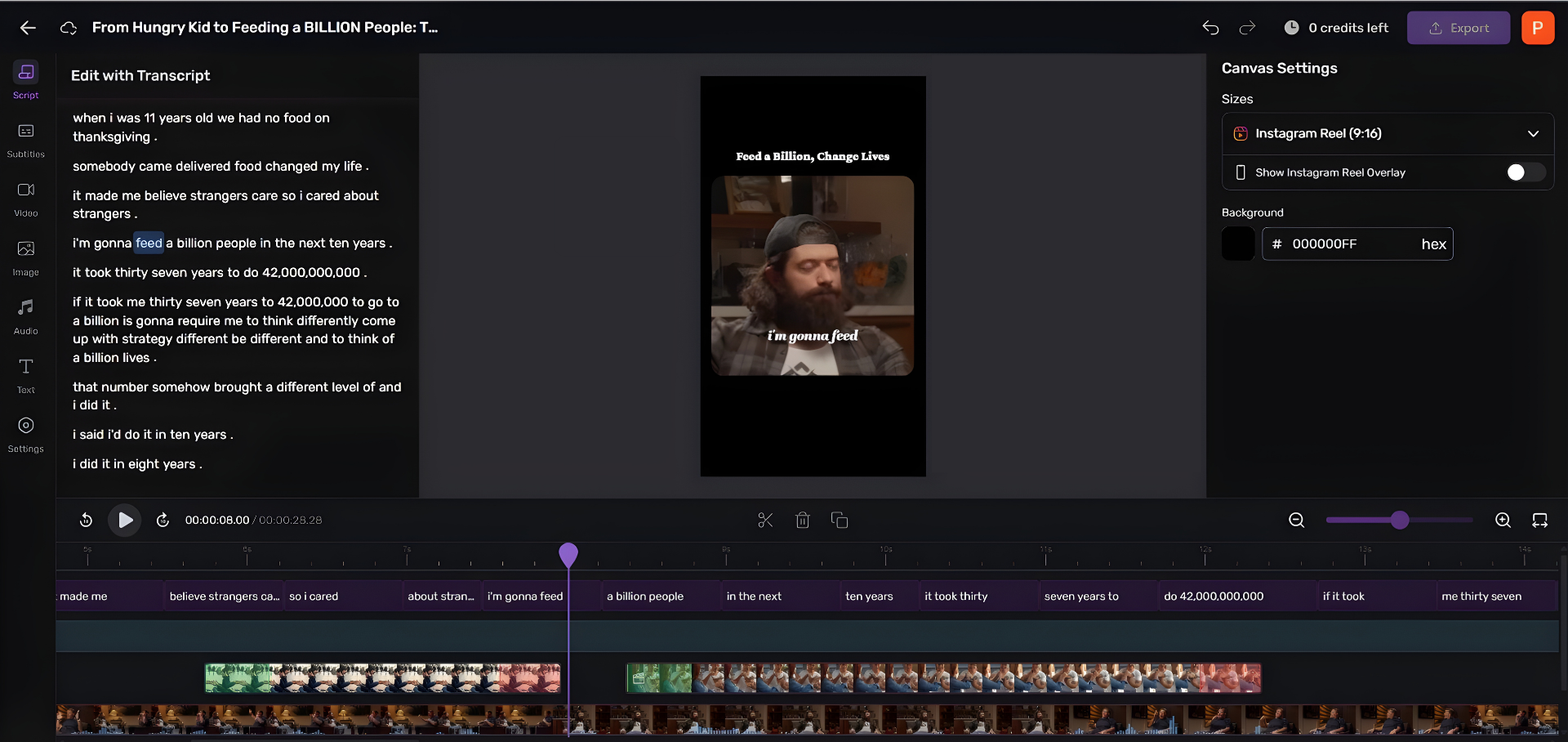
Once you are publishing, short clips are how most new listeners find you. You do not need to pay for a clip tool to start. Free editors like Audacity can export audio you turn into clips by hand; that works, but it is slow and fiddly. The shortcut: pull the three or four sharpest 30-to-60-second moments from each episode, caption them, and post them where your listeners already scroll.
For the rest of the toolchain on no budget, podcast editing software for total beginners covers what to learn first, and if you want to spend the very next dollar on a mic instead of software, the best podcast mic under $100, tested by use case drills into the microphone tier specifically.
Frequently asked questions
Can you really start a podcast for under $200?
Yes, with money to spare. A Samson Q2U microphone (~$70), free recording software like Audacity or GarageBand ($0), and closed-back headphones (~$59) total about $129 and record a publishable episode the day they arrive. The remaining budget is best spent on a boom arm or saved entirely. The $200 ceiling is generous for a solo or two-person show.
Do I need an audio interface for a cheap podcast setup?
No. The whole point of recommending a USB mic like the Q2U is that it records straight into your computer with no interface. An interface is only required for XLR-only microphones, which adds roughly $35–$100 to the build (Equipboard). Buy a USB-capable mic first; add an interface later only when you go XLR.
Is free podcast software good enough, or should I pay?
Free is good enough to start, and for a long time after. Audacity (any OS) and GarageBand (Mac) handle multitrack recording, editing, noise reduction, and MP3 export at no cost (Audacity). Paid software buys polish and remote-guest recording, not better-sounding episodes. The one paid feature worth it early is local recording of remote guests, a tool like Riverside starts around $24/month.
What is the single best upgrade once I have a budget?
Your room and mic technique, which cost nothing, speak close to the mic, record facing soft surfaces, and keep a consistent distance. After that, a $30–$60 boom arm to lock that distance in. The gap between a $150 and a $1,500 setup is smaller than the gap between bad technique and good. Spend on the room before the gear.
Will cheap equipment limit how big my podcast can get?
No. Audio quality has a floor below which listeners drop off, and this build clears it when used correctly. Growth comes from publishing consistently and getting discovered, not from a mic's price, and nearly half of all shows quit by episode three Amplifi Media. Put your energy into shipping episodes, then into clipping them so new listeners can find you.